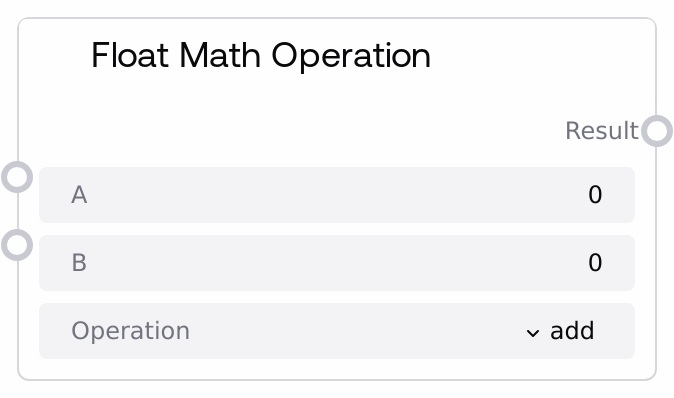
Float Math Operation
This node applies a selected mathematical operation to floating-point inputs, supporting add, subtract, multiply, divide, modulo, power, sqrt, and abs. It guards against invalid operations like division or modulo by zero and square roots of negative values by returning 0.0 and logging a warning instead of failing. Use it as a reliable float math utility wherever you need configurable numeric transformations in a workflow.
Usage
Use this node when you need to combine, scale, or transform float values in a Salt pipeline, such as adjusting model thresholds, mixing scores, or computing derived parameters. Place it after nodes that output numeric values (e.g., metrics, probabilities, weights) and before nodes that require a single computed float (such as comparison, routing, or configuration nodes). Choose binary operations (add, subtract, multiply, divide, modulo, power) when you need to combine two values a and b; choose unary operations (sqrt, abs) when you want to transform a alone, noting that b is then ignored. It integrates naturally with other SALT/Utility/Math nodes like "SaltComparisonOperation" for logical decisions based on the result, "SaltRoundingOperation" for formatting or quantization, and "SaltAdvancedMathOperation" for more complex numeric logic. Favor this node over custom scripting when you want predictable handling of edge cases like divide-by-zero and invalid roots.
| Field | Required | Type | Description | Example |
|---|
| a | True | FLOAT | Primary float operand. Used in all operations and as the sole operand for sqrt and abs. Acceptable range is -1e10 to 1e10; UI controls enforce this bound to avoid extreme values. | 0.75 |
| b | True | FLOAT | Secondary float operand for binary operations (add, subtract, multiply, divide, modulo, power). For sqrt and abs, this value is accepted but not used in the computation. Valid range is -1e10 to 1e10. | 2.5 |
| operation | True | STRING | Operation to perform. Allowed values: "add" (a + b), "subtract" (a - b), "multiply" (a * b), "divide" (a / b with protection against b = 0), "modulo" (a % b with protection against b = 0), "power" (a ** b), "sqrt" (square root of a, only valid for a >= 0), and "abs" (absolute value of a). Any other value yields 0.0 and logs a warning. | multiply |
Outputs
| Field | Type | Description | Example |
|---|
| result | FLOAT | The resulting float from the selected operation. For binary operations, it combines a and b; for unary operations (sqrt, abs), it depends only on a. On invalid input (e.g., divide by zero, sqrt of a negative) or unknown operations, the output is 0.0. | 1.875 |
Important Notes
- Performance: Operations are constant-time scalar math and effectively instantaneous for typical workflows; performance impact is negligible unless called extremely frequently at scale.
- Limitations: The sqrt operation does not support negative a; when a < 0, the node returns 0.0 and logs a warning instead of raising an error.
- Limitations: Division or modulo by zero (b = 0) does not fail the workflow; the node returns 0.0 and logs a warning, which can hide data issues if logs are not monitored.
- Behavior: For sqrt and abs, the b input is ignored even though it is required; changing b will not affect the result under these operations.
- Behavior: An unrecognized operation string causes the node to return 0.0 and emit an "Unknown operation" warning rather than interrupting execution.
Troubleshooting
- Result is always 0.0: Confirm that the operation field is set to one of the supported values (add, subtract, multiply, divide, modulo, power, sqrt, abs). An incorrect or dynamically malformed string from an upstream node will cause 0.0 outputs.
- Unexpected 0.0 when dividing or using modulo: Check that b is not 0. The node converts divide-by-zero and modulo-by-zero into a 0.0 result and logs a warning instead of failing.
- Unexpected 0.0 when using sqrt: Ensure that a is non-negative. Negative inputs for sqrt are considered invalid and produce 0.0 plus a warning.
- Changing b has no effect: If the operation is set to sqrt or abs, this is expected, as these operations only depend on a. Switch to a binary operation (like multiply or add) if you need b to influence the result.