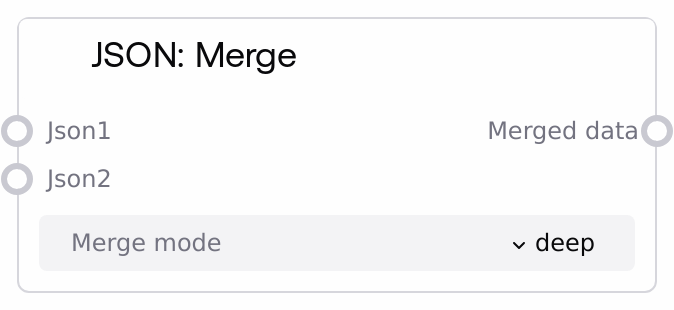
JSON: Merge
This node combines two JSON objects into a single result. It accepts JSON values or JSON-formatted strings, parsing strings when needed before merging. You can choose between shallow merge, where top-level keys from the second object overwrite the first, or deep merge, where nested objects are recursively combined.
Usage
Use this node when you need to consolidate two JSON structures, such as merging default configuration with user overrides, combining API responses, or layering environment-specific settings over a base template. Place it after nodes that produce or transform JSON—such as JSON: From String, JSON: Get Value, or custom nodes that build configuration objects—and before nodes that consume the merged result, like HTTP request builders, prompt constructors, or storage/output nodes. Select "shallow" when you only need top-level keys from json2 to overwrite json1, without changing nested structures. Select "deep" when nested dictionary fields should also be merged, preserving existing structure from json1 while allowing json2 to override specific nested keys. A typical pattern is: create a base config (possibly from a file or constant), generate overrides from user input or an API, merge them with JSON: Merge, then use JSON: Get Value or JSON: To String to prepare the final payload for downstream services.
| Field | Required | Type | Description | Example |
|---|
| json1 | True | WILDCARD | First JSON object to merge. Accepts either a JSON object (dictionary-like structure) or a JSON-formatted string. If provided as a string, it must be valid JSON that parses into an object (for example, {"key":"value"}). If after parsing this is not an object (for example, it is a list, string, or number), the node treats the inputs as non-mergeable and simply returns json2. | {"env": "prod", "features": {"logging": true, "beta": false}, "timeout": 30} |
| json2 | True | WILDCARD | Second JSON object to merge. Accepts a JSON object or JSON-formatted string. Values in this object override or extend those in json1. For shallow merge, any top-level keys present in json2 overwrite the same keys in json1. For deep merge, nested dictionaries are merged recursively, while non-dictionary values in json2 replace corresponding values in json1. If either input is not an object after parsing, the node returns json2 unchanged. | {"features": {"beta": true}, "timeout": 60, "region": "us-east-1"} |
| merge_mode | True | STRING | Defines how the two JSON objects are merged. Allowed values: "shallow" or "deep". "shallow" performs a one-level merge where keys from json2 overwrite keys in json1 without inspecting nested dictionaries. "deep" performs a recursive merge: if a key exists in both inputs and both values are objects, those nested objects are merged; otherwise, the value from json2 overwrites json1. | deep |
Outputs
| Field | Type | Description | Example |
|---|
| merged_data | WILDCARD | Merged JSON object produced by combining json1 and json2 according to merge_mode. When both inputs are valid JSON objects, this output is a dictionary-like structure suitable for further JSON operations. If parsing fails or either input is not an object, the node falls back to returning either json1 or json2 unchanged. Use this output as input to nodes like JSON: Get Value, JSON: To String, or API/file writer nodes that consume structured JSON. | { "env": "prod", "features": { "logging": true, "beta": true }, "timeout": 60, "region": "us-east-1" } |
Important Notes
- Performance: Deep merge recursively traverses nested dictionaries and may be slower on very large or deeply nested JSON structures; prefer shallow mode for flat data or when you do not need nested merging.
- Limitations: Only dictionary-like JSON objects are merged. If either input is not an object after parsing (for example, it is a list, number, or plain string), no structural merge occurs and the node simply returns json2.
- Behavior: String inputs are automatically parsed as JSON. If parsing fails due to invalid JSON, the node logs an internal error and returns the original json1 without merging.
- Behavior: Arrays or lists are not merged element-wise. If a key maps to a list in json2, that entire list replaces the list from json1 in both shallow and deep modes.
Troubleshooting
- Common Error 1: "Output equals json2 instead of being a merged object". Cause: At least one input was not a JSON object (for example, an array or scalar) after parsing. Fix: Ensure both json1 and json2 are objects like {"key": "value"}, not lists such as [1, 2, 3].
- Common Error 2: "Nested overrides from json2 are ignored". Cause: merge_mode is set to "shallow". Fix: Switch merge_mode to "deep" to enable recursive merging of nested dictionaries.
- Common Error 3: "Node appears to ignore string input changes". Cause: One of the JSON strings is invalid and cannot be parsed, so the node falls back to returning the original json1. Fix: Validate or repair your JSON text (possibly using JSON: Validate or JSON: From String) before passing it into JSON: Merge.