Load A3M
Usage
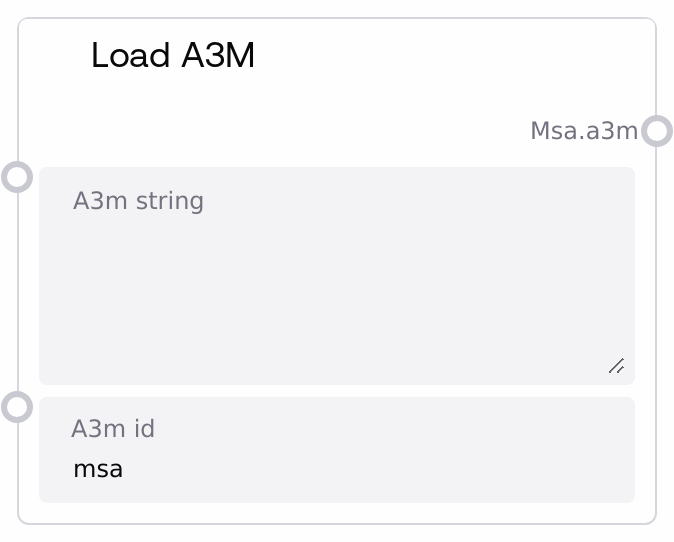
Use this node when you already have an A3M multiple sequence alignment (e.g., produced by HHblits, MMseqs2, or external pipelines) and you need to feed it into Salt workflows that expect an MSA input. It typically appears near the start of a biotech pipeline as an input node: you paste or programmatically supply the A3M into a3m_string and choose an a3m_id that clearly identifies which sequence or chain this MSA corresponds to.
Upstream, the A3M data usually comes from your own file system or an external service, not from another Salt node. Downstream, the output MSA is consumed by nodes that work with MSA dictionaries such as structure prediction or analysis nodes, and can be merged by A3MCombinerNode if you have multiple MSAs. It also complements LoadFastaNode and LoadPDBNode/LoadCIFNode when you build workflows that jointly use sequences, structures, and MSAs.
For best results, keep a3m_id consistent with your other IDs (for example, the corresponding FASTA header or chain label) and ensure the A3M content is valid and complete. When working with multiple MSAs, assign unique IDs and later merge them using A3MCombinerNode if required.
Inputs
| Field | Required | Type | Description | Example |
|---|---|---|---|---|
| a3m_string | True | STRING | Raw A3M-formatted multiple sequence alignment text. Must be a non-empty string with one or more A3M records: header lines starting with '>' followed by aligned sequences (typically with insertions in lowercase and deletions as gaps). The node does not enforce size limits, but very large MSAs may affect performance in downstream processing. | >query_chainA MKTLLILAVALAVFAAEEAQKSTVVKDLGDKVNAVVNNLNNLNNLNNL >homolog_1 MKTLLILAVALAVF-AAEEA-KSTVVKDLGDKVNAaVNNLNNLNNLNNL >homolog_2 MRTLLILAVALAVF-AAEEAQKSTVVKDLGDKVNAaVNNLNNL--LNNL |
| a3m_id | True | STRING | Identifier that will be used as the key for this MSA in the output dictionary. Should be non-empty and unique within a workflow when multiple A3M files are used. For best alignment and traceability, match this ID to the relevant sequence or chain identifier used elsewhere in the workflow. | chain_A_msa |
Outputs
| Field | Type | Description | Example |
|---|---|---|---|
| msa.a3m | MSA | An MSA-typed dictionary containing the loaded A3M alignment. The structure is `{a3m_id: a3m_string}`, where the key is the user-provided ID and the value is the exact A3M content passed in. Downstream nodes that accept MSA inputs can consume this directly, and it can be merged with other MSAs using A3MCombinerNode. | {'chain_A_msa': '>query_chainA\nMKTLLILAVALAVFAAEEAQKSTVVKDLGDKVNAVVNNLNNLNNLNNL\n>homolog_1\nMKTLLILAVALAVF-AAEEA-KSTVVKDLGDKVNAaVNNLNNLNNLNNL\n>homolog_2\nMRTLLILAVALAVF-AAEEAQKSTVVKDLGDKVNAaVNNLNNL--LNNL'} |
Important Notes
- Performance: The node only wraps the provided string into a dictionary and adds framework metadata; even large MSAs are cheap to load here, though they may slow down later modeling steps.
- Limitations: It does not validate the biological or syntactic correctness of the A3M; malformed or truncated MSAs will still pass through and may cause failures or poor results downstream.
- Behavior: The output is always a one-entry dictionary keyed by
a3m_id. If you reuse the same ID in different branches and then combine them, you can encounter key collisions or unexpected overwrites. - Behavior: Any additional metadata (such as file name or configuration) is managed by the underlying framework; this node itself does not rename, filter, or reformat the A3M content.
Troubleshooting
- Common Error 1: Downstream node reports that an expected MSA is missing or mismatched. Fix by ensuring
a3m_idmatches the expected sequence or chain ID and that the consuming node is wired to the correct msa.a3m output. - Common Error 2: A3MCombinerNode raises a 'At least one A3M input is required' error. This happens when all incoming MSA inputs are empty or missing; confirm that Load A3M is connected and that
a3m_stringis non-empty. - Common Error 3: Downstream parsers complain about unexpected A3M format. Inspect
a3m_stringto ensure each record starts with '>' and that alignment lines contain only valid characters, with no extraneous comments or binary data.