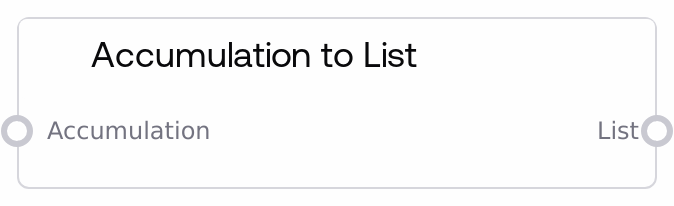
Accumulation to List
This node takes an Accumulation object (a dictionary-like structure with an `accum` field) and outputs that field as a standard list. If the input is not a valid accumulation or does not contain `accum`, it safely returns an empty list instead of raising an error. It is the primary way to exit the accumulation workflow and resume working with a normal list.
Usage
Use this node after building up values with accumulation-oriented nodes when you need a regular list for downstream logic. Typical scenarios: (1) Iteratively collect model outputs or intermediate values with Accumulate, then convert the final Accumulation to a list for iteration, filtering, or indexing. (2) Convert an Accumulation created by List to Accumulation back into a list for display, export, or further batch processing. (3) Normalize data for nodes that do not understand the ACCUMULATION type but accept standard lists. In a workflow, this node usually sits downstream of Accumulate, List to Accumulation, Accumulation Tail, or Accumulation Set Item, and upstream of list-processing, selection, or presentation nodes. Best practice is to keep using the ACCUMULATION type while you are still appending or mutating items, and only convert to a list via this node once you are ready for read-focused or terminal operations.
| Field | Required | Type | Description | Example |
|---|
| accumulation | True | ACCUMULATION | The Accumulation structure to convert. It must be an object/dictionary containing an `accum` key whose value is a list of items. If the input is not a dict or if `accum` is missing, the node will return an empty list. Items inside `accum` can be any supported data type (such as text strings, image objects, or structured records), as produced by other accumulation nodes. | {"accum": ["section 1 summary", "section 2 summary", "section 3 summary"]} |
Outputs
| Field | Type | Description | Example |
|---|
| accumulated_list | * | A standard list extracted from the `accum` field of the input Accumulation. If the input is a valid accumulation, this will contain all accumulated items in order; otherwise it will be an empty list `[]`. Downstream nodes can treat this as a normal list for iteration, selection, or transformation. | ["section 1 summary", "section 2 summary", "section 3 summary"] |
Important Notes
- Performance: The node directly returns the underlying
accum list when present, without copying it, making it very fast and memory-efficient even for large sequences.
- Limitations: If the input is a plain list or any structure that does not contain an
accum key, the node considers it invalid and outputs an empty list; it does not attempt to infer or wrap arbitrary data into an Accumulation.
- Behavior: On unexpected errors or malformed inputs, the node logs the issue internally and returns an empty list instead of failing the pipeline, so downstream nodes may see
[] rather than causing a hard error.
- Behavior: Because the underlying list is not cloned, any later in-place modifications to the same Accumulation upstream can be reflected in the list produced here; treat the result as a live view of the original list, not a deep copy.
Troubleshooting
- Common Error 1: Output is always
[] even though items were accumulated earlier. Verify that the upstream node outputs an ACCUMULATION object (e.g., from Accumulate or List to Accumulation) and not a raw list; the structure should look like { "accum": [...] }.
- Common Error 2: Downstream node reports an unexpected or invalid element type. Inspect the items stored in
accum and ensure they match what the downstream node expects (for example, all strings for a text concatenation step, or all image objects for an image grid).
- Common Error 3: List contents seem to change unexpectedly later in the pipeline. Remember that the node returns the same list reference held in
accum; if another node mutates that Accumulation after this one runs, those changes will appear in the accumulated_list. If you need an immutable snapshot, add a downstream step that explicitly copies the list.