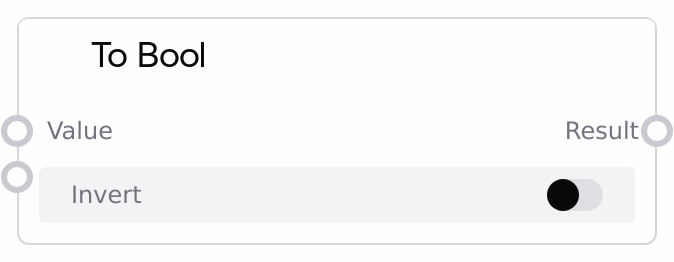
To Bool
This node evaluates an incoming value and converts it to a boolean result. It applies special handling for tensor inputs by checking whether they are entirely zero or contain any non-zero elements, and for non-tensor values it relies on standard boolean casting rules, defaulting to true on conversion errors. An optional invert flag can be used to flip the final boolean value.
Usage
Use the To Bool node when you need a unified boolean signal from heterogeneous data to control logical branches or conditional execution in a Salt workflow. It is particularly useful after model or processing nodes that output tensors, scores, or structured data, enabling you to decide whether to continue, repeat, or skip certain steps based on whether a meaningful signal is present. Typically, you connect this node downstream of computation or evaluation nodes (for example, those outputting detection maps, confidence scores, or status strings), and then feed its boolean output into nodes like SaltBoolOperationNode to combine conditions or IfConditionSelector to branch into different processing paths. A common workflow is: model or processing node → To Bool → Bool Operation or If. Use the invert parameter when you want the logical opposite of the interpreted condition (for example, treating "no detection" as the condition to perform cleanup).
| Field | Required | Type | Description | Example |
|---|
| value | True | WILDCARD | The value to be interpreted as a boolean. If the input is a tensor, the node evaluates its maximum and minimum values: if both are exactly 0, the result is false; if any element is non-zero, the result is true. For non-tensor values, the node attempts to use standard boolean casting (such as on numbers, strings, or containers), where zero, empty values, and None typically become false and all others become true. If this casting raises a ValueError or TypeError, the node falls back to treating the value as true instead of failing. | A tensor of shape [1, 1, 512, 512] representing a detection heatmap where all values are 0.0 when no object is found and contain positive activations when a target is detected. |
| invert | False | BOOLEAN | Optional flag that inverts the final boolean result. When set to false (default), the node outputs the direct interpretation of `value`. When set to true, the node returns the logical negation of that interpretation, turning true into false and false into true. This inversion is applied after all tensor and non-tensor handling is complete. | true, when using this node to create a "no detections" condition from a detection heatmap tensor (so that an all-zero tensor results in true). |
Outputs
| Field | Type | Description | Example |
|---|
| result | BOOLEAN | The final boolean outcome derived from the input `value`, optionally inverted by the `invert` parameter. This single boolean can be consumed by downstream logic and control nodes to drive branching, gating, or combination of conditions within the workflow. | false for an all-zero detection tensor when `invert` is false; true for a non-empty string such as "completed"; false for that same string if `invert` is set to true. |
Important Notes
- Performance: For tensor inputs, the node inspects the full tensor using both max and min operations; on very large tensors this can add noticeable overhead. If performance is critical, consider reducing or summarizing tensors upstream (for example, computing a scalar score) before passing them to this node.
- Limitations: If non-tensor values raise a ValueError or TypeError during boolean conversion, the node does not fail but instead treats the value as true. This behavior can hide issues with unexpected or malformed data unless additional validation is used earlier in the pipeline.
- Behavior: Tensor evaluation is strictly based on zero versus non-zero values; there is no numeric threshold. Any non-zero element, however small, causes the result to be true, while all elements must be exactly zero for the result to be false.
- Behavior: The
invert flag is a pure post-processing step: it does not change how the node reads or converts the value, only flips the final boolean result. This means combining this node with other logic nodes requires awareness of potential double inversions.
Troubleshooting
- Unexpected true result from unusual input types: When passing custom objects or unsupported types, boolean conversion may raise an error, causing the node to default to true. To fix this, add upstream type checks or convert your data to a known type (such as numeric or string) before sending it into this node.
- Condition true on very small non-zero tensor values: The node does not apply thresholds for tensors; any non-zero value results in true. If you require threshold-based behavior (for example, treat values below 0.1 as false), compute a thresholded tensor or scalar score upstream and pass that into this node.
- Logic appears inverted or branches fire unexpectedly: If a branch executes when it should not, check the
invert setting on this node and verify that downstream nodes like SaltBoolOperationNode or IfConditionSelector are not also inverting or negating the signal. Adjust the invert options to ensure you only invert once where intended.
- Slow behavior with very large tensors: When feeding very large tensors, max and min evaluations may slow down execution. To resolve this, consider using a reduced representation (for example, mean activation, max value, or a precomputed boolean mask) as
value instead of the full tensor.