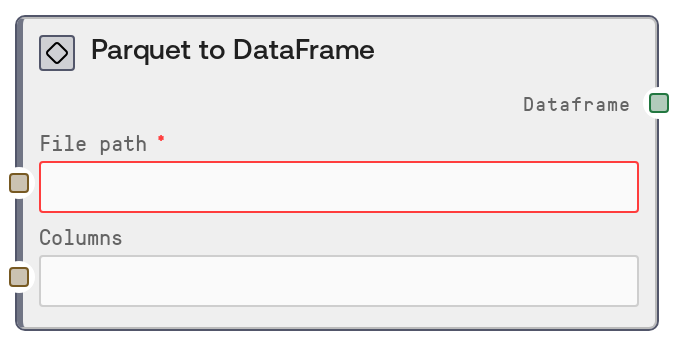
Parquet to DataFrame
This node reads a Parquet file from a given file path and converts it into a DataFrame object for downstream table operations. You can optionally provide a comma-separated list of column names so that only a subset of columns is loaded, which helps reduce memory usage and I/O for wide datasets. It is intended as an efficient, columnar-data-oriented entry point into Salt's table/DataFrame workflows.
Usage
Use ParquetToDataFrameNode when your structured data is stored in Parquet format and you want to bring it into Salt's DataFrame-based tooling. Common scenarios include analytics tables exported from data warehouses, precomputed feature tables saved in Parquet by offline pipelines, or log/event data converted to columnar storage. Place this node near the start of your pipeline: upstream, connect a node that provides or constructs the Parquet file path (for example, a file selection node or a path-builder node). Downstream, route its DataFrame output into table operations such as filtering, column selection, joins, aggregations, or visualization. It integrates naturally with other table nodes in the SALT/Table/DataFrame category, such as CSVToDataFrameNode, JSONToDataFrameNode, ConcatenateDataFramesNode, and DataFrameToCSVNode. In workflows where you may choose between CSV, JSON, or Parquet as storage, prefer ParquetToDataFrameNode for large or wide datasets because it can load only the required columns via the columns input, improving performance and reducing memory usage.
| Field | Required | Type | Description | Example |
|---|
| file_path | True | STRING | Path to the Parquet file to load. This must point to an existing, readable Parquet file in the environment where the workflow runs. It can be an absolute path or a workspace-relative path, as long as the runtime has read permissions. If the path is invalid, the file does not exist, or the file is not a valid Parquet file, the node will fail. | /workspace/datasets/transactions_2024_q1.parquet |
| columns | False | STRING | Optional comma-separated list of column names to load from the Parquet file. If left empty or only whitespace, all columns are loaded. Column names are trimmed of surrounding spaces. If any name does not exist in the Parquet schema, the underlying loader raises an error. Use this to reduce memory and speed up loading when you only need a subset of columns from a wide table. | customer_id, transaction_date, amount, currency |
Outputs
| Field | Type | Description | Example |
|---|
| dataframe | DATAFRAME | A DataFrame containing the data read from the Parquet file. When `columns` is empty, the DataFrame includes all columns present in the file; when `columns` is specified, it contains only that subset. The DataFrame preserves the schema and data types as interpreted by the underlying Parquet reader and is ready for downstream table operations such as filtering, joins, aggregations, feature engineering, or export to other formats. | DATAFRAME with columns ['customer_id', 'transaction_date', 'amount', 'currency'] and 1,250,000 rows; first row: [84219, '2024-02-01T09:15:32Z', 57.80, 'USD'] |
Important Notes
- Performance: Because Parquet is a columnar format, specifying
columns can substantially reduce load time and memory usage for wide datasets by reading only the columns you need.
- Performance: Loading very large Parquet files with all columns can still be memory-intensive. If you encounter slow performance or memory pressure, limit the columns you load or split the dataset into smaller Parquet files upstream.
- Limitations: The node does not auto-detect file formats. If
file_path points to a CSV, JSON, or other non-Parquet file, the underlying reader will raise a Parquet-related error instead of silently handling it.
- Behavior: Column names in the
columns string must match the Parquet schema (including case, depending on how the data was written). Extra spaces are stripped, but misspellings or missing columns will cause an error.
- Behavior: If
columns is an empty string or only whitespace, the node treats it as None and loads all available columns from the Parquet file.
Troubleshooting
- FileNotFoundError or 'No such file or directory': The path in
file_path is incorrect or inaccessible. Confirm the file exists at that location, check for typos, and ensure the workflow has permission to read that directory.
- Parquet format or parsing error: Messages such as 'Invalid file path or buffer' or Parquet-specific parsing errors usually indicate the target file is not a valid Parquet file or is corrupted. Verify the file format, regenerate it if necessary, or switch to CSVToDataFrameNode/JSONToDataFrameNode if the data is actually in CSV or JSON.
- 'Column ... does not exist' or similar schema errors: One or more names listed in
columns are not present in the Parquet schema. Inspect the dataset (for example, via a notebook or a temporary load without columns) to see the exact column names, then update the list to match.
- Out-of-memory or very slow execution: This often occurs when loading a very large file with many columns. Restrict the
columns input to only the features you need, or partition the data into multiple Parquet files and process them in smaller batches.