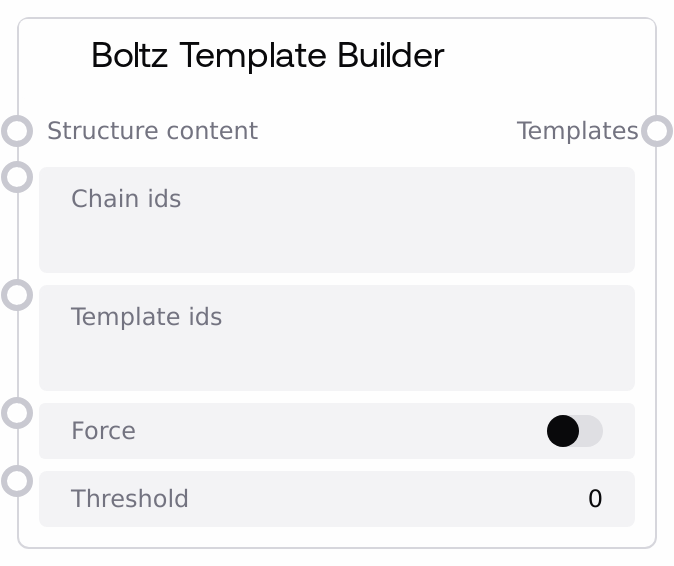
Boltz Template Builder
Boltz Template Builder converts a single structure file (PDB or CIF text) into a Boltz-compatible template object. It auto-detects whether the input is PDB or CIF, wraps the content under the correct key, and can annotate chain IDs, template IDs, a force flag, and a distance threshold. The node returns a list with one template object, ready to be merged into a complete Boltz YAML configuration.
Usage
Use this node when you want to bias a Boltz prediction with an existing structure, such as an experimentally solved protein or a previous model. First load your structure using a loader node that outputs a dictionary mapping filenames to file contents, then pass that dictionary into the structure_content input. Optionally specify chain_ids to indicate which chains from the structure should be templated, and template_ids to map those structure chains onto logical template IDs used in your sequences. Toggle force to have Boltz more strictly enforce the template, and use threshold to limit allowed deviations from the template in Angstroms. The resulting templates output (a one-element list) is typically combined with outputs from Boltz Sequence Builder and Boltz Constraint Builder using Boltz List Combiner, then fed into Boltz YAML Combiner as the templates input, and finally into Boltz Predict for structure generation or property prediction.
| Field | Required | Type | Description | Example |
|---|
| structure_content | True | * | Dictionary mapping a structure name to its raw file content as a string. Only the first entry is used. The value must be valid PDB or CIF text. The node detects CIF if the stripped text starts with "data_" or contains "_atom_site.", otherwise it treats the content as PDB. This is usually produced by dedicated loader nodes that read PDB or CIF files into a {filename: content} mapping. | {"1XYZ.pdb": "ATOM 1 N MET A 1 11.104 12.411 10.234 1.00 20.00 N\nATOM 2 CA MET A 1 12.560 12.700 10.500 1.00 20.00 C\nEND"} |
| chain_ids | False | STRING | Comma-separated chain IDs to include in the template (for example, "A,B"). If set, the node will add a chain_id field to the template object: a single ID becomes a string, multiple IDs become a list. If left empty, no chain_id field is added and the template does not explicitly restrict chains. | A,B |
| template_ids | False | STRING | Comma-separated template IDs corresponding one-to-one with the chain_ids (for example, chain_ids="A,B" and template_ids="H,L" to map heavy and light chains). If provided and the count matches the number of chain_ids, the node adds a template_id field (string for a single ID, list for multiple). If the counts differ, template_ids are ignored and a warning is logged. | H,L |
| force | False | BOOLEAN | Whether to enforce this template using a potential during Boltz sampling. If true, the node adds force: true to the template, which downstream Boltz logic can interpret as a stronger constraint on following the template conformation. | True |
| threshold | False | FLOAT | Distance threshold in Angstroms controlling how far the sampled structure may deviate from the template. Valid range is 0.0 to 10.0 with step 0.1. Values greater than 0 add a threshold field to the template; 0.0 leaves it unset, meaning no explicit distance cutoff is applied. | 2.0 |
Outputs
| Field | Type | Description | Example |
|---|
| templates | * | A list containing a single Boltz template object. The object has either a pdb key (for PDB content) or a cif key (for CIF content), holding the full structure text. Optional fields include chain_id (string or list), template_id (string or list), force (boolean), and threshold (float). This list is intended to be passed to Boltz List Combiner and then into Boltz YAML Combiner as the templates input for Boltz Predict. | [{"pdb": "ATOM 1 N MET A 1 ...\nEND", "chain_id": ["A", "B"], "template_id": ["H", "L"], "force": true, "threshold": 2.0}] |
Important Notes
- Format detection: The node does not look at filenames; it inspects the text. If the content starts with "data_" or includes "_atom_site.", it is treated as CIF, otherwise as PDB. Make sure upstream steps do not strip or alter these markers.
- Only first structure used: If structure_content contains multiple key–value pairs, only the first entry (based on dictionary order) is processed. Put the desired structure in a single-entry dict for clarity.
- Chain/template pairing: The number of template_ids must exactly match the number of chain_ids; otherwise, template_ids are discarded and only chain_ids are used, with a warning logged internally.
- Threshold semantics: A threshold of 0.0 is interpreted as "no explicit distance limit" and results in no threshold field in the output, not as a hard zero-distance clamp.
- Raw text payload: The node keeps the full PDB/CIF text inside the template object. Downstream Boltz YAML Combiner will later materialize these into separate files; very large structures can temporarily increase memory and message sizes.
Troubleshooting
- Error: Structure content is required: This indicates structure_content is missing, empty, or not a dictionary. Ensure your loader node outputs a dict of the form {"file_name": "PDB_OR_CIF_TEXT"} and that it is wired correctly to this node.
- Error: Structure file content cannot be empty: The first entry in structure_content exists but contains only whitespace or an empty string. Verify that the structure file is readable and that the loader is not returning empty content.
- Unexpected PDB/CIF classification: If a known PDB is treated as CIF or vice versa, inspect the first few lines of the text. Leading whitespace or additional headers might cause it to start with "data_" or include "_atom_site.", triggering CIF detection.
- Template IDs not applied: If your template IDs appear missing in downstream YAML, confirm that the number of comma-separated entries in template_ids exactly matches chain_ids. Any mismatch causes template_ids to be ignored, leaving only chain_ids in the template.