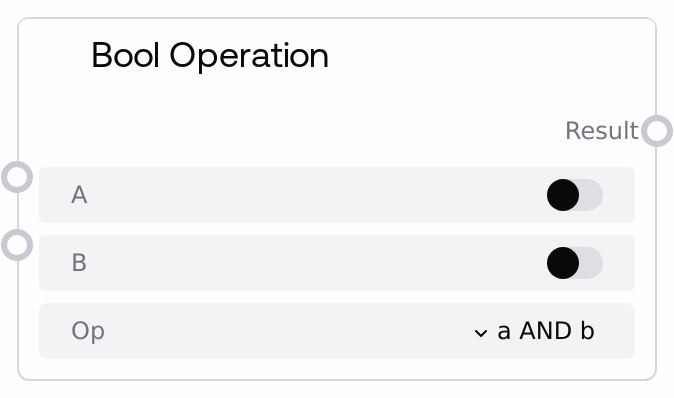
Bool Operation
This node evaluates simple boolean logic between two boolean values. It supports AND, OR, XOR, and a unary NOT on the first input, always returning a single BOOLEAN output. It is useful for combining multiple conditions or toggling logic branches in larger workflows.
Usage
Use the Bool Operation node whenever you need to combine or invert boolean conditions to drive control flow in your Salt graphs. Typical upstream nodes include condition evaluators such as Int Condition (SaltIntConditions), Float Condition (SaltFloatConditions), String Condition (SaltStringConditions), and To Bool (SaltToBoolNode), which all produce BOOLEAN outputs. The Bool Operation node then merges these booleans (for example, requiring multiple conditions to be true with AND, or allowing any of them to be true with OR) before passing the resulting BOOLEAN into downstream logic controllers like If (IfConditionSelector) or other routing/branching nodes. Common patterns include: (1) chaining multiple condition checks and aggregating them with AND/OR, (2) isolating exclusive conditions with XOR, and (3) inverting a single flag using 'NOT a' to simplify branch expressions. For clarity and maintainability, keep the logic here simple (one operation per node) and use multiple Bool Operation nodes if you need more complex expressions.
| Field | Required | Type | Description | Example |
|---|
| a | True | BOOLEAN | First boolean operand for the logical expression. Used directly in all operations and is the value negated when using the 'NOT a' option. | True |
| b | True | BOOLEAN | Second boolean operand, used in all binary operations (AND, OR, XOR). Ignored when the operation is 'NOT a'. | False |
| op | True | STRING | Logical operation to apply. Must be one of: 'a AND b', 'a OR b', 'a XOR b', 'NOT a'. For 'NOT a', the value of b is not used. | a AND b |
Outputs
| Field | Type | Description | Example |
|---|
| result | BOOLEAN | The boolean result of the selected logical operation over inputs a and b. This is typically fed into other logic/flow-control nodes to enable or disable branches. | True |
Important Notes
- Performance: The node performs only simple boolean operations and is effectively instantaneous; performance impact is negligible even when used many times in a graph.
- Limitations: The 'NOT a' operation ignores the value of b entirely; if you need to negate or combine b, wire it as the first input in another Bool Operation node.
- Limitations: Only single-step operations are supported (no chained expressions like '(a AND b) OR c' in one node); use multiple Bool Operation nodes to construct more complex logic.
- Behavior: If an unsupported operation string is somehow provided, the node logs a warning and returns False, which can cause branches to be skipped if not anticipated.
Troubleshooting
- Unexpected False result: If you always get False, verify that 'op' is set to one of the supported values ('a AND b', 'a OR b', 'a XOR b', 'NOT a'). An invalid value will default the result to False.
- b seems ignored: When using the 'NOT a' option, input b is intentionally not used. If you meant to combine a and b, select 'a AND b', 'a OR b', or 'a XOR b' instead.
- Logic appears inverted: If downstream behavior seems opposite to what you expect, double-check the input wiring (which condition is 'a' vs 'b') and whether you accidentally used 'NOT a' where a direct operation was intended.