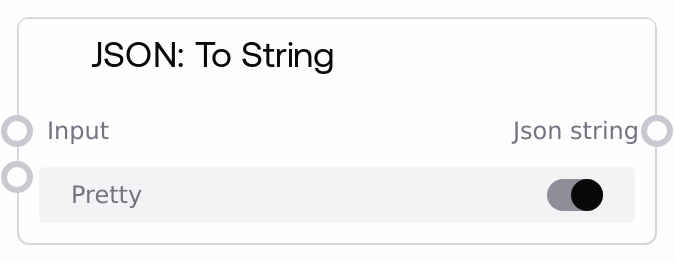
JSON: To String
This node takes any incoming data (numbers, booleans, strings, lists, dicts, or other node outputs) and serializes it into a JSON-formatted text string. It uses a shared JSON formatter to handle diverse types consistently and can either pretty-print with indentation or emit a compact string. If serialization fails for any reason, it logs the error and falls back to a simple string conversion of the input.
Usage
Use this node whenever you need to serialize structured data into a JSON string for logging, storage, configuration export, or for passing into downstream nodes that expect plain text. Typical upstream nodes include data assembly nodes such as "SaltJsonSetValue" and "SaltJsonMerge", as well as model/tool outputs that produce Python-like objects. Downstream, this node pairs well with HTTP request nodes (to send JSON bodies), file-writing nodes (to save JSON files), text-based prompt or template builders, or "SaltJsonFromString" if you later want to re-parse it. A common pattern is: build or modify a dict via "SaltJsonSetValue" or "SaltJsonMerge", then pass it into "SaltJsonToString" with pretty=false for compact transport, or pretty=true when generating human-readable logs or configuration previews. Prefer this node over manual string formatting whenever you need robust, standards-compliant JSON output across your workflows.
| Field | Required | Type | Description | Example |
|---|
| input | True | WILDCARD | Arbitrary data to convert into JSON text. Accepts dictionaries, lists, numbers, booleans, strings, or composite objects produced by other nodes. Non-JSON-native types are converted to strings where necessary. Very deeply nested or self-referential objects are not supported; ensure your data is serializable to JSON. | {'user': {'id': 42, 'email': 'alice@example.com', 'is_active': True}, 'preferences': {'theme': 'dark', 'notifications': ['email', 'sms']}} |
| pretty | True | BOOLEAN | Controls output formatting. When true, the JSON string is indented with newlines for readability; when false, a compact representation without extra whitespace is produced, which is better for transmission or storage. | True |
Outputs
| Field | Type | Description | Example |
|---|
| json_string | STRING | A JSON-formatted text representation of the input value. This is a standard JSON string suitable for use in HTTP request bodies, file content, logs, or as input to other nodes that expect STRING. If serialization fails, this will be a best-effort string representation of the original input. | { "user": { "id": 42, "email": "alice@example.com", "is_active": true }, "preferences": { "theme": "dark", "notifications": [ "email", "sms" ] } } |
Important Notes
- Performance: Pretty-printed output adds indentation and newlines, which slightly increases size and CPU time; for large payloads or high-throughput pipelines, set pretty to false for more efficient serialization.
- Limitations: Circular references or complex custom objects are not fully JSON-serializable; such values are converted to their string representation rather than raising an error.
- Behavior: On serialization errors, the node logs the error internally and returns str(input) instead of failing the graph; this means malformed or unsupported structures still yield a STRING output, but not guaranteed valid JSON.
- Behavior: The serializer preserves numeric types and booleans natively, and it does not escape non-ASCII characters (ensure_ascii is disabled), which is usually desirable for human-readable text but may matter for strict legacy consumers.
Troubleshooting
- Output is not valid JSON: If a downstream JSON parser fails, check whether the original input contained unsupported types (for example, custom classes or framework objects). Normalize the data to plain dict/list/primitive types before this node, or use upstream nodes to reshape the structure.
- Unexpected string values instead of objects: When complex objects are passed in, they may be converted to their string representation. Inspect the upstream node to ensure it outputs standard Python structures (dicts, lists, numbers, strings, booleans) rather than framework-specific objects.
- Whitespace and size are too large: If the resulting JSON is bigger than expected (many newlines or spaces), set pretty to false to get a compact, single-line JSON string better suited for network IO or storage.
- Downstream node rejects the payload: Some integrations require strict JSON objects (starting with "{" or "["); verify that your upstream "input" is a dict or list and not already a raw string, and avoid double-encoding (do not pass a JSON string into this node and then send that again as JSON).