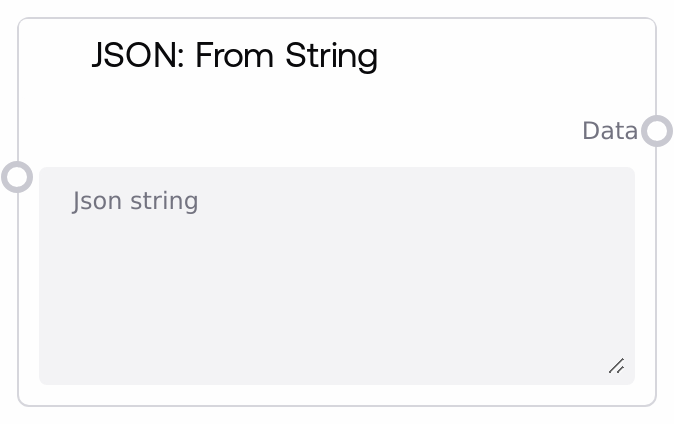
JSON: From String
This node converts a JSON-formatted text string into a structured data object such as an object or dictionary, list or array, number, boolean, string, or null. It is typically used to turn raw JSON text from files, APIs, or text fields into data that other nodes can inspect and manipulate. If the input is empty or not valid JSON, the node safely returns None instead of throwing an error.
Usage
Use this node whenever you have JSON text that needs to be treated as structured data in a workflow. Common scenarios include parsing API responses, configuration files, saved prompt templates, or user-provided JSON text. It usually appears early in a JSON-handling pipeline: upstream of it you might have nodes that load or generate text (for example, HTTP response loaders, file readers, or text composition nodes). Downstream you can connect nodes such as JSON: Get Value, JSON: Set Value, JSON: Merge, or JSON: Filter to inspect or transform the parsed data. The output is a generic data structure that adapts to the content of the JSON (object, list, or primitive), so downstream nodes that accept wildcard or any-type inputs can connect to it directly. For robust workflows, validate or sanitize user-provided JSON and handle the case where this node returns None, for example by branching on that condition or providing default values.
| Field | Required | Type | Description | Example |
|---|
| json_string | True | STRING | A valid JSON-formatted string to parse. Supports standard JSON types: objects using curly braces, arrays using square brackets, strings, numbers, booleans, and null. The string can be multiline and must follow strict JSON syntax, including double-quoted keys and strings, proper commas between elements, no trailing commas, and correctly escaped special characters. | { "user": { "id": 42, "name": "Alice", "roles": ["admin", "editor"], "active": true }, "settings": { "theme": "dark", "notifications": false } } |
Outputs
| Field | Type | Description | Example |
|---|
| data | WILDCARD | The parsed representation of the JSON input. If the JSON string represents an object, this is an object or dictionary-like structure; if it is an array, this is a list or array; otherwise it may be a primitive type such as a number, string, boolean, or null (mapped to None). If parsing fails due to invalid JSON, this output is None. Downstream nodes can treat this as generic structured data for querying, merging, or transformation. | {'user': {'id': 42, 'name': 'Alice', 'roles': ['admin', 'editor'], 'active': True}, 'settings': {'theme': 'dark', 'notifications': False}} |
Important Notes
- Performance: Parsing very large JSON strings, such as multi-megabyte logs or large API responses, can be slower and memory-intensive; consider pre-filtering or chunking data upstream before passing it into this node.
- Limitations: Any syntax error in the JSON, including trailing commas, single-quoted keys, comments, or unescaped control characters, causes parsing to fail and this node will return None instead of partial results.
- Behavior: The output type is dynamic and depends on the JSON root (object, array, or primitive), so design downstream logic to handle the actual structure or validate the expected schema beforehand.
- Behavior: On any parsing error, the node does not raise an exception in the workflow; it logs the error internally and outputs None, so you must explicitly check for a None output if JSON validity is important for later steps.
Troubleshooting
- Invalid JSON returns None: If the data output is always None, inspect the json_string for common issues such as missing quotes around keys, using single quotes instead of double quotes, or trailing commas. Use a JSON linter or the JSON: Validate node first to identify a specific error message.
- Unexpected output structure: If you expect an object but downstream nodes see a list or primitive value, verify the top-level structure of json_string (for example, it must start with { for an object or [ for an array). Adjust your JSON input or downstream logic to match the actual structure.
- Downstream access errors: When nodes such as JSON: Get Value fail to retrieve fields, first confirm that this node did not return None and then verify that the parsed structure matches the key path being used, including correct nesting, array indices, and field names.
- Issues with pasted or multiline JSON: If pasting JSON from external tools leads to parsing failures, check that indentation or formatting did not introduce invalid characters, such as smart quotes or non-breaking spaces. Replace them with standard double quotes and normal whitespace, and ensure there are no hidden control characters.