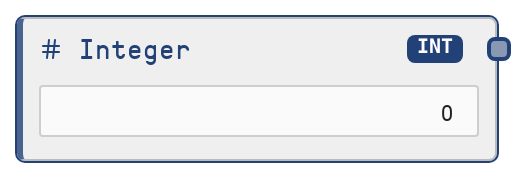
Integer
This node produces a literal integer (whole number) value configured by the user. It acts as a primitive constant source, injecting numeric values into the data flow without any computation. The node is ideal for parameters, counters, limits, and IDs that need to remain stable or be adjusted manually.
Usage
Use this node whenever you need a stable, reusable whole number in your workflow. Typical use cases include setting maximum iterations, retry counts, batch sizes, rating scales, index positions, or numeric configuration flags. It is usually placed near the start of a workflow as a configuration source and then wired into downstream nodes that accept INT inputs, such as loop controllers, routing/logic nodes, arithmetic or comparison nodes, and model or tool nodes that require integer parameters (e.g., max_results, top_k, seed, page number). Combine it with other primitive nodes like SaltFloat, SaltString, SaltBoolean, SaltList, and SaltObject to build clearly structured configuration sections. A good practice is to create dedicated Integer nodes for any numeric parameter that might change over time, so you can adjust a single node instead of editing multiple downstream nodes.
| Field | Required | Type | Description | Example |
|---|
| value | True | INT | The whole-number value this node will output. Must be within the 32-bit signed integer range from -2,147,483,648 to 2,147,483,647. Only integers are allowed—no decimal points. This value remains constant during workflow execution and only changes when edited in the node configuration. | 25 |
Outputs
| Field | Type | Description | Example |
|---|
| value | INT | The configured integer value as a primitive INT. This can be connected to any downstream node input that expects an INT, such as a loop's `max_iterations`, a tool parameter like `max_results`, an indexing or slicing node expecting a position, or numeric configuration fields on model and agent nodes. | 100 |
Important Notes
- Performance: The node simply returns the configured literal value without any computation, so it adds no meaningful overhead and can be used freely for configuration and constants.
- Limitations: Only 32-bit signed integers are supported. Very large or very small numbers outside −2,147,483,648 to 2,147,483,647 are not valid.
- Behavior: The node is purely static and state-free: it does not auto-increment, track counts, or depend on previous runs. Every execution returns exactly the configured value.
- Behavior: A single Integer node can safely feed multiple downstream consumers, which is useful for keeping shared numeric configuration (like a common limit or threshold) consistent across different branches of the workflow.
Troubleshooting
- Cannot set desired number: If the UI stops you from entering a value, check whether it falls within the allowed −2,147,483,648 to 2,147,483,647 range. If not, scale your logic (e.g., use thousands instead of raw units) or split the logic across multiple nodes.
- Connection not allowed: If you cannot connect the output to a target input, the target may not accept INT values. Check the target node's input type and, if necessary, choose a compatible input or insert a conversion/adapter node if available.
- Unexpected loop or parameter behavior: When a loop runs too many or too few times, or a tool/model behaves differently than expected, verify that the Integer node's
value matches the intended parameter (for example, ensure you did not swap 5 and 50, or reuse the same Integer for two parameters that should differ).