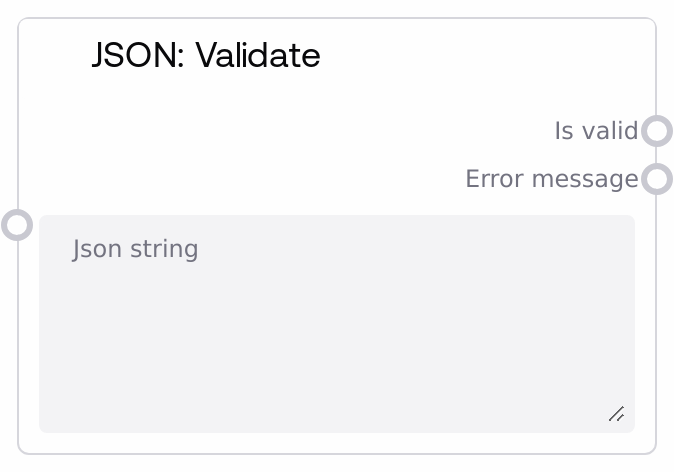
JSON: Validate
This node checks if an input string is syntactically valid JSON. It attempts to parse the string and returns a boolean indicating validity plus an error message when parsing fails, or an empty string when the JSON is valid. Use it to protect downstream JSON parsing and manipulation steps from malformed data.
Usage
Use this node whenever text in your workflow is expected to be JSON and you want to confirm it is correctly formatted before parsing or transforming it. Typical scenarios include validating JSON-like output from language models, checking configuration payloads from webhooks or APIs, or guarding workflows that rely on user-supplied JSON. In a common pipeline, an upstream node (such as SaltLLM, an HTTP response reader, or a file loader) produces a STRING that should be JSON. You then pass that string into SaltJsonValidate. If the is_valid output is true, route the same string into nodes like SaltJsonFromString to parse it, SaltJsonGetValue to extract fields, or SaltJsonMerge to combine objects. If is_valid is false, use the error_message output to log details, show feedback to users, or trigger a fallback branch (for example, asking a model to regenerate valid JSON). Place this node near the boundary where untrusted or generative text is first interpreted as JSON so errors are caught early and reported clearly.
| Field | Required | Type | Description | Example |
|---|
| json_string | True | STRING | The text to be checked for valid JSON syntax. It must be a string that can, if valid, be parsed according to standard JSON rules: double-quoted keys and strings, proper commas, and correctly matched brackets and braces. Multi-line JSON is supported. There is no strict size limit enforced by the node, but very large strings may increase processing time and memory usage. | { "user_id": 42, "name": "Dana", "roles": ["editor", "admin"], "preferences": {"theme": "dark", "notifications": true} } |
Outputs
| Field | Type | Description | Example |
|---|
| is_valid | BOOLEAN | True if the input json_string is valid JSON, false if parsing fails. Use this flag to control branching in your workflow, deciding whether to proceed with parsing and downstream processing or to go to an error-handling or recovery path. | True |
| error_message | STRING | A human-readable description of why validation failed when the JSON is invalid, or an empty string when the JSON is valid. This typically includes details such as the unexpected character, line, and column position, which helps with debugging or user-facing error messages. | Expecting property name enclosed in double quotes: line 1 column 3 (char 2) |
Important Notes
- Performance: Validation attempts to parse the entire string as JSON; very large payloads or frequent validations can increase CPU usage, so place this node judiciously in high-throughput or low-latency workflows.
- Limitations: The node checks only JSON syntax; it does not validate against schemas or ensure presence of specific keys, value types, or domain rules beyond what standard JSON allows.
- Behavior: When the JSON is valid, error_message is always an empty string; downstream logic should rely primarily on the is_valid boolean rather than checking for a non-empty error_message.
- Behavior: Non-JSON text, partially generated fragments, or strings using non-standard JSON extensions such as comments, trailing commas, or single quotes will be considered invalid and will produce a descriptive error_message.
Troubleshooting
- Invalid JSON that looks correct: If is_valid is false for JSON that appears fine, look for subtle issues such as trailing commas, single quotes instead of double quotes, comments, or unescaped control characters, as these are not allowed in strict JSON and will cause validation to fail.
- Encoding or escape errors: If error_message mentions invalid characters or escape sequences, verify that the upstream source emits UTF-8 compatible text and that backslashes, newlines, tabs, and Unicode escapes are correctly encoded (for example, using \n, \t, or \u1234).
- Downstream parser still fails: If a downstream JSON parser node fails even when is_valid is true, confirm that the exact same json_string value is passed through unchanged. Any intermediate trimming, concatenation, or templating can introduce new syntax issues after validation.
- Slow validation on very large inputs: If validation becomes slow on large JSON documents, consider validating only on external or user-generated inputs, or pre-filtering and reducing the size of the text before running SaltJsonValidate.