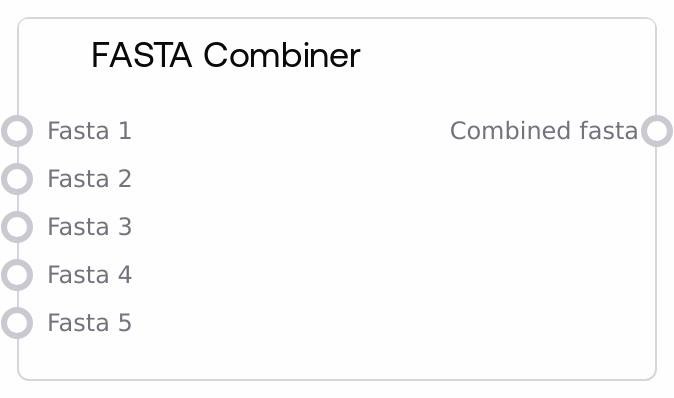
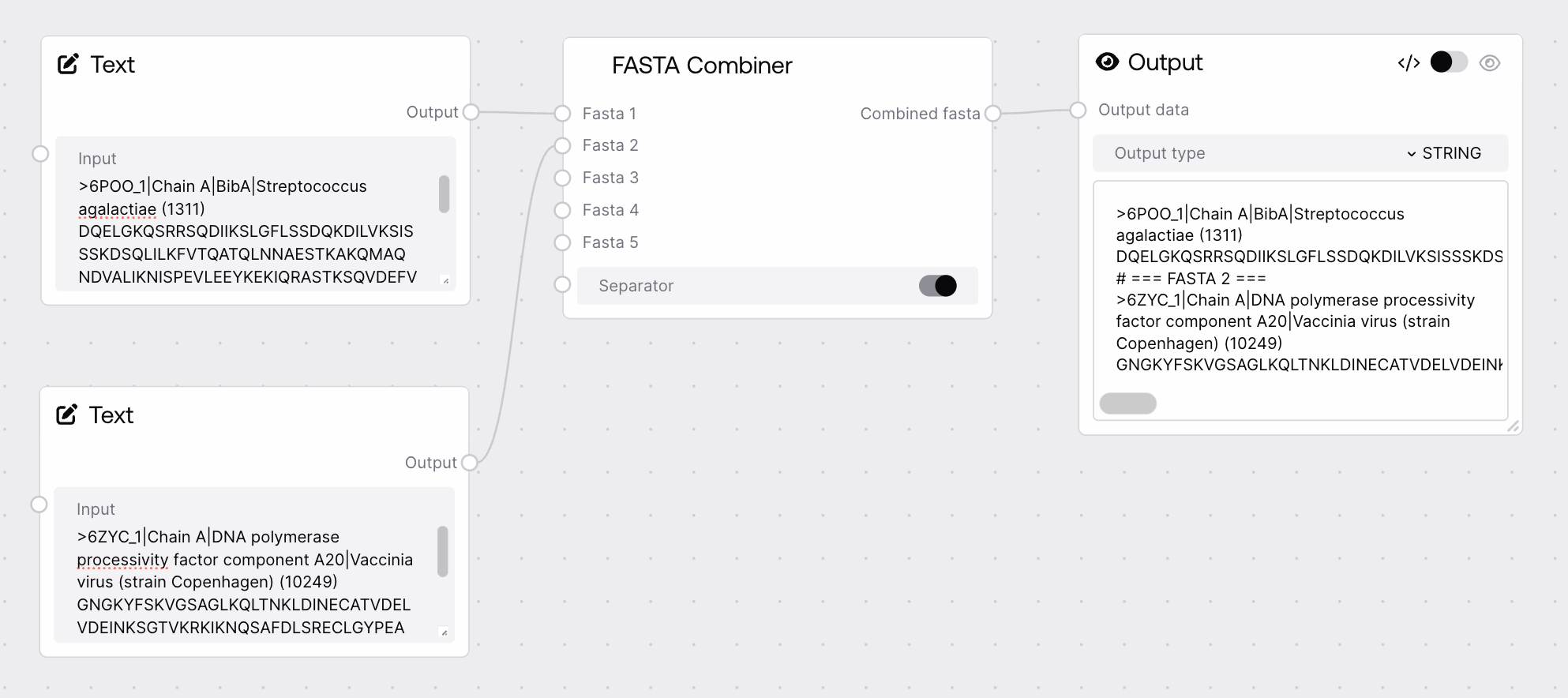
The FASTA Combiner node merges multiple FASTA sequence inputs into one continuous FASTA-formatted string. It accepts up to five optional FASTA inputs, preserves each input's internal headers and sequences, and concatenates only non-empty inputs with proper newline separation. If no valid FASTA input is provided, it raises an error to prevent running downstream steps with empty sequence data.
Use the FASTA Combiner node when you need to aggregate several FASTA sequences into a single input for downstream modeling or analysis. Typical scenarios include merging FASTA outputs from multiple PDB-to-sequence extractions (for example, several PDBToFastaNode outputs), combining manually loaded FASTA records (from multiple LoadFastaNode instances) into a single multi-record FASTA file, or preparing a unified sequence input for structure prediction or design workflows that expect one FASTA blob. In a typical pipeline, upstream nodes are LoadFastaNode, PDBToFastaNode, or other nodes that emit FASTA. Downstream, the combined FASTA is usually consumed by structure predictors, sequence design tools, or saving/export nodes such as SaveToZipNode or SaveToBucketNode. Best practice is to connect only FASTA-typed outputs to the optional inputs, ensure each connected input is valid FASTA text, and keep track of headers so you can interpret combined results. If you need more than five sources, first pre-combine them upstream, for example by chaining multiple FASTA Combiner nodes.
First FASTA input to combine. May contain one or many FASTA records. Empty or None values are ignored. Must be valid FASTA text with '>' headers and sequence lines.
>protA MKTLLILAVALGNAQA >protB GATPQVQLNVSALQK
fasta_2
False
FASTA
Second FASTA input to merge after fasta_1. Its content is appended with a separating newline if needed. Ignored if empty or whitespace-only.
A single FASTA string containing all non-empty inputs, concatenated in order from fasta_1 to fasta_5. Internal line breaks and headers from each input are preserved, and a newline is inserted between blocks when needed. Suitable as a multi-record FASTA file for downstream tools.
Performance: The node operates purely on strings in memory and is very fast; performance concerns arise only for extremely large FASTA blobs (hundreds of megabytes or more).
Limitations: It supports only up to five FASTA inputs directly; to combine more, chain multiple FASTA Combiner nodes or pre-combine inputs upstream.
Limitations: Inputs are not deeply revalidated or repaired as FASTA; if an upstream node produces malformed FASTA, the combined output will also be malformed.
Behavior: Empty or whitespace-only inputs are silently skipped; if all inputs are empty or disconnected, the node raises a ValueError indicating that at least one FASTA input is required.
Behavior: The node trims leading and trailing whitespace around each FASTA block and ensures a newline is inserted between blocks when needed, but it does not modify header lines or sequence content.
Common Error 1: ValueError with message similar to "At least one FASTA input is required". This occurs when none of fasta_1–fasta_5 are connected or all of them are empty or whitespace. Connect at least one valid FASTA output, such as from LoadFastaNode or PDBToFastaNode, and re-run.
Common Error 2: A downstream tool reports an invalid FASTA format. One or more inputs likely contained malformed FASTA, for example missing '>' headers or invalid characters in sequence lines. Inspect each upstream FASTA source individually, correct formatting issues, then recombine.
Common Error 3: Sequences appear in an unexpected order in the combined output. The node concatenates inputs strictly in numerical order (fasta_1, then fasta_2, and so on). If you need a different order, reconnect the sources to different numbered inputs or adjust the upstream graph.
Common Issue 4: Duplicate or confusing sequence IDs. The node does not rename FASTA headers, so identical header lines from different inputs will appear unchanged in the combined output. To distinguish sequences, modify headers in the upstream FASTA sources before combining.