Load FASTA
Usage
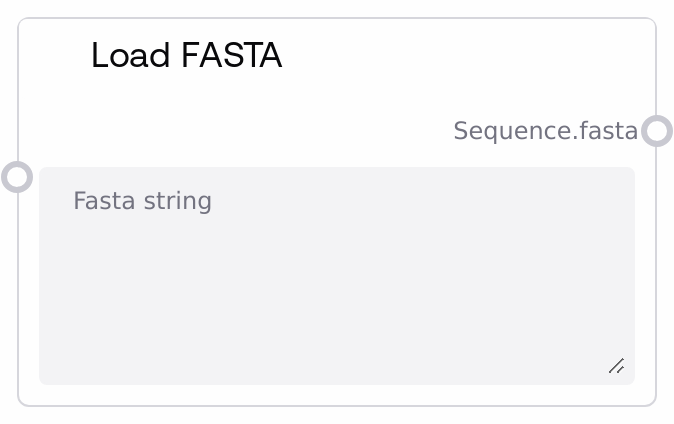
Use this node whenever you want to introduce one or more FASTA records directly as text into a biotech workflow. Typical scenarios include: (1) pasting a designed protein sequence for structure prediction, (2) loading a reference sequence that will later be aligned, or (3) providing a sequence to be combined with other FASTA inputs for multi-chain or multi-target jobs.
Place LoadFastaNode early in your pipeline, usually directly after user input, and before nodes that consume FASTA such as PdbFixerNode (for replacing chain sequences) or FastaCombinerNode (for merging multiple FASTA blocks). Upstream, this node does not depend on any other node—it is the source of sequence data. Downstream, common pairings include: FastaCombinerNode to merge this sequence with other FASTA inputs into a single multi-record FASTA; PdbFixerNode to use the provided FASTA sequence to replace a chain in an existing PDB structure; and any AlphaFold or similar model runner node that accepts a FASTA input directly via the FASTA type.
Best practices: provide properly formatted FASTA, including a header line starting with '>' followed by one or more lines of sequence, to improve robustness for downstream parsing nodes. Keep sequence identifiers consistent with structural IDs when you plan to combine this FASTA with PDB or MSA inputs, for example matching IDs used in LoadPDBNode or LoadA3MNode. For multi-chain or multi-sequence tasks, consider using multiple LoadFastaNode instances plus FastaCombinerNode to build a single canonical FASTA block.
Inputs
| Field | Required | Type | Description | Example |
|---|---|---|---|---|
| fasta_string | True | STRING | Raw FASTA text to upload. This should be one or more standard FASTA records: each record starts with a header line beginning with '>' followed by one or more lines of sequence using valid amino acid or nucleotide characters. There is no hard length limit at this node level, but extremely long sequences may affect performance in downstream model nodes. | >designed_protein_A MQGSLQKQLVAAEQLKQLVNEQLKQLVNEQLKQLVNEQLKQLVNEQLKQLVNEQ LVNEQLKQLVNEQLKQLVNEQLKQLVNEQ |
Outputs
| Field | Type | Description | Example |
|---|---|---|---|
| sequence.fasta | FASTA | The FASTA sequence string passed through without modification, wrapped in the FASTA data type for biotech workflows. Downstream nodes interpret this as a single text blob containing one or more FASTA records. Nodes like FastaCombinerNode treat it as FASTA content to be concatenated; nodes like PdbFixerNode parse it to extract the underlying sequence. | >target_chain_B GAMGKKLVEALKKQALEKSLENQKAELEKQLAQLENEKQQLEKQLAQLENQKQ LEKQLAQLENQKQLEKQLAQLENQKQ |
Important Notes
- Performance: The node itself is lightweight and effectively just passes the string through, so performance issues typically arise only in downstream model or analysis nodes processing very long sequences.
- Limitations: No validation is performed here; malformed FASTA (missing '>' headers, illegal characters, or inconsistent line breaks) may only trigger errors later when downstream nodes attempt to parse the content.
- Behavior: The string is returned exactly as provided—whitespace, line breaks, and multiple records are preserved; if you paste multiple FASTA records, they will all be forwarded to downstream nodes as a single FASTA block.
- Behavior: Because there is no separate ID field, sequence identifiers must be encoded in the FASTA header lines themselves, for example '>my_sequence_id'; downstream nodes that rely on IDs will parse them from those headers.
Troubleshooting
- Common Error 1: "No sequence found in FASTA data" from a downstream node such as PdbFixerNode. This usually means the FASTA string contained only headers or blank lines. Ensure you include at least one non-empty sequence line after each '>' header.
- Common Error 2: Downstream node complains about "invalid amino acid" or "unsupported character" in sequence. Check that your FASTA contains only valid 1-letter codes, for proteins A, R, N, D, C, Q, E, G, H, I, L, K, M, F, P, S, T, W, Y, V, and optionally U, O, X, and remove spaces or special symbols embedded in the sequence lines.
- Common Error 3: A model or alignment node fails when given multiple sequences unexpectedly. Verify whether you unintentionally pasted multiple FASTA records into fasta_string. If a node expects a single sequence, provide exactly one record or split your inputs across separate runs or nodes.