Lazy Conditional
Usage
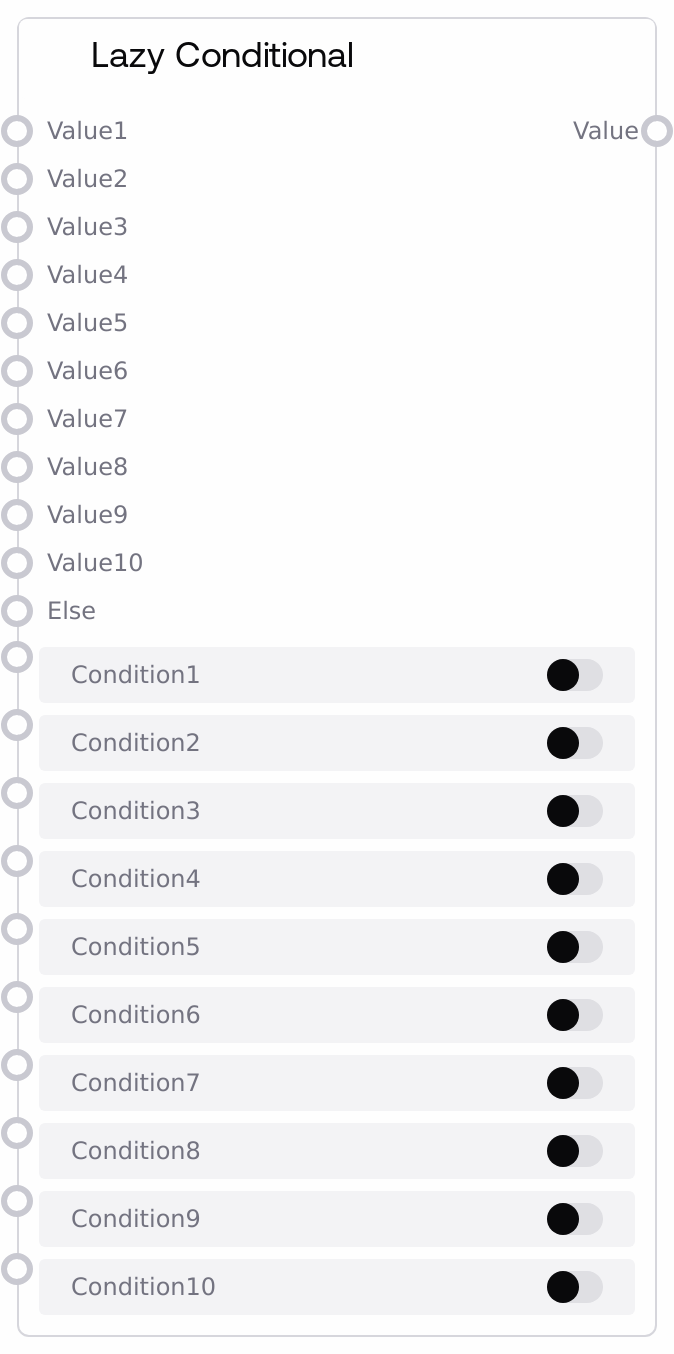
Use Lazy Conditional when you need to choose between multiple possible values—such as different images, prompts, models, or responses—based on dynamic conditions, but want to avoid computing all possible branches. Place this node downstream of logic or analysis nodes that produce BOOLEAN conditions (for example, comparison nodes, classification/matching nodes, feature-flag nodes, or manual boolean switches), and upstream of the nodes that will consume the selected value, such as image processors, text generators, or output renderers. Connect value1/condition1, value2/condition2, and so on up to value10/condition10 in the order of priority: the first condition that evaluates to true determines which value is output. If none of the conditions are true, the node will use the value connected to else (if present). Because the value inputs are lazy, only the upstream chain for the chosen branch (or else) is executed, which is especially useful when each branch contains expensive operations like different high-resolution generation pipelines or distinct LLM workflows. For very large decision trees, chain multiple Lazy Conditional nodes to structure your logic in stages, and combine with Lazy Switch or other SALT/Logic nodes for clear, maintainable control flows.
Inputs
| Field | Required | Type | Description | Example |
|---|---|---|---|---|
| value1 | False | WILDCARD | First candidate value to output if condition1 is the first true condition. Accepts any data type (images, text, embeddings, model handles, etc.). It is marked lazy, so the upstream computation that produces this value only runs when condition1 wins. | A high-resolution product hero image tensor generated for premium users. |
| condition1 | False | BOOLEAN | Boolean that guards value1. When true—and no earlier condition exists—value1 is selected as the output. This input is forced to be connected by another node rather than relying on a static default. | True if `user_segment == "premium"`, computed by a user segmentation logic node. |
| value2 | False | WILDCARD | Second candidate value to output if condition2 is the first true condition after evaluating earlier ones. Also lazy, so its upstream graph is only run when chosen. | A standard-resolution product image for regular users. |
| condition2 | False | BOOLEAN | Boolean that guards value2. Evaluated after condition1; if condition1 is false and condition2 is true, value2 is selected as the output. | True if `user_segment == "standard"`. |
| value3 | False | WILDCARD | Third candidate value. Used when condition3 is the first condition that evaluates to true. Behaves like earlier value inputs but adds another branch. | An onboarding tutorial text block for new users. |
| condition3 | False | BOOLEAN | Boolean that guards value3. Evaluated after condition1 and condition2. | True if `is_new_user == True`, provided by an upstream user-info node. |
| value4 | False | WILDCARD | Fourth candidate value. Useful for branching on device type, environment, or other secondary attributes. | A mobile-optimized prompt template for an LLM node. |
| condition4 | False | BOOLEAN | Boolean that guards value4. | True if `client_device == "mobile"`. |
| value5 | False | WILDCARD | Fifth candidate value. Values 5 through 10 behave just like the earlier ones, enabling more complex decision structures. | An internal diagnostic text output for operators. |
| condition5 | False | BOOLEAN | Boolean that guards value5. | True if `user_role == "internal"`. |
| value6 | False | WILDCARD | Sixth candidate value. | A blurred placeholder image when content is unsafe. |
| condition6 | False | BOOLEAN | Boolean that guards value6. | True if `content_moderation_result == "flagged"`. |
| value7 | False | WILDCARD | Seventh candidate value. | A compressed asset for low-bandwidth users. |
| condition7 | False | BOOLEAN | Boolean that guards value7. | True if `network_quality == "poor"`. |
| value8 | False | WILDCARD | Eighth candidate value. | A language-specific model reference for Japanese text handling. |
| condition8 | False | BOOLEAN | Boolean that guards value8. | True if `user_locale.startswith("ja")`. |
| value9 | False | WILDCARD | Ninth candidate value. | A simplified description prompt for users who selected a basic mode. |
| condition9 | False | BOOLEAN | Boolean that guards value9. | True if `user_mode == "basic"`. |
| value10 | False | WILDCARD | Tenth and final candidate value. Often used for experimental or feature-flagged variants. | An experimental prompt or model choice used only when a feature flag is enabled. |
| condition10 | False | BOOLEAN | Boolean that guards value10, evaluated last among the conditional branches. | True if `feature_flag_experimental == True`. |
| else | False | WILDCARD | Fallback value used if none of the conditions 1–10 are true or connected. Also lazy, so the upstream chain for this value only executes when no conditions are satisfied. Providing an else branch is strongly recommended to guarantee a defined output. | A generic default image or text such as "Using standard configuration because no special rules matched." |
Outputs
| Field | Type | Description | Example |
|---|---|---|---|
| value | WILDCARD | The single selected value, taken from the first branch whose condition evaluates to true (value1–value10) or from else if all conditions are false or unconnected. Its type exactly matches the type of the chosen input value, so downstream nodes should expect whatever data type is produced by the active branch. | An image tensor for a premium banner selected via value1 when condition1 is true, or a standard banner tensor selected from else when no other conditions match. |
Important Notes
- Performance: All value inputs are lazy, so only the upstream graph of the chosen branch (or else) is computed, significantly reducing unnecessary compute for expensive branches.
- Limitations: The node supports a maximum of 10 conditional branches via value1–value10; if you need more, chain multiple Lazy Conditional nodes to extend your decision logic.
- Behavior: Conditions are evaluated in order from condition1 through condition10, and the first condition that evaluates to true determines the selected value; later true conditions are ignored.
- Behavior: If no conditions are true and else is not connected, the output can be undefined or null-like, so always ensure at least one guaranteed-true condition or a connected else value for robustness.
Troubleshooting
- Downstream type or missing-value errors: If downstream nodes complain about types or empty inputs, check that at least one branch or else is wired and that the selected branch’s value type matches what downstream nodes expect.
- Wrong branch is used: If the output does not match the branch you expect, review the order of condition1–condition10. A broad or always-true condition placed earlier can prevent more specific later conditions from ever being selected.
- Unexpected compute on unused branches: If you observe upstream work on branches you did not expect, verify that those branches are only connected through Lazy Conditional and that no other non-lazy connections are forcing them to run.
- Conditions never trigger: When a condition appears to never become true, confirm that its input is actually connected (conditions use forceInput) and that the upstream node outputs a BOOLEAN type rather than a number or string.