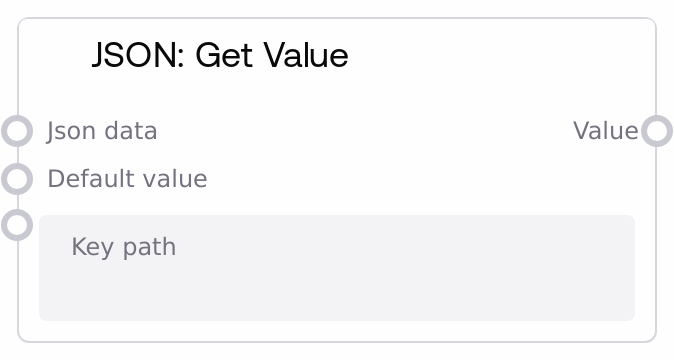
JSON: Get Value
This node reads a JSON structure (object, array, or JSON-formatted string) and returns the value found at a specified dot-separated path. It supports nested objects and arrays, including numeric indices for list access. If the path is empty it returns the entire JSON input; if the path cannot be resolved or the value is missing, it returns a user-provided default value or null.
Usage
Use this node whenever you need to pull out a specific field or element from structured JSON in a Salt workflow. It typically sits after nodes that produce or transform JSON, such as JSON: From String, HTTP response nodes, or data aggregation nodes, and before branching, prompt-building, or transformation nodes that need a scalar or sub-object value. Common scenarios include extracting a user name from an API response (e.g., data.user.name), selecting a specific item from a list (e.g., items.0.title), or pulling a configuration value from nested settings (e.g., config.database.host). Upstream, you might pass parsed data from JSON: From String or JSON: Merge; downstream, you may feed the extracted value into text templates, conditional routing, or additional processing nodes. Best practices: always provide a sensible default_value when the path may not exist, especially when working with third-party APIs or optional fields. Keep your key_path consistent with your actual data shape, and remember that list access requires numeric segments (e.g., "0", "1") while object keys are strings. When working with larger JSON payloads, isolate only the parts you need with this node to keep downstream logic clean and robust.
| Field | Required | Type | Description | Example |
|---|
| json_data | True | WILDCARD | The JSON data to read from. Can be a dictionary-like object, a list/array, or a JSON-formatted string. If a string is provided, the node attempts to parse it as JSON. Must represent valid JSON if string-based; otherwise parsing will fail and only the default_value will be returned when paths cannot be resolved. | { "user": { "id": 42, "name": "Ada" }, "items": [ { "title": "Notebook" }, { "title": "Pen" } ] } |
| key_path | True | STRING | Dot-separated path describing how to navigate the JSON structure to reach the desired value. Use object keys as segments for dictionaries and numeric indices as segments for lists. If empty, the node returns the entire json_data. If any segment cannot be resolved (missing key, invalid index, or type mismatch), the node returns default_value or null. | items.0.title |
| default_value | False | WILDCARD | Value to return if the key_path cannot be resolved or the traversal results in a null-like value. Can be any type (string, number, object, list, boolean, etc.). If not provided and the path fails, the node returns null. This is useful for providing safe fallbacks when working with optional or inconsistent data. | Unknown title |
Outputs
| Field | Type | Description | Example |
|---|
| value | WILDCARD | The value found at the given key_path within the input JSON. The type depends on the JSON content: it could be a primitive (string, number, boolean), an object, a list, or null. If the path is empty, this output is the entire parsed JSON structure. If the path cannot be resolved, it is the provided default_value or null. | Notebook |
Important Notes
- Path behavior: An empty key_path returns the full json_data rather than failing; this is useful for pass-through but can be surprising if you expect an error.
- Lists vs objects: When traversing arrays, each segment of key_path that targets a list must be a valid integer string (for example, '0'); non-numeric segments against a list immediately cause the node to return the default_value.
- Null and missing values: If a key exists but its value is null, or traversal reaches a None-like value, the node treats this as unresolved and returns default_value rather than null from the data.
- Error handling: If json_data is a malformed JSON string or any unexpected error occurs during parsing or traversal, the node logs an error internally and returns default_value, which may be null if you did not specify one.
Troubleshooting
- Value is always null: If the output is null even though the field exists, verify that you either provided default_value explicitly or that the path is correct. Remember that if a segment points into a list, it must be a numeric index. Also confirm that the JSON string input is valid; invalid JSON results in falling back to default_value.
- Unexpected full JSON output: If the node is returning the entire JSON object instead of a specific field, check the key_path input. An empty or whitespace-only key_path causes the node to bypass traversal and return json_data as-is.
- Index errors when reading arrays: If you get default_value for array elements you expect to exist, ensure the index in key_path is within bounds (for example, 'items.5' requires at least 6 elements). If the list is shorter than the index, the node catches the error and returns default_value without raising.
- String input not recognized as JSON: When passing json_data as a string, make sure it is valid JSON (double quotes for object keys and string values, no trailing commas). Invalid JSON will prevent proper parsing and traversal; in such cases, adjust the source or parse the string upstream with JSON: From String and pass the parsed object into this node.