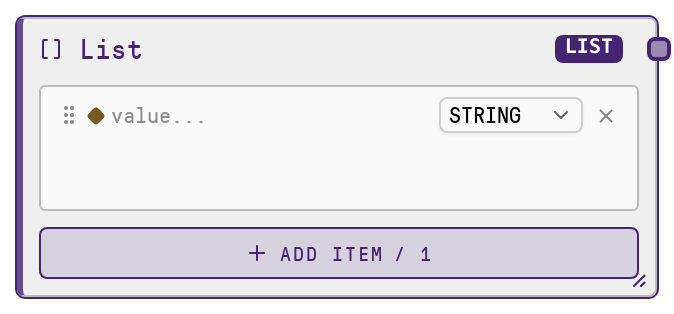
List
This node produces a literal list (ordered collection) as workflow data. It validates that the provided value is a list and then outputs a deep-copied version to avoid accidental mutation by downstream nodes. It is a core primitive used to pass arrays of items (strings, IDs, objects, etc.) reliably through a workflow.
Usage
Use the List node whenever you need to inject or reuse an ordered collection of values inside a workflow. Typical scenarios include providing a list of user names, dataset entries, message chunks, IDs to process, or configuration options that other nodes will iterate over, reference, or aggregate. It usually appears early in a pipeline to define static or semi-static data, and can feed into nodes like LLM callers (for example, passing a list of context messages), branching or loop-style nodes that fan out over list elements, or aggregation nodes that join or summarize multiple items. Upstream, the List node often stands alone with a manually defined literal list or receives values from configuration or preprocessing nodes that build the list. Downstream, it is commonly consumed by nodes that expect a LIST input type, such as transformation nodes (mapping, filtering, or formatting), LLM or tool invocation nodes that accept batched input, or selection nodes that pick specific items from the list. Prefer this node when you want an explicit, clearly visible list definition in your workflow graph rather than constructing lists implicitly inside more complex logic.
| Field | Required | Type | Description | Example |
|---|
| value | True | LIST | The literal list to output. Must be a JSON-style list/array (for example, [1, 2, 3] or ["user_1", "user_2"]). If omitted or set to null, it defaults to an empty list. Non-list values (such as a single string, number, or object) will cause a type error. The list may contain mixed element types, but downstream nodes may impose their own expectations (for example, a text-processing node may expect a list of strings). | ["John", "Kate", "Chris"] |
Outputs
| Field | Type | Description | Example |
|---|
| value | LIST | The validated list value, deep-copied from the input. Downstream nodes receive this as an ordered collection they can read or transform. The structure matches the input list exactly, but is a separate copy so subsequent modifications in other nodes do not affect the original definition. | ["John", "Kate"] |
Important Notes
- Performance: The node deep-copies the list before outputting it. For very large lists (for example, tens of thousands of items or large nested structures), this may add some overhead; consider keeping lists reasonably sized or splitting data across multiple workflow runs if necessary.
- Limitations: The input value must be a list. Passing a single string, number, dictionary, or other non-list type will raise a type error and stop execution; wrap single values in a list if needed.
- Behavior: If no value is provided, the node outputs an empty list []. This can be a safe default but may lead to silent "no data" behavior if you expected elements to be present; always double-check configuration when seeing empty outputs.
- Behavior: Because the output is a deep copy, changes made to the list by downstream nodes will not propagate back to other branches that use the original List node output; each consumer effectively works with its own copy of the data.
Troubleshooting
- TypeError: 'List primitive expects a list value.': This occurs when the input
value is not a list (for example, a string like "John" instead of ["John"]). Wrap single values in a list or adjust your upstream node so it outputs a LIST type.
- Downstream node receives an empty list: If a consuming node sees [], either the List node was left with its default (no value configured) or an upstream configuration cleared it. Inspect the List node's
value field in the workflow and ensure it is explicitly set to the items you expect.
- Unexpected independent copies of data: If you modify the list in a downstream custom or script node and expect other branches or later consumers of the same List node to see those changes, they will not, because the node returns a deep copy. If you need shared mutable state, design a dedicated storage or state-management node instead of relying on modifications to this output.