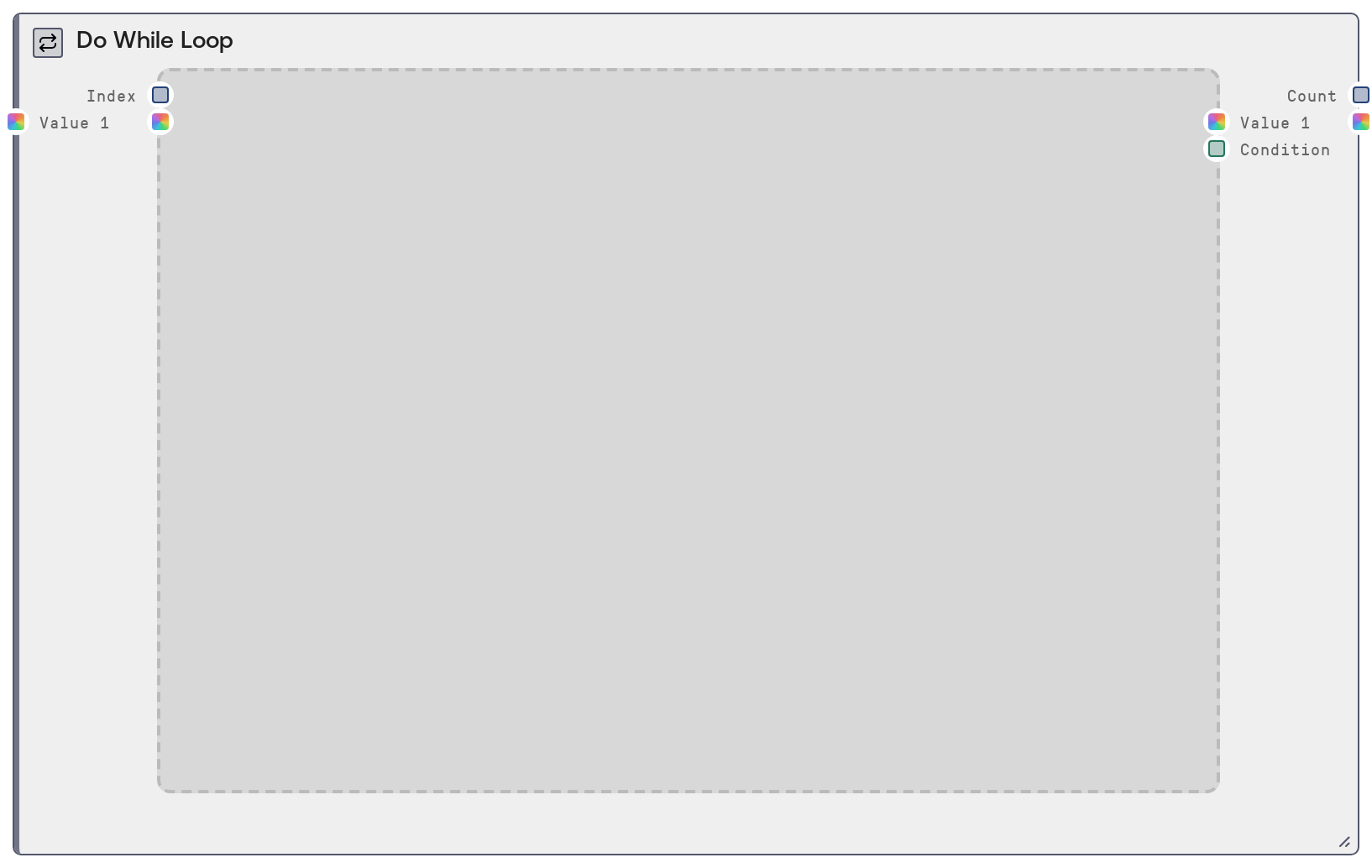
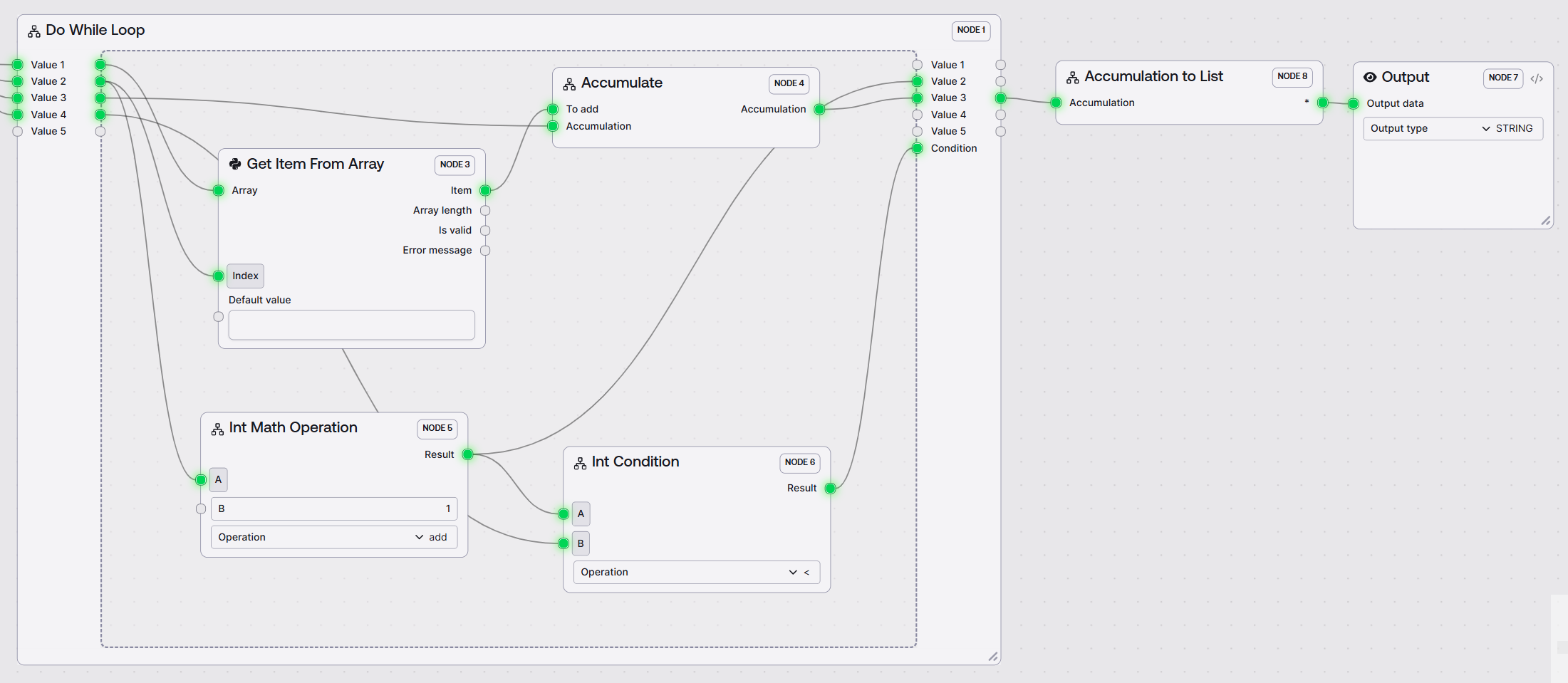
SaltIfNodeSimpleLoop is a loop controller node that groups a set of inner nodes and executes them repeatedly in a do-while pattern. It injects initial values into the loop body, then on each iteration feeds back the body’s outputs as the next iteration’s inputs until a Boolean condition is false. It adds iteration index and final iteration count outputs, and hides the lower-level conditional routing so you can work with a clear loop abstraction.
Use this node whenever you need to run a sub-workflow multiple times until a stopping rule is met, such as iterative text refinement, repeated numeric updates, convergence checks, or any counter-based loop. Add the Do While Loop to your workflow, then place the nodes that form your loop body inside its inner area. Connect initial state into the outer open_value_ inputs; inside the loop, consume that state from the inner value_true outputs, perform your processing, and route updated state into close_value inputs. Connect a node that produces a Boolean to condition (for example a comparison node that checks whether index is below a maximum or an error is above a threshold). While condition is true, the inner body runs again; once it is false, the loop ends and the outer value__false outputs carry the final values to downstream nodes such as SaltOutput, aggregators, or additional logic nodes. Typical upstream nodes are initializers like SaltIntMathOperation or nodes that construct initial JSON or text; typical downstream nodes include result reporters, storage nodes, or SaltConditionalMerge when you need to merge loop output with other branches. For robust workflows, keep your loop body as small as needed, ensure condition will eventually go false, and use index and count to implement explicit safety caps or to log how many iterations were run.
Initial data for the first iteration for the first state slot. Used only on the initial do-iteration before any close_value_1 is available. Accepts any type (number, string, object, list) that your loop body expects as its primary state.
0
open_value_2
False
*
Optional second initial value for the first iteration. Additional open_value_N inputs appear dynamically as you wire previous ones. Use this when your loop state has multiple components, such as a partial summary plus an integer counter.
Initial summary text
open_value_3
False
*
Further initial values for additional state slots, all injected only on the first iteration. Each open_value_N pairs with a value_N_true and value_N_false output and its corresponding close_value_N feedback input.
{'items': [], 'threshold': 0.95}
close_value_1
False
*
Feedback input for the first state slot, carrying the updated value from the loop body into the next iteration. From the second iteration onward, this is used instead of open_value_1 if connected. Connect your main updated variable here to make it recur across iterations.
['Refined draft v3', 'Refined draft v4']
close_value_2
False
*
Feedback input for the second state slot, used each iteration after the first. Route any secondary evolving quantity here, such as a counter, error value, or extra context.
7
close_value_3
False
*
Feedback input for a third state slot. All close_value_N inputs map by index to the corresponding open_value_N and value_N_true/value_N_false outputs, enabling multi-variable loop state.
Boolean condition controlling whether the loop continues. true means run another iteration; false means exit after the current iteration. It is optional, which allows the first iteration to run even if no condition is wired yet, but in typical workflows you should connect a Boolean-producing node each iteration (for example a comparison node checking index < max_iterations or an error metric against a threshold).
Inner loop output for the first state slot, carrying the current value at the start of each iteration. On the first iteration this mirrors open_value_1; on later iterations it reflects the previous iteration’s close_value_1. Connect this to the first step of your loop body for that state.
Intermediate summary after iteration 3
value_1_false
*
Outer output for the first state slot, providing the final value after the loop stops. When condition turns false, downstream nodes outside the loop read this as the completed result.
Final summary after 5 iterations
value_2_true
*
Inner loop output for the second state slot, available inside the loop body on each iteration and typically fed into nodes that update this secondary state.
4
value_2_false
*
Outer output for the second state slot, carrying the final value when the loop terminates, suitable for reporting or further logic.
10
value_3_true
*
Inner loop output for the third state slot. Additional value_N_true outputs appear dynamically as you use more value slots. Use this to carry structured or auxiliary state through each iteration.
Zero-based iteration index for the current loop iteration. It starts at 0 and increments by 1 with each iteration. Use this to build counter-based stopping conditions or for logging and batching logic inside the loop.
3
count
INT
Final iteration count emitted when the loop exits. While the loop is still ongoing this value is 0; on the iteration where condition is false it is set to the total number of completed iterations, allowing downstream nodes to know how many passes were executed.
Performance: The loop body is re-executed on every iteration, so placing large or expensive models inside can significantly increase runtime and resource usage. Keep the body as focused as possible and combine it with a well-bounded stopping condition.
Limitations: Value inputs and outputs expand dynamically but are capped to an internal maximum number of slots. Design workflows using a reasonable number of state channels rather than relying on extremely large open_value_/close_value_ sets.
Behavior: If condition receives a non-Boolean value, the engine coerces it to Boolean (for example strings like "true" or "false" or generic truthiness for other types). This can be surprising; prefer explicit Boolean outputs from comparison or logic nodes to control the loop.
Behavior: For each slot the node conceptually has a true path (inner-loop value_N_true) and a false path (post-loop value_N_false). The execution engine uses the stored condition to decide which downstream paths to follow; treat value_true as inputs to the loop body and value_false as final outputs after the loop.
Behavior: open_value_ is used only for the initial do-iteration; from the second iteration onwards, close_value_ provides the state that flows back into the loop, implementing the recurrence.
Performance: The node maintains a small in-memory log of its iterations per workflow and node, and logs a human-readable summary when the loop completes. This adds minor overhead but improves debuggability and is automatically cleared at the end of the loop.
Loop never stops or runs too long: If the loop appears to run indefinitely, inspect the node feeding condition. Ensure its logic will eventually output false, for example by comparing index to a maximum or checking a convergence metric, and confirm you have not inverted the comparison accidentally.
Unexpected condition behavior: If you see warnings about non-Boolean conditions or the loop stops too early or too late, confirm that condition is driven by a Boolean-producing node, not a raw number or string. Use explicit comparison or logic nodes and verify their outputs with a simple downstream debug node.
Final outputs are None or stale: If value_false outputs are None or not reflecting the last iteration, check that your loop body’s outputs are wired back into the matching close_value inputs and that each iteration actually produces new values. Avoid feeding updated data back into open_value_* after the first iteration.
Missing inner outputs: If certain value_N_true outputs are not visible, make sure the corresponding open_value_N or close_value_N inputs are connected, because the available value slots are determined dynamically from the connected inputs.
Multiple loops interacting oddly: When using several Do While Loop nodes, verify that each has its own independent condition and close_value_* connections. Cross-wiring states or conditions between loops can cause confusing interactions such as one loop’s condition stopping another.