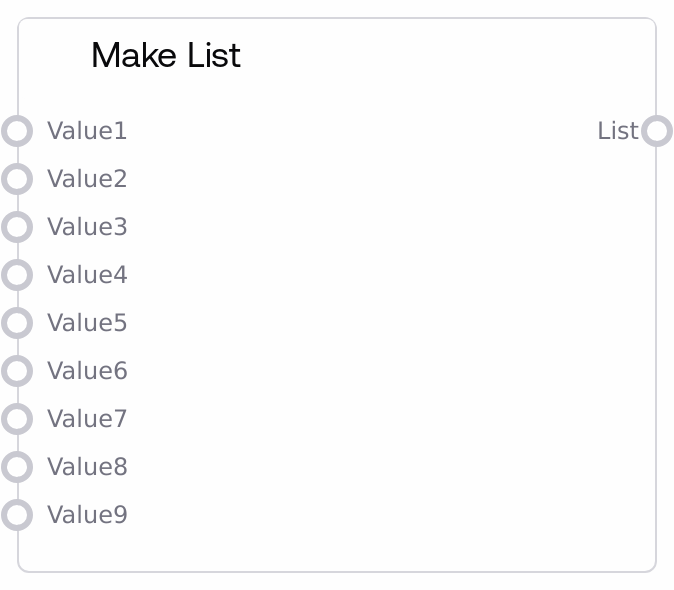
Make List
This node creates a list from multiple incoming values of any supported type. It exposes up to 10 value sockets and includes only the inputs that are connected in the final list. It is useful whenever you need to aggregate separate values into a single ordered list for downstream processing.
Usage
Use this node when you need to gather several separate values into one list. Common scenarios include batching multiple prompts or parameters, assembling a set of images or texts for loop-style processing, or grouping configuration objects for later selection or filtering. It typically appears after producer nodes (for example, LLM response nodes, image generation nodes, or data extraction nodes) whose outputs you want to treat as a collection. Downstream, the resulting list can be consumed by iterator or loop nodes that process lists item-by-item, list utility nodes that index, filter, or merge lists, or any node that accepts a list input. A typical pattern is: several independent value-producing nodes → Make List → a list-processing node such as a list iterator, map/apply node, or list-to-string node. Choose this node when you want a simple, explicit way to bundle a fixed set of inputs into a list without writing custom logic.
| Field | Required | Type | Description | Example |
|---|
| value1 | True | WILDCARD | First value to include in the list. This is the only required input and usually defines the base type of the resulting list. It can be any supported type such as text, number, image object, or JSON-like structure. For consistent behavior in downstream nodes, other inputs should be logically compatible with this value. | A customer message string such as "I would like to change my shipping address." |
| value2 | False | WILDCARD | Second optional value to include in the list. If not connected, it is ignored. It should generally be of the same logical type as value1 (for example, another text message, another image, or another configuration object). | Another customer message string such as "What are your return policies?" |
| value3 | False | WILDCARD | Third optional list item. If this input is not connected, it does not appear in the output list. | A third customer message such as "Can I get an invoice for my last order?" |
| value4 | False | WILDCARD | Fourth optional list item. Use this when you need to add an additional value to the aggregated list. | A system instruction text such as "Answer in a concise and formal style." |
| value5 | False | WILDCARD | Fifth optional list item. Useful when you need to group a small set of related configuration or data objects together. | A JSON-like configuration object describing model parameters for an LLM call. |
| value6 | False | WILDCARD | Sixth optional list item. Not included in the output unless connected. | An image object representing a generated product photo for a catalog page. |
| value7 | False | WILDCARD | Seventh optional list item. Not included in the output unless connected. | Another image object, such as an alternate angle of the same product. |
| value8 | False | WILDCARD | Eighth optional list item. Not included in the output unless connected. | A numerical value, for example a discount percentage like 15. |
| value9 | False | WILDCARD | Ninth optional list item. Not included in the output unless connected. | Another numerical value such as a confidence score like 0.92. |
| value10 | False | WILDCARD | Tenth optional list item, representing the upper limit of this node’s capacity. Not included in the output unless connected. | A final note string such as "Customer has high lifetime value; prioritize support." |
Outputs
| Field | Type | Description | Example |
|---|
| list | WILDCARD | A list containing all connected input values, ordered by their socket index (value1, then value2, and so on). The output is explicitly treated as a list so downstream nodes that operate on lists can iterate, map, or transform it. If an internal error occurs while constructing the list, the node returns an empty list. | ["I would like to change my shipping address.", "What are your return policies?", "Can I get an invoice for my last order?"] |
Important Notes
- Performance: The node only aggregates up to 10 values and performs no heavy computation, so it has negligible impact on performance even in large workflows.
- Limitations: The node supports at most 10 inputs. If you need to aggregate more items, chain multiple Make List nodes or build intermediate lists and merge them with other list-utility nodes.
- Behavior: Only connected inputs are included. Unused sockets are completely skipped rather than producing blank or null entries, so the resulting list is compact and strictly ordered by input index.
- Behavior: If an exception occurs when constructing the list, the node logs an internal error and outputs an empty list instead of causing the entire pipeline to fail.
Troubleshooting
- Unexpected empty list: If the output list is empty, verify that value1 is connected and that its upstream node executed successfully. Also inspect execution logs for any error messages associated with this node indicating that it fell back to an empty list.
- Downstream type errors: If a downstream node reports incompatible or unexpected item types, check that all connected inputs (value1 through value10) are of a type that the downstream node supports; mixing very different types in one list can cause validation or processing errors later.
- Missing items in the list: If some expected values do not appear in the output, confirm that the corresponding value sockets are actually connected and that their upstream branches are active in the current run (for example, not skipped by conditional routing).