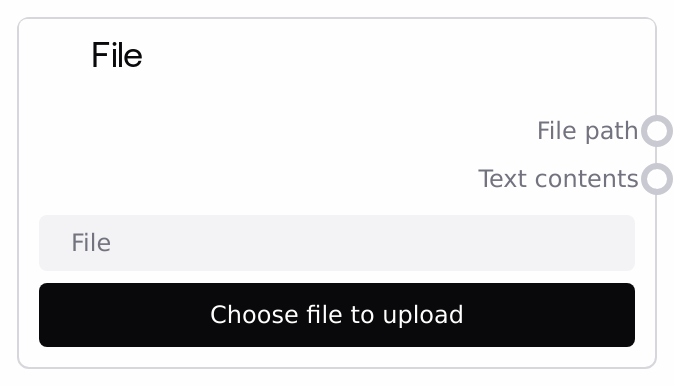
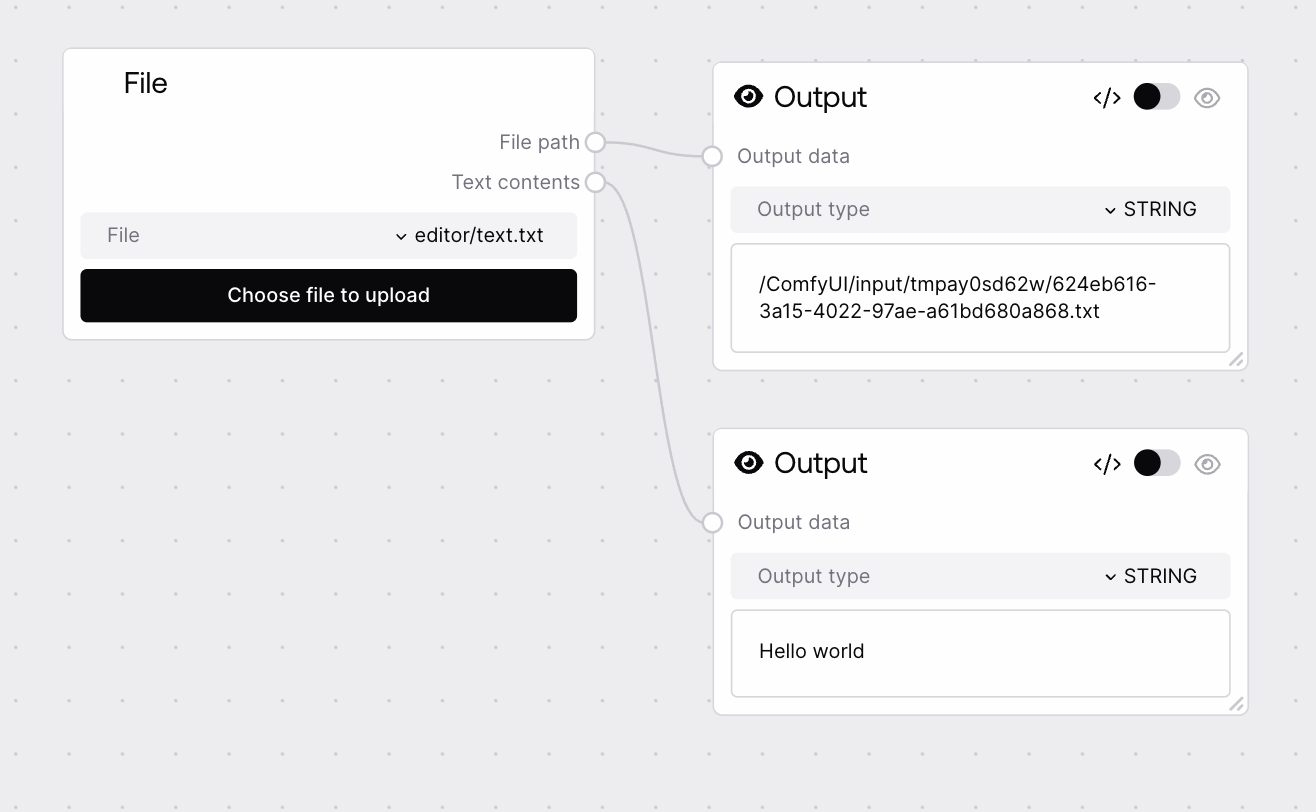
This node lets workflows accept a user-uploaded file and exposes both the resolved file path and its UTF-8 text contents. It automatically skips text extraction for many common binary formats such as images, PDFs, Office documents, and archives, returning an empty text string for those. It is the primary entry point when you need to introduce external files or documents into a Salt workflow.
Use this node near the start of any workflow that needs to process files provided by a user or external system, including text documents, logs, config files, or media assets. The file_path output is ideal for downstream nodes that read from disk, such as custom parsers, PDF or Office extractors, image processing nodes, or archive handlers. The text_contents output should be used when you expect a UTF-8 plain-text file (for example, .txt, .md, .json, .csv, or log files) and want to send its content directly into text analysis, chunking, or LLM-based nodes. In workflows dealing with PDFs or Office files, design flows that primarily use file_path combined with dedicated extractor nodes, rather than relying on this node's text extraction. Always add logic to handle the possibility that text_contents is empty (due to binary file type or decoding failure), for example by branching or falling back to alternative processing paths.
The name of a file uploaded to this workflow, selected from a dropdown of files present in the workflow's input directory. The UI also supports uploading a new file, which then appears in this list. The value must correspond to an existing annotated file path; otherwise, node validation fails.
The fully resolved path to the selected file in the workflow's input directory. Use this as the handle for downstream nodes that access the filesystem directly (for example, an image processor, PDF extractor, CSV parser, or archive handler). This output is always populated if validation succeeds.
The UTF-8 decoded contents of the selected file when its extension is not in the predefined binary/block list. For blocked formats such as .png, .jpg, .jpeg, .gif, .webp, .heic, .heif, .hevc, .avif, .tiff, .bmp, .ico, .svg, .pdf, .doc, .docx, .xls, .xlsx, .ppt, .pptx, .zip, .gzip, and .7z, or if decoding fails, this will be an empty string. Intended for routing into text analysis, transformation, and LLM-type nodes.
Performance: For non-blocked file types, the entire file is read into memory as bytes and decoded as UTF-8. Very large text files can be slow and memory-intensive; consider pre-splitting them or using downstream chunking strategies.
Limitations: Only UTF-8 decoding is attempted. Files encoded with other character sets, such as ISO-8859-1 or Shift-JIS, may fail to decode or yield corrupted characters, in which case text_contents may be empty or unusable.
Behavior: A wide range of binary or structured formats is explicitly excluded from text extraction, including common images, PDFs, Office files, and archives (.png, .jpg, .jpeg, .gif, .webp, .heic, .heif, .hevc, .avif, .tiff, .bmp, .ico, .svg, .pdf, .doc, .docx, .xls, .xlsx, .ppt, .pptx, .zip, .gzip, .7z). For these, file_path is still valid and should be used with specialized processors.
Behavior: Validation checks that the specified file corresponds to a known annotated file path. If it does not, the node returns an "Invalid file path" error instead of running, which typically indicates the file was deleted, moved, or never uploaded.
Common Error 1: Invalid file path: : The selected file cannot be resolved to an existing annotated file. Confirm the file is uploaded, re-upload if necessary, then re-open the dropdown and select the correct entry.
Common Error 2: text_contents is empty for expected text file: The file might have an extension in the blocklist (for example, .pdf, .docx, or .zip) or decoding failed due to non-UTF-8 encoding. Use file_path with a dedicated parser node, or re-save the file as UTF-8 plain text before uploading.
Common Error 3: Garbled or strange characters in output: This points to an encoding mismatch. Convert the source file to UTF-8 or add a custom node that reads and decodes the file using the correct encoding, using file_path as its input.
Common Issue: Slow processing with large files: Large text files are fully loaded into memory, which can slow down the workflow. Split large files into smaller ones before upload, or add downstream nodes that handle chunking and summarization to mitigate performance impact.