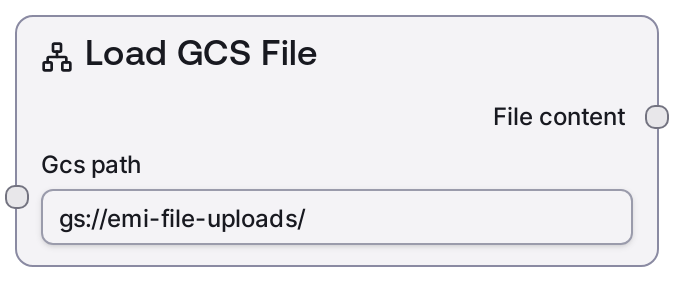
Load Cloud File
This node reads the textual contents of a file stored in cloud object storage and returns it as a plain string. It accepts both Google Cloud Storage (gs://) and Amazon S3 (s3://) URIs, validates the scheme, and delegates the actual file retrieval to a backend biotech CPU service. The class name remains LoadGCSFileNode for backward compatibility, but its behavior is cloud-agnostic.
Usage
Use this node when you need to bring the text contents of a cloud-hosted file (such as PDB, FASTA, JSON, TXT, or other text-based formats) into a Salt biotech workflow. It typically appears near the start of pipelines where source data lives in GCS or S3 buckets rather than being pasted directly. Provide a fully qualified cloud path starting with gs:// or s3://, then connect the resulting string output to nodes that parse or interpret that text. Common downstream consumers include nodes like LoadPDBNode (when the file is a PDB structure to be converted into a PDB-typed object), text-processing or parsing utilities that extract parameters from JSON or TSV files, or custom nodes that perform validation on raw input data. In a typical workflow, you might: (1) use Load Cloud File to read a PDB file from gs://, (2) pass the content into LoadPDBNode to create a structured PDB object, and (3) feed that into structure analysis or design nodes. For sequences, you might store an A3M or FASTA file in S3, load it with this node, then feed the string into nodes that consume MSA/FASTA text. Prefer the cloud-agnostic alias LoadCloudFileNode in new workflows; LoadGCSFileNode remains as a legacy name for existing ones.
| Field | Required | Type | Description | Example |
|---|
| gcs_path | True | STRING | Fully qualified cloud object path to the file to load. Must start with gs:// for Google Cloud Storage or s3:// for Amazon S3. Any other URI scheme (such as http://, https://, file://, or a bare relative path) will be rejected. The path should include the bucket name and full object key. The node treats the file as text and expects the file size to be small enough to load entirely into memory in one response. | gs://protein-workspace/input_structures/1abc_chainA.pdb |
Outputs
| Field | Type | Description | Example |
|---|
| file_content | STRING | The complete textual content of the file retrieved from the specified cloud path. Downstream nodes should interpret this string according to the actual file format, for example as PDB, FASTA, JSON, CSV, or plain text. The string matches the stored file exactly, including all newline characters and headers. | HEADER OXIDOREDUCTASE 12-JAN-21 1ABC\nTITLE EXAMPLE PDB STRUCTURE\nATOM 1 N MET A 1 11.104 13.207 8.678 1.00 17.44 N\nATOM 2 CA MET A 1 12.560 13.325 8.427 1.00 17.11 C\n... |
Important Notes
- Performance: The node loads the entire file into memory as a single string; very large files can increase memory usage and may slow down execution.
- Limitations: Only gs:// and s3:// URIs are supported. Paths using http://, https://, file://, or missing a scheme will raise a validation error before any backend request is made.
- Behavior: The node does not parse or validate the file format. It simply returns the raw text; downstream nodes are responsible for interpreting it as PDB, FASTA, JSON, or other formats.
- Behavior: Leading and trailing whitespace around the provided path is stripped, but the remaining URI must exactly match a real cloud object location.
- Behavior: The node relies on an internal biotech CPU service to fetch the content. If that service is misconfigured, unreachable, or lacks permissions on the bucket, the node can fail even when the URI format is correct.
Troubleshooting
- Invalid cloud path format: If you see an error stating that the cloud path format is invalid and it expects gs://bucket/path or s3://bucket/path, ensure the gcs_path input starts with gs:// or s3:// and includes a valid bucket and object key, for example gs://my-bucket/folder/file.pdb.
- Node returns empty or truncated content: If file_content is empty or missing data, confirm that the referenced object in cloud storage actually contains the expected text and is not compressed or binary-only. Also verify you did not accidentally point to an empty placeholder file or a different version path.
- Timeouts when loading files: If execution times out, the backend service may be slow, the file may be very large, or there may be transient infrastructure issues. Try with a smaller file, check service health with your platform administrator, or adjust workflow timeouts if supported.
- Access or permission errors (service-side): If logs indicate permission or access-denied errors when the underlying service tries to read from GCS or S3, ensure that the IAM role or service account configured for Salt has read access to the specified bucket and object. Updating bucket policies or granting object-level permissions usually resolves this.