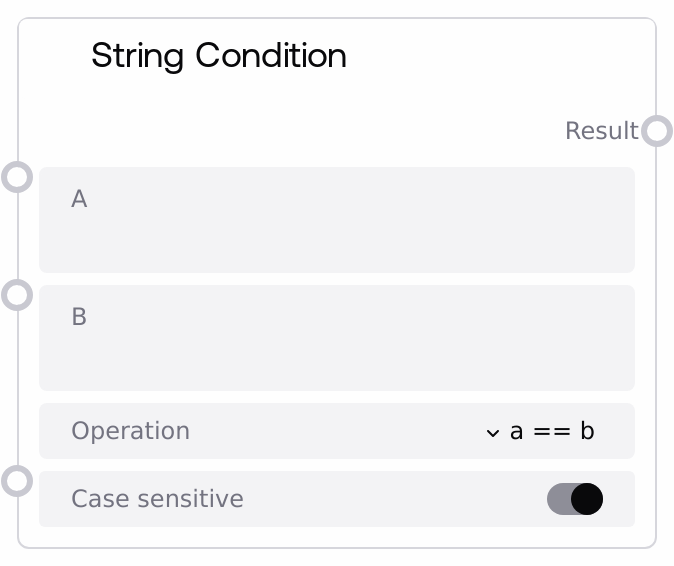
String Condition
This node compares two input strings using a selected operation (equality, inequality, containment, regex match, begins with, ends with) and returns a boolean. It supports case-sensitive and case-insensitive evaluation by optionally lowercasing both inputs before comparison. Use it as a string-based decision point to control branching and logical flows.
Usage
Use this node when you need to route or filter based on text values such as user inputs, labels, metadata fields, or parsed strings. Typical use cases include checking whether a user message contains a keyword, validating that a status field equals an expected value, matching IDs or tags, or verifying if text follows a pattern via regex. It is commonly placed after nodes that produce STRING outputs (e.g., text extraction, user input capture, API response parsing) and before branching or control nodes such as IfConditionSelector that consume a BOOLEAN to choose a path. You can also chain multiple SaltStringConditions and feed their outputs into SaltBoolOperationNode to construct more complex logical expressions. For best results, choose the simplest applicable operation (a == b or a IN b) and only use regex matching when you need flexible pattern recognition. When working with user-facing or external text where capitalization is unpredictable, set case_sensitive to false to avoid brittle comparisons.
| Field | Required | Type | Description | Example |
|---|
| a | True | STRING | First string operand for the condition, typically the dynamic value to be tested (e.g., a user message, a status field, or a tag). Must be a single-line string; multiline input is disabled so the entire value is treated as one line. | subscription_level=premium |
| b | True | STRING | Second string operand or pattern, typically the reference or pattern you compare against. For equality/inequality/begins/ends conditions, pass a literal string. For a IN b, this is the container text you search within. For a MATCH REGEX(b), this must be a valid regular expression pattern. | premium |
| operation | True | STRING | Defines which condition is applied between a and b. Allowed values are: "a == b" (are the strings exactly equal), "a != b" (are they different), "a IN b" (is a a substring of b), "a MATCH REGEX(b)" (does a match the regex pattern b), "a BEGINSWITH b" (does a start with b), and "a ENDSWITH b" (does a end with b). | a IN b |
| case_sensitive | True | BOOLEAN | If true, comparisons respect the original letter casing. If false, both a and b are converted to lowercase before evaluation, making all operations case-insensitive. | false |
Outputs
| Field | Type | Description | Example |
|---|
| result | BOOLEAN | Boolean result of the selected string condition. It is true if the condition holds for the given (a, b, operation, case_sensitive) combination, otherwise false. This output is typically used to drive branching, gating, or to be combined with other conditions in boolean logic nodes. | true |
Important Notes
- Performance: Using a MATCH REGEX(b) with complex or poorly constrained patterns in b can be slower and may impact performance when evaluated frequently or against long texts.
- Limitations: The a MATCH REGEX(b) operation requires b to be a syntactically valid regular expression; invalid patterns will cause the regex check to fail and the node will return False.
- Behavior: When case_sensitive is set to false, both a and b are lowercased before all operations, so original casing is ignored for equality, containment, prefix, suffix, and regex checks.
- Behavior: For the a IN b operation, the semantics are "is a contained within b"; if you intended to ask whether b is contained within a, you must swap the inputs.
Troubleshooting
- Condition always evaluates to False: Confirm that you selected the correct operation and that a and b are in the intended order (especially for a IN b). Check if case differences are causing mismatches and set case_sensitive to false if necessary.
- Regex operation never matches: When using a MATCH REGEX(b), verify that b is a valid regex, properly escaped, and designed to match the full or partial text in a as expected. Try testing the pattern with a simpler example string first.
- Unexpected results with user input: If conditions behave unpredictably for user-entered text, normalize inputs upstream (e.g., trimming whitespace, handling accents) and consider making comparisons case-insensitive by setting case_sensitive to false.