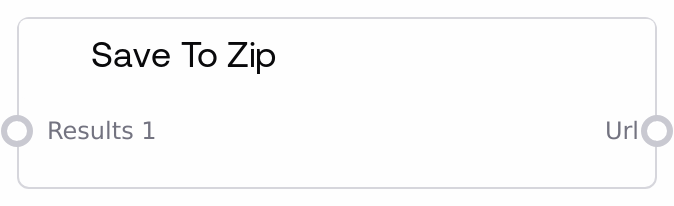
SaveToZipNode is a generic sink node that accepts outputs from many upstream nodes, writes them into a temporary folder structure, and compresses that folder into a ZIP file. It uses metadata from upstream nodes, when available, to decide folder and file names, and falls back to class-based naming for plain values. The node returns a local URL or path to the generated ZIP so you can download the entire workflow’s artifacts in one bundle.
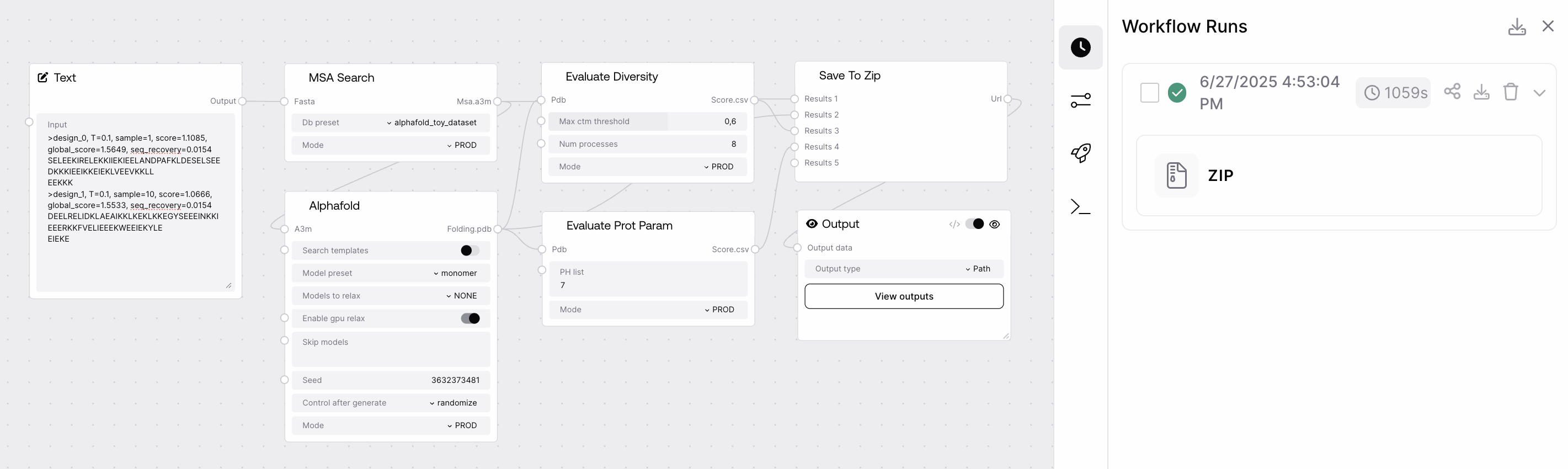
Use SaveToZipNode when you want to persist or download all important results from a workflow run as a single archive. Typical scenarios include exporting protein structures (PDB), alignments (A3M), FASTA files, configuration JSONs, and text outputs from various Biotech or AlphaFold-related nodes. Place SaveToZipNode at the end of your pipeline, connect any outputs you want to capture to results_1, results_2, and so on, then connect its url output to an Output node to expose a clickable download link in the UI. It works especially well downstream of nodes like LoadPDBNode, PDBVisualizationNode, PDBToFastaNode, FastaCombinerNode, A3MCombinerNode, and PDBCombinerNode. The node understands special salt_metadata on its inputs for folder name, file name, seed, and config, so producer nodes that attach this metadata will produce a well-structured archive. For generic values without metadata, SaveToZipNode still groups files by originating node class and output index, saving them as .txt or .json where appropriate. Recommended practice is to connect structured or important outputs first to earlier results_i inputs, rely on upstream nodes that set salt_metadata for clean folder naming, and always connect the node’s url to an Output node so users can actually download the zip.
First captured result. You can connect any output from any node here. Once results_1 is connected, results_2 becomes available, and so on. If the value carries salt_metadata with keys such as folder_name, file_name, seed, and config, that metadata drives folder and file naming and per-folder seed/config JSON. Without metadata, the node will still save the value as text or JSON.
A PDB output object from a protein prediction node that includes salt_metadata = {"folder_name": "protein_1", "file_name": "model_1.pdb", "seed": 42, "config": {"msa_depth": 64}}.
Filesystem URL or path to the directory containing the generated ZIP file. Internally, the ZIP is named using the pattern "_.zip" and stored in an output directory. Connect this to an Output node so users can click and download the archive locally from the UI.
Performance: The node writes all connected inputs to a temporary directory and then zips it, so very large numbers of inputs or very large values can use significant disk space and I/O; avoid sending huge raw tensors or unbounded text blobs directly.
Limitations: Inputs without salt_metadata are always saved as text (.txt) or JSON (.json); there is no automatic type-aware binary format saving, so binary objects should be converted upstream into meaningful text or file structures.
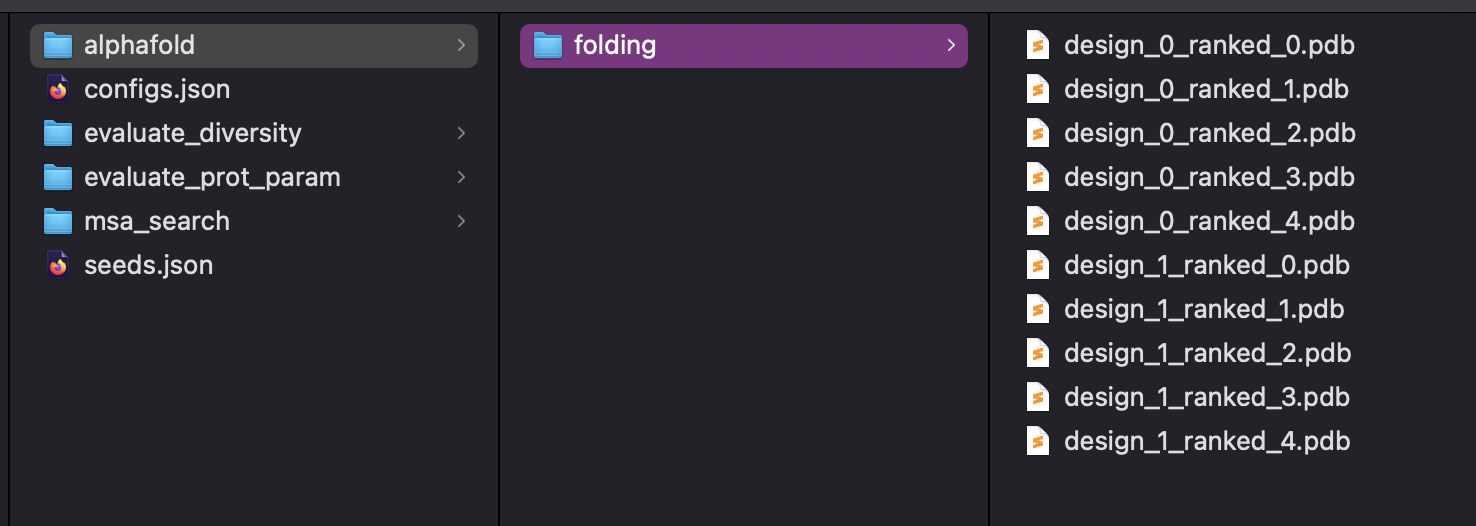
Behavior: For PDB and A3M inputs with metadata where file_name ends in .pdb or .a3m, the node expands nested structures, such as per-model or per-chain values, into subfolders and individual files named "." under a folder based on the base file name.
Behavior: When multiple inputs try to reuse the same folder name, the node automatically disambiguates them by appending numeric suffixes, such as protein_1 and protein_1_2, to avoid collisions; seeds and configs are aggregated per final folder name into seeds.json and configs.json in the ZIP root.
Behavior: After zipping, the temporary working directory is deleted; the archive itself remains in the output directory so it can be served for download.
Files missing or unexpectedly merged: If outputs from different inputs appear in the same folder or appear to overwrite each other, check the salt_metadata.folder_name provided by upstream nodes. Use distinct folder_name values for independent result sets, and ensure the combination of node_id and folder_name is unique where needed.
Unexpected .txt files instead of domain formats: When you see .txt instead of domain-specific extensions, the upstream value likely lacked salt_metadata.file_name or did not use a recognized extension such as .pdb, .a3m, or .json. Ensure producer nodes attach proper metadata or convert values to the desired file format before connecting them.
Seeds or configs not saved: If seeds.json or configs.json is missing or does not contain expected entries, verify that upstream nodes set salt_metadata.seed and salt_metadata.config for those outputs. Only non-null seeds and configs are collected, and they are aggregated per folder name.
ZIP not downloadable in UI: If the ZIP is created but you cannot click to download it, confirm that the url output from SaveToZipNode is connected to an Output node and that the workflow was fully executed to completion so the archive and directory path were actually generated.