Delay Execution
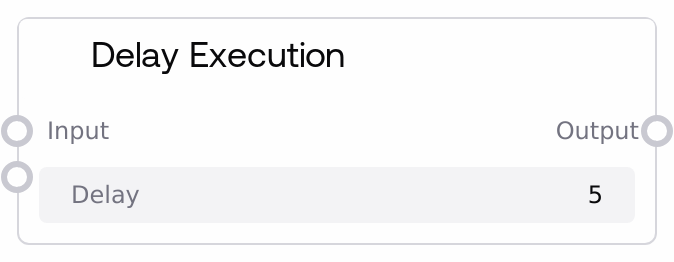
Usage
Use this node when you need to insert a timed pause into a workflow while keeping the data intact. Typical scenarios include rate limiting calls to external APIs, pacing multi-step generation flows, waiting for external systems to settle or update, or giving yourself a short window between stages for monitoring.
Place Delay Execution between a node that produces data and the next node that consumes it, for example: a data fetch or model inference node → Delay Execution → a second external call or post-processing node. It pairs well with utility nodes such as SaltDebugPrint or SaltDisplayAny when you want to both inspect and pace the flow of information.
Keep the delay as short as needed to meet requirements, and use fractional seconds for fine-grained timing instead of overly long waits.
Inputs
| Field | Required | Type | Description | Example |
|---|---|---|---|---|
| delay | True | FLOAT | Number of seconds to wait before forwarding the input. Accepts integer and fractional values (for example, 0.5 for half a second, 0.001 for one millisecond). Must be non-negative. Very large values will cause the workflow to block for that entire duration. | 2.5 |
| input | False | WILDCARD | Arbitrary data to be held and then passed on after the delay. Can be text, numbers, lists, dictionaries, model responses, images, or any other supported type. The value is not altered, only delayed. | {"request_id": "job-4829", "status": "queued", "payload": {"prompt": "Generate a product description for a smart thermostat"}} |
Outputs
| Field | Type | Description | Example |
|---|---|---|---|
| output | WILDCARD | The same value that was provided as input, emitted only after the delay has completed. The structure and content are unchanged, making it safe to connect directly into any downstream node that expects the original data type. | {"request_id": "job-4829", "status": "queued", "payload": {"prompt": "Generate a product description for a smart thermostat"}} |
Important Notes
- Performance: The node uses a blocking wait for the specified duration, so the current execution path pauses entirely during that time. Long delays can significantly increase total workflow runtime.
- Limitations: The node is not a scheduler or background timer; it simply pauses inline execution. Using extremely large delays may make workflows appear unresponsive or effectively hang.
- Behavior: The input value is passed through without transformation. The node only affects timing, not content, shape, or type of the data.
- Behavior: If no input is connected, the node will still wait the specified duration and then output an empty or null-like value, which may not be valid for downstream nodes expecting a specific structure.
Troubleshooting
- Workflow appears frozen or very slow: Check the configured delay value. A typo such as 300 instead of 3 can cause several minutes of waiting. Reduce the delay and test again.
- Downstream node fails due to missing or invalid data: Ensure the input field is wired from an upstream node that produces the expected type. If nothing is connected, the output may be null or empty, causing errors in consumers.
- Unexpected timeout or authentication errors after delay: Some external services or nodes may have their own timeouts or short-lived tokens. If the delay is long, tokens or sessions might expire before the next call. Shorten the delay or adjust the external system configuration.