MySQL List Tables
Usage
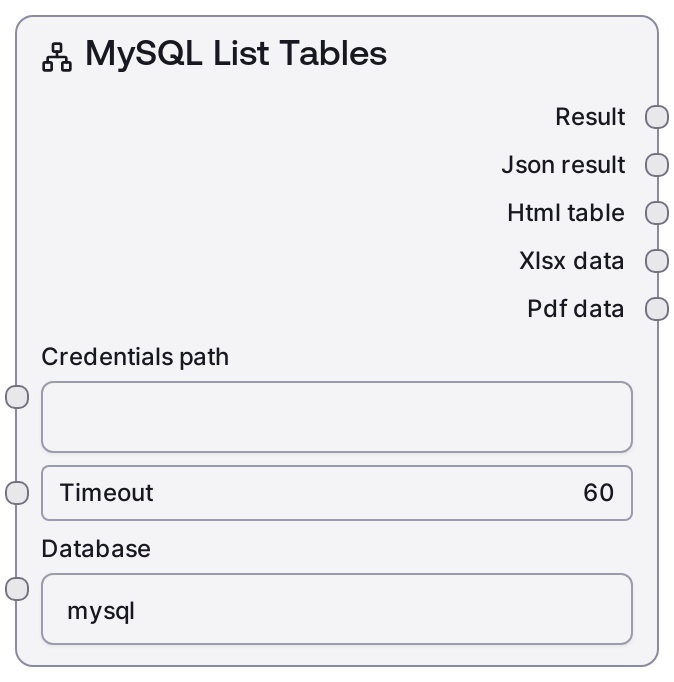
Use this node when you need to discover or enumerate all tables within a particular MySQL database before building queries or table-specific logic. It typically appears early in a workflow, after a credentials/connection setup node such as SaltCredentialsLoader or a configuration node that provides the MySQL connection string. The resulting table list can then be passed to downstream nodes that need a table name, such as SaltMySQLQuery (for SELECT queries), SaltMySQLExecute (for DDL/DML targeting a specific table), or nodes that inspect schema and metadata.
Common patterns: - After SaltMySQLListDatabases: choose a database from that list, then call SaltMySQLListTables to explore its tables. - Before query-building nodes: use the JSON table list to populate UI selectors or to let an LLM choose an appropriate table. - In schema-audit or data-discovery flows: automatically iterate over returned table names and feed them into table-info or profiling nodes.
Best practices: - Ensure the credentials have sufficient privileges (at least metadata access) on the target database; otherwise, the table list may be empty or error. - Use the JSON output for machine-driven branching or validation and the text output for logging or user-facing summaries. - Pair this node with SaltMySQLQuery or other MySQL nodes to build end-to-end data workflows.
Inputs
| Field | Required | Type | Description | Example |
|---|---|---|---|---|
| connection_uri | True | STRING | Full MySQL connection string or reference used by the Salt MySQL service to authenticate and route the request. This typically includes host, port, user, password, and optionally default database. Must be valid and reachable by the configured MySQL integration. If your environment uses credentials by name or ID, this may instead be a handle that the service resolves. | mysql://reporting_user: |
| database_name | True | STRING | Name of the MySQL database whose tables you want to list. Must exist and be accessible to the provided credentials. Case-sensitivity depends on the MySQL server configuration, but it is best to match the exact database name. | customer_data |
| timeout_seconds | False | INT | Maximum time to wait for the MySQL service to respond before failing the node. Use a higher value for slow or distant databases. Must be a positive integer. | 30 |
Outputs
| Field | Type | Description | Example |
|---|---|---|---|
| text | STRING | A human-readable summary of the tables found in the specified database. Typically includes the database name, number of tables, and a bullet or comma-separated listing of table names. Useful for logging, inspection, or feeding into natural-language reasoning steps. | Database `customer_data` has 5 tables: customers, orders, order_items, payments, refunds. |
| json | JSON | Machine-readable JSON payload containing the list of tables and possibly basic metadata as returned by the MySQL service. The exact structure may include fields like `database`, `tables`, and each table entry as a simple string or small object. Downstream nodes can parse this to drive selection, iteration, or conditional logic. | {"database": "customer_data", "tables": ["customers", "orders", "order_items", "payments", "refunds"]} |
Important Notes
- Performance: Listing tables is usually fast, but on instances with thousands of tables or slow metadata lookups, it may approach the configured timeout—consider increasing
timeout_secondsin such environments. - Limitations: The node only lists tables; it does not return column definitions, indexes, or row counts. Use separate schema or query nodes for deeper inspection.
- Behavior: If the credentials lack privileges on the target database, the node may return an empty list or a permission error rather than partial results.
- Behavior: The JSON structure is intended for downstream automation; avoid relying on the exact text formatting of the
textoutput for programmatic logic, as it is optimized for human readability.
Troubleshooting
- Permission denied for database: If you see an error indicating access is denied for the specified database, verify that the user in
connection_urihas at least metadata privileges (e.g., ability to run SHOW TABLES) on that database. - Unknown database: An error like "Unknown database 'customer_data'" indicates that
database_nameis misspelled or does not exist on the target server. Confirm the exact database name using SaltMySQLListDatabases or your DB admin tools. - Timeout while listing tables: If a timeout occurs, increase
timeout_secondsand confirm that network connectivity between the Salt environment and the MySQL server is stable. Very large schemas may need more generous timeouts. - Empty table list but no error: If no tables are returned but no error is thrown, check that the database actually contains tables and that your account is not restricted to specific schemas; also verify you are targeting the intended database name.