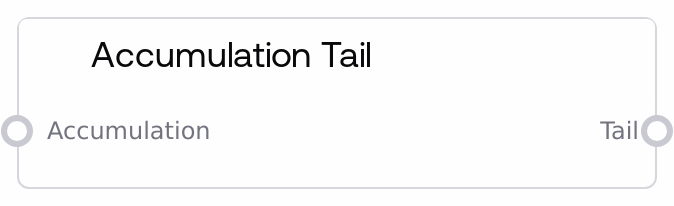
Accumulation Tail
This node takes an ACCUMULATION object and produces a new ACCUMULATION representing its tail: all elements after the first. If the input accumulation has zero or one elements, it returns an empty accumulation. It is useful for iterative-style list processing where you repeatedly strip the head and operate on the remaining elements.
Usage
Use the Accumulation Tail node when you need to operate on the remainder of an accumulated sequence after removing its first item. A common pattern is: build a sequence with Accumulate, inspect the first item using Accumulation Head, then pass the remaining items via Accumulation Tail into downstream logic for further processing or looping. This node must receive an ACCUMULATION object (such as those produced by Accumulate or List to Accumulation) and not a raw list. It typically appears in logic pipelines alongside Accumulate, Accumulation Head, Accumulation Get Length, and Accumulation To List, enabling queue-like behavior or manual iteration over dynamically built lists. Use it to implement workflows that consume items one by one while preserving type flexibility across different element kinds.
| Field | Required | Type | Description | Example |
|---|
| accumulation | True | ACCUMULATION | The input ACCUMULATION whose tail will be computed. It must be a mapping with an 'accum' key holding a list of items, typically produced by the Accumulate or List to Accumulation nodes. If this list has more than one element, the output tail will contain all elements except the first; if it has zero or one element, the resulting tail will be an empty accumulation. If the value is not a valid ACCUMULATION structure, the node falls back to returning an empty accumulation. | {"accum": ["section_1_summary", "section_2_summary", "section_3_summary"]} |
Outputs
| Field | Type | Description | Example |
|---|
| tail | ACCUMULATION | A new ACCUMULATION object that contains all items from the input accumulation except the first. When the input accumulation has N items and N > 1, the tail has N-1 items; when N is 0 or 1, the tail is an empty accumulation ({"accum": []}). Downstream nodes can pass this directly into Accumulation Head, Accumulation Get Length, Accumulation Get Item, or Accumulation To List for further processing. | {"accum": ["section_2_summary", "section_3_summary"]} |
Important Notes
- Performance: Each call creates a new list for the tail by slicing the original list; for very large accumulations or deep loops, this can add overhead, so avoid unnecessary repeated tail operations.
- Limitations: If the input is not a dict with an 'accum' list (for example, a plain list, None, or another data type), the node will not raise an error but will instead return an empty accumulation.
- Behavior: When the input accumulation has zero or one element, the node always returns an empty accumulation, which can be used as a natural termination condition in manual iteration workflows.
- Behavior: The node does not mutate the input accumulation; it returns a new ACCUMULATION object with a sliced list, leaving upstream data unchanged.
Troubleshooting
- Unexpected empty tail: If the output is always {"accum": []}, confirm that the upstream node is producing a valid ACCUMULATION object with more than one item, and that no node in between is converting it to a plain list or altering the 'accum' key.
- Downstream nodes report missing items: When chaining Accumulation Head and Tail in a loop, check that you stop once Accumulation Get Length returns 0; continuing to call Tail on an already empty accumulation will keep producing empty results.
- Type mismatch with list-based nodes: If a later node expects a standard list but receives the ACCUMULATION produced by Tail, insert an Accumulation To List node to convert the {"accum": [...]} structure into a plain list.
- Silent fallback on malformed input: Because the node logs internal errors and returns an empty accumulation instead of failing loudly, verify your input structure during debugging by inspecting the accumulation object before it is passed into this node.