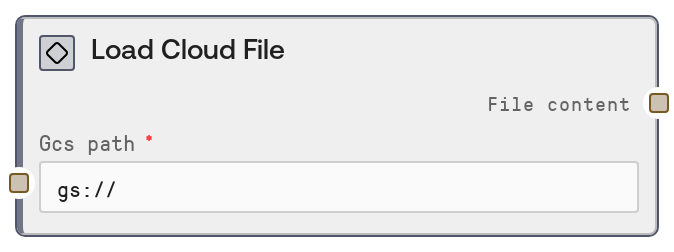
Load Cloud File
LoadCloudFileNode reads a file from cloud storage (Google Cloud Storage or Amazon S3) using a gs:// or s3:// URL and returns its contents as a single string. It validates the URL scheme, forwards the request to a backend biotech CPU service, and surfaces the returned file content. The node is a cloud-agnostic alias of LoadGCSFileNode and is designed for backward compatibility with existing workflows.
Usage
Use this node whenever you need to bring the contents of a cloud-hosted file directly into a Salt biotech workflow, for example to load a PDB file, configuration file, sequence data, or any text-based resource stored in GCS or S3. It typically appears near the start of a pipeline where inputs are stored in cloud buckets rather than uploaded manually. Upstream, you provide a validated cloud path string (often from manual entry, a template, or a previous node that constructs paths). Downstream, nodes that accept STRING inputs can consume the loaded content, such as PDB or FASTA parsers, configuration loaders, or custom biotech analysis nodes. The node integrates with an internal biotech CPU service via an event bus, using the same payload key for both providers to preserve compatibility. For best results, ensure your path uses gs:// or s3://, points to a readable object, and that your cloud permissions are correctly configured in the Salt environment. In larger workflows, pair this node with nodes that transform or parse the loaded content before passing data to more computationally intensive modeling or design nodes.
| Field | Required | Type | Description | Example |
|---|
| gcs_path | True | STRING | Cloud storage URL of the file to load. Must start with either gs:// for Google Cloud Storage or s3:// for Amazon S3 (for example, gs://bucket/path/to/file.pdb or s3://bucket/folder/file.txt). Other URL schemes such as http://, https://, or file:// are rejected. Leading and trailing whitespace is ignored. The path must point to an existing, readable object. Binary files will still be loaded but are returned as a raw string, so this node is best suited for text content. | gs://protein-models/input_structures/1abc_cleaned.pdb |
Outputs
| Field | Type | Description | Example |
|---|
| file_content | STRING | The full content of the referenced cloud file as a single string. Downstream nodes can parse this as PDB, FASTA, JSON, CSV, or other text formats depending on how the file is used. The string length scales with file size; large files will produce large strings and may increase memory usage in subsequent nodes. | HEADER EXTRACELLULAR MATRIX 01-JAN-23 1ABC\nTITLE CLEANED PDB STRUCTURE FOR DESIGN PIPELINE\nATOM 1 N MET A 1 11.104 13.207 9.428 1.00 20.00 N \n... |
Important Notes
- Performance: Loading very large files (tens of megabytes or more) will increase memory use and can slow downstream processing because the entire file is held as a single string.
- Limitations: Only gs:// and s3:// paths are accepted; any other scheme (such as http://, https://, file://, or bare bucket names) will cause a ValueError before any network request is made.
- Behavior: The node delegates file access to an underlying biotech CPU service via an event bus; if that service is misconfigured or unavailable, you may see timeouts or backend errors even when the path itself is valid.
- Behavior: Whitespace around the path is stripped automatically, but the path is otherwise not normalized. If you mistype bucket or key names, you will receive backend read errors rather than any automatic correction.
Troubleshooting
- Invalid cloud path format. Expected gs://bucket/path or s3://bucket/path, got: ...: The input string does not start with gs:// or s3://. Update the gcs_path value to use a valid cloud URL and ensure there is no different scheme such as http:// or https://.
- Timeout or no response when loading file: The backend topic used by the biotech CPU service may be unavailable or overloaded. Retry later, check service health, and verify that your Salt environment is connected to the biotech CPU services.
- Empty or unexpectedly short file_content: The object might be empty, truncated, or the path could be pointing to an unintended file. Confirm the bucket, key, and that the file actually contains the expected data. For binary formats, verify that the downstream node can handle raw binary represented as a string.
- Permission denied or backend access errors: The Salt environment's cloud credentials may not have read access to the specified bucket or key. Grant appropriate read permissions to the relevant service account or change the path to a bucket that the environment can access.