ClinicalTrials Study Count
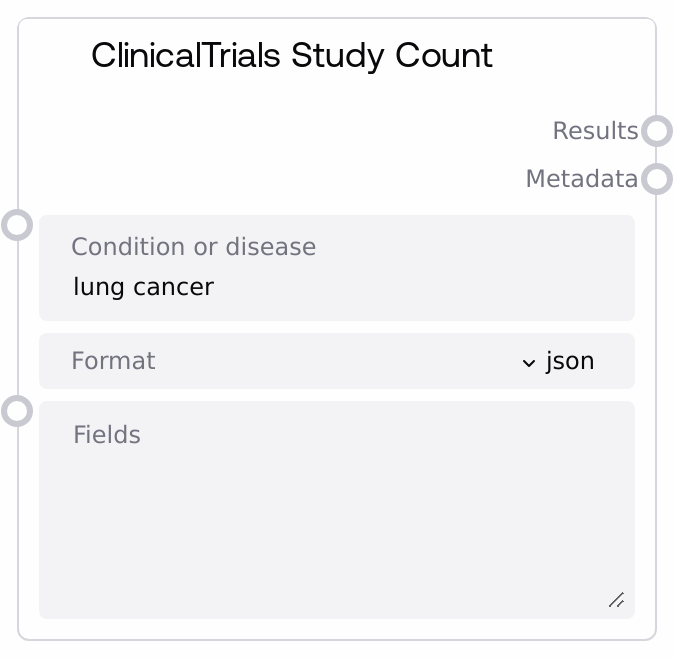
This node calls the ClinicalTrials.gov /studies endpoint to retrieve how many studies match a given condition, disease, or query string and returns both the result payload and compact metadata. It supports JSON, CSV, and XML response formats, enriching JSON responses with summary fields such as total study count and API version. The node leverages a shared ClinicalTrials base node that standardizes base URL and query parameter construction.
Usage
Use this node when you need a quick count or high-level summary of clinical studies for a specified condition or disease instead of full study records. It fits early in a workflow to assess whether there are enough relevant studies before running heavier detail queries, downstream text analysis, or report generation. Upstream, provide a query string from user input or a prior NLP normalization step that standardizes disease or condition names. Downstream, send the "results" output to JSON-parsing or text-processing nodes to extract "total_studies" and other values, and route the "metadata" output to logging, monitoring, or summarization nodes for audit trails. This node pairs well with other ClinicalTrials nodes built on the same base (such as nodes that retrieve full study data) and with conditional or branching nodes that decide next steps based on the returned study count. Prefer "json" format if you intend to parse counts or metadata programmatically; use "csv" or "xml" for export, interoperability, or direct integration with external tools that consume those formats.
| Field | Required | Type | Description | Example |
|---|
| condition_or_disease | True | STRING | Search query string sent to the ClinicalTrials.gov API, typically a condition, disease name, or supported search expression. Use medically meaningful terms or keyword combinations that ClinicalTrials.gov can interpret. The node passes this value into the base node's query parameter builder for the /studies endpoint. | type 2 diabetes mellitus |
| format | True | STRING | Response format requested from the ClinicalTrials.gov API. When set to "json", the node parses the response, extracts summary fields, and returns a JSON-formatted string with additional metadata. For other valid formats such as "csv" or "xml", it returns the raw text body without parsing but still provides separate metadata. Choose "json" for programmatic inspection of counts and metadata; use "csv" or "xml" when integrating with tools that expect those formats. | json |
| fields | False | STRING | Optional comma-separated list of specific fields to request from ClinicalTrials.gov. These field names must follow the ClinicalTrials.gov API documentation and are passed directly through the base node's build_query_params method. Leaving this empty lets the API return its default field set for the endpoint and chosen format. | NCTId,Condition,OverallStatus |
Outputs
| Field | Type | Description | Example |
|---|
| results | STRING | Primary response content from ClinicalTrials.gov. For format = "json", this is a JSON-formatted string containing both the original API response (under "data") and convenience keys: "query", "total_studies" (from "totalStudies"), "min_rank", "max_rank", and "api_version". For "csv" or "xml", this is the raw text returned by the API (such as a CSV table or XML document). On failures, this field contains a small JSON string with an "error" key describing the category of failure (such as "Network error" or "JSON decode error"). | { "data": { "totalStudies": 1245, "minRank": 1, "maxRank": 10, "apiVersion": "2.0" }, "query": "type 2 diabetes mellitus", "total_studies": 1245, "min_rank": 1, "max_rank": 10, "api_version": "2.0" } |
| metadata | STRING | Compact metadata describing the query and response, always returned as a JSON-formatted string. For JSON responses, it includes at least "query", "format", and "api_version" from the API payload. For CSV or XML responses, it includes "format", "content_length" (the number of characters in the raw content), and "query". In error cases, it mirrors the error style of "results", returning a JSON string with an "error" key (for example, "{\"error\": \"Network error\"}"). | { "query": "type 2 diabetes mellitus", "format": "json", "api_version": "2.0" } |
Important Notes
- Performance: Each invocation performs a live HTTP GET to the ClinicalTrials.gov API and can be slowed by network latency or API responsiveness; avoid unnecessarily high call frequencies in tight loops.
- Limitations: The quality and semantics of search results depend entirely on ClinicalTrials.gov; unusual or malformed "condition_or_disease" values and unsupported "fields" may yield empty or unexpected responses without explicit errors from this node.
- Behavior: When "format" is "json", the node parses the response, enriches it with summary keys (like "total_studies"), and pretty-prints it as JSON text; when "format" is another supported type, it returns the unmodified text body and a simpler metadata object.
- Behavior: On errors (network issues, JSON parsing problems, or unexpected exceptions), the node does not raise workflow-breaking exceptions; instead, it returns predictable JSON error strings in both "results" and "metadata", which you can branch on downstream.
Troubleshooting
- Network error in ClinicalTrials.gov count query: If both outputs show "{\"error\": \"Network error\"}", verify internet connectivity, proxy or firewall settings, and that ClinicalTrials.gov is reachable from your environment; consider retrying after a short delay.
- JSON decode error in ClinicalTrials.gov count query: If outputs contain "{\"error\": \"JSON decode error\"}", ensure "format" is set to "json" only when the endpoint returns valid JSON; if the service responded with non-JSON content, switch to "csv" or "xml" or inspect the raw response using external tools.
- Unexpected zero or very low total_studies: When counts are much lower than expected, confirm that "condition_or_disease" is spelled correctly, uses appropriate terminology, and matches how ClinicalTrials.gov indexes conditions; experiment with broader or alternative keywords and verify that any "fields" arguments are valid.
- Generic Unknown error response: If both outputs contain "{\"error\": \"Unknown error\"}", this indicates an unhandled edge case or unexpected API response; try simplifying the query, changing "format", or checking external logs (if available) for the underlying exception details.