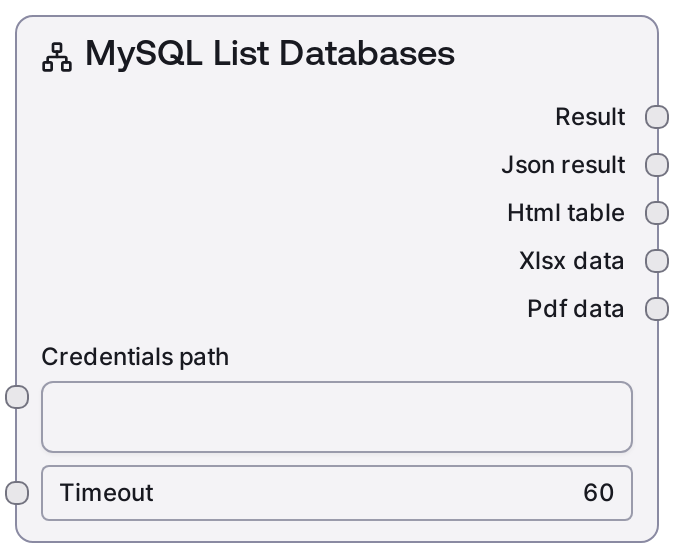
MySQL List Databases
This node connects to a MySQL server using stored credentials and retrieves the list of databases the user can access. It calls the MySQL service's list-databases endpoint, then formats the response into a human-readable text summary and a machine-friendly JSON structure. It is typically used for environment discovery before running queries or building schemas dynamically.
Usage
Use this node early in a workflow when you need to discover which MySQL databases are available for subsequent operations. A common pattern is to first configure credentials with a MySQL credential node or configuration step, then feed the resulting credentials_path into this node to enumerate all accessible databases. Downstream nodes such as SaltMySQLListTables, SaltMySQLTableInfo, SaltMySQLQuery, or SaltMySQLExecute can then use a selected database name from the JSON output to perform targeted operations. This node is especially useful in dynamic or multi-tenant scenarios where the set of databases is not fixed, or when you are building exploration or admin-style flows that let users browse available databases before choosing where to run queries. Best practice is to chain this node with UI or decision logic nodes that let you pick one database from the returned list and pass that value forward into other MySQL nodes.
| Field | Required | Type | Description | Example |
|---|
| credentials_path | True | STRING | Filesystem or configuration path pointing to stored MySQL credentials. The credentials must match the mysql credential template and include connection details such as host, port, username, password, and optionally default database. The user associated with these credentials controls which databases appear in the result; only databases the user can access will be listed. | /workspace/credentials/mysql/prod_cluster.json |
| timeout | True | INT | Maximum time in seconds to wait for the MySQL service to respond to the list-databases request. If the operation exceeds this timeout, the call may fail with a timeout-related error. Choose a higher value for slow or high-latency connections. | 30 |
Outputs
| Field | Type | Description | Example |
|---|
| text | STRING | A human-readable summary of the databases returned by MySQL. This is suitable for display in logs, UI panels, or as a quick inspection of what was found. | MySQL Databases: - information_schema - app_core - analytics - reporting (4 databases total) |
| json | JSON | Structured JSON payload containing the raw list-databases response from the MySQL service. Downstream nodes can parse this to programmatically select a database name, inspect metadata, or drive branching logic. | {'databases': [{'name': 'information_schema', 'encoding': 'utf8mb4', 'collation': 'utf8mb4_0900_ai_ci'}, {'name': 'app_core', 'encoding': 'utf8mb4', 'collation': 'utf8mb4_0900_ai_ci'}, {'name': 'analytics', 'encoding': 'utf8mb4', 'collation': 'utf8mb4_general_ci'}, {'name': 'reporting', 'encoding': 'latin1', 'collation': 'latin1_swedish_ci'}], 'count': 4} |
Important Notes
- Performance: Listing databases is usually fast, but on large or heavily loaded servers you may need to increase the timeout value to avoid premature failures.
- Limitations: The node only returns databases visible to the user defined in the credentials; it cannot bypass MySQL permissions or show databases you are not allowed to access.
- Behavior: The node does not accept a specific database name input—it always lists all accessible databases for the given connection, making it suitable for discovery rather than targeted querying.
- Behavior: The exact JSON structure depends on the underlying MySQL service; always inspect the json output structure once and align downstream parsing or selection logic accordingly.
Troubleshooting
- Authentication failed / access denied: If you see an error about invalid credentials or access denied, verify that the credentials_path points to a valid MySQL credential file and that the username/password are correct and active on the MySQL server.
- Timeout while listing databases: When the node fails with a timeout or similar network error, increase the timeout value and ensure the MySQL host is reachable from the Salt execution environment (check firewall, VPN, or network routing).
- Empty database list: If the node returns an empty list but you expect databases, confirm that the user in the credentials has the necessary privileges (for example, SHOW DATABASES) and that you are connecting to the correct MySQL instance (host and port).