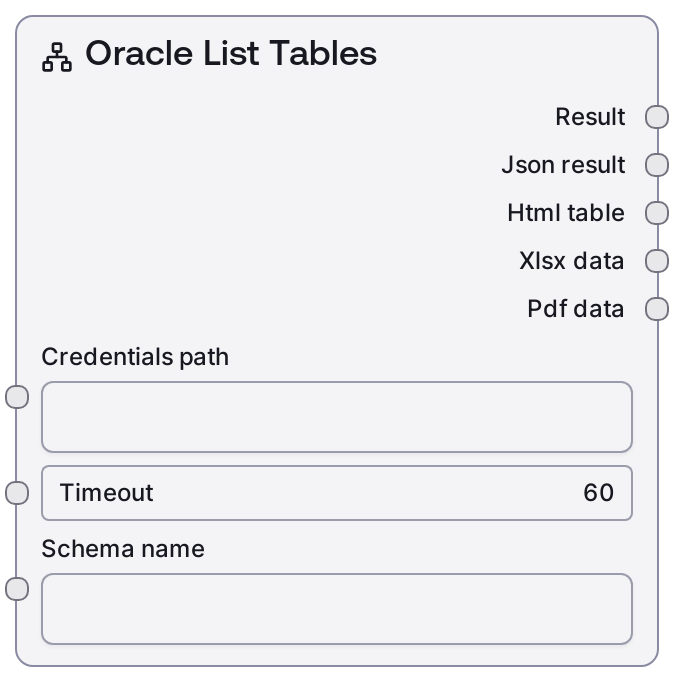
Oracle List Tables
SaltOracleListTables connects to an Oracle database using stored credentials and retrieves the list of tables for a specified schema, or for the current user’s default schema if no schema is provided. It calls the Oracle service’s "/list-tables" endpoint and uses shared database formatting logic to produce both a text summary and a structured JSON payload. This makes it easy to both display table information to users and feed it into downstream automated logic.
Usage
Use SaltOracleListTables when you need to discover what tables are available in an Oracle schema before running queries or modifying data. It is typically placed early in a database workflow, often after SaltOracleTestConnection or SaltOracleDatabaseInfo, to help select valid table names for nodes such as SaltOracleQuery or SaltOracleTableInfo. Upstream, you provide a valid credentials_path (using the "oracle" credential template) and a timeout appropriate to your environment. The schema_name input lets you target a specific schema, while leaving it empty will list tables in the current user’s default schema. Downstream, the text output is well suited for LLM or user-facing explanation, and the json output can be consumed by automation nodes that filter, select, or map table names into other database operations. A common pattern is: SaltOracleListSchemas → choose schema → SaltOracleListTables → pick table → SaltOracleTableInfo or SaltOracleQuery. For large schemas or slow networks, increase the timeout to avoid premature failures.
| Field | Required | Type | Description | Example |
|---|
| credentials_path | True | STRING | Path to the Oracle credential configuration that follows the "oracle" credential template. This configuration must contain connection details (such as host, port, service or SID, username, and authentication secret). The path must be valid and readable in the Salt execution environment. | /etc/salt/credentials/oracle/hr_prod.json |
| timeout | True | INT | Maximum number of seconds to wait for the Oracle service to complete the /list-tables request. If the operation does not finish within this time, it will fail with a timeout error. Choose a higher value for large schemas or high-latency connections. | 60 |
| schema_name | True | STRING | Name of the Oracle schema whose tables should be listed. When this is an empty string, the node lists tables in the current user’s default schema. Use the exact identifier expected by your Oracle instance; in many setups unquoted names are effectively uppercase. | HR |
Outputs
| Field | Type | Description | Example |
|---|
| text | STRING | Human-readable summary of the tables found in the requested schema. This typically includes a title indicating the schema and a list or count of table names, and is intended for logs, UI display, or as natural-language context for LLM nodes. | Oracle Tables in Schema: HR Total tables: 5 - EMPLOYEES - DEPARTMENTS - JOBS - LOCATIONS - COUNTRIES |
| json | JSON | Structured JSON representation of the response from the "/list-tables" endpoint, formatted by the base database node. It usually contains a status field, the schema name, and an array of table objects, and may include extra metadata depending on your Oracle backend. | {"status":"success","schema":"HR","tables":[{"table_name":"EMPLOYEES","owner":"HR"},{"table_name":"DEPARTMENTS","owner":"HR"},{"table_name":"JOBS","owner":"HR"},{"table_name":"LOCATIONS","owner":"HR"},{"table_name":"COUNTRIES","owner":"HR"}]} |
Important Notes
- Performance: Listing tables in very large schemas can be slow; increase the timeout input when working with schemas containing thousands of tables or when network latency is high.
- Limitations: If schema_name is left empty, only the current user’s default schema is inspected; the node does not aggregate tables across multiple schemas.
- Behavior: When schema_name is an empty string, the text output is labeled with "Current User" rather than a specific schema name, reflecting that the default schema was used.
- Behavior: The exact structure and fields of the json output depend on the Oracle service implementation behind the "/list-tables" endpoint and may include additional metadata not shown in examples.
Troubleshooting
- Connection or authentication error: If the node fails due to connection or login issues, verify that credentials_path points to a valid Oracle credential configuration and that the Oracle service is reachable from the environment running Salt.
- Timeout while listing tables: A timeout indicates the /list-tables request did not complete within the specified timeout value. Increase the timeout and check for network latency or database performance issues, especially on large schemas.
- Empty table list when tables are expected: If the result is empty but tables should exist, confirm that schema_name exactly matches the target schema (including case if created with quoted identifiers) and that the user in the credentials has sufficient privileges to view tables there.
- Downstream parsing failures: If subsequent nodes fail when consuming the json output, inspect that output to understand the actual structure returned in your environment and adjust downstream parsing or mapping logic accordingly.