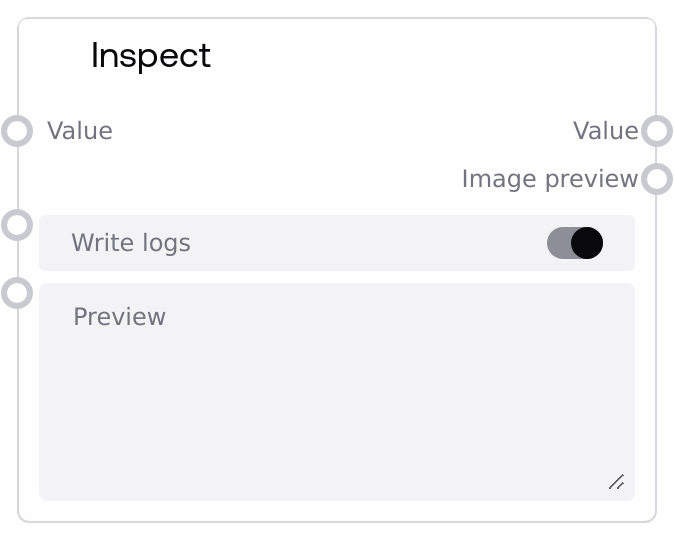
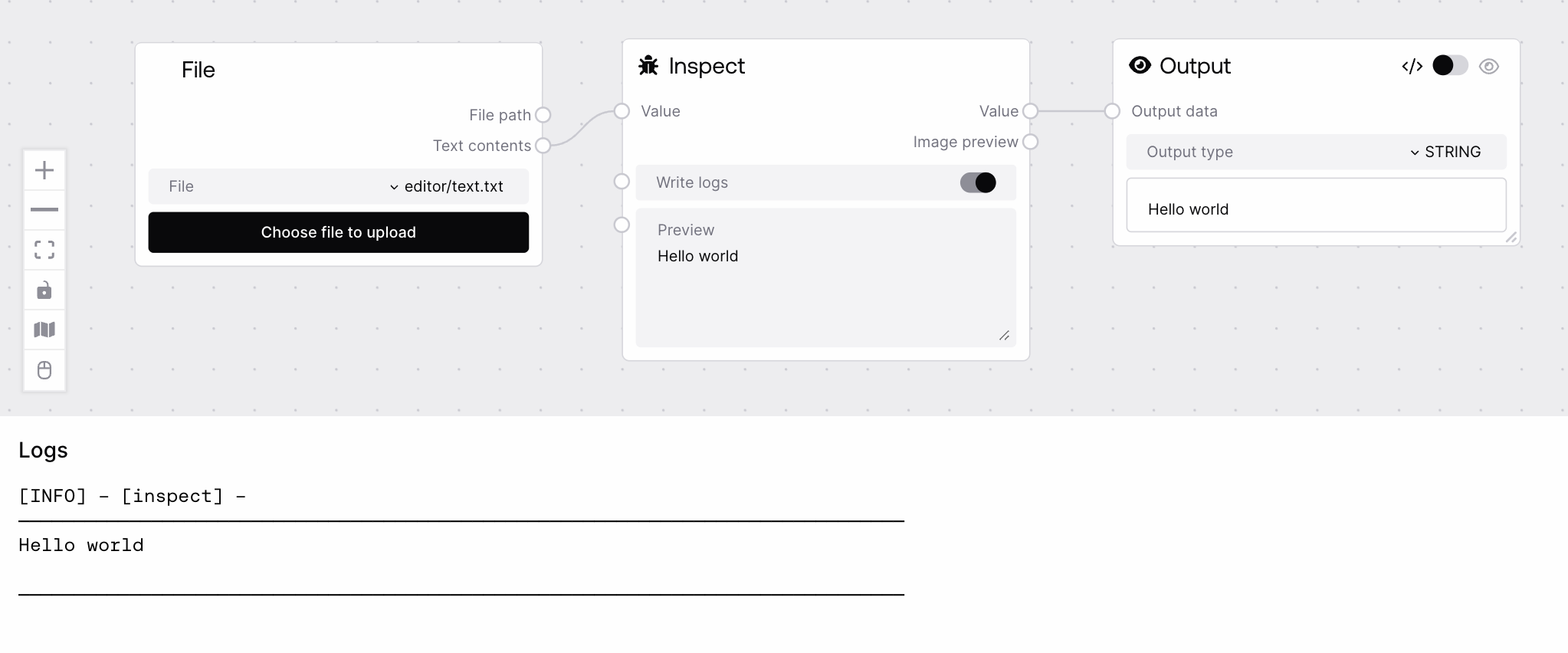
SaltInspect is a utility node for debugging and understanding data flowing through your workflow. It accepts any value, produces a human-readable textual summary, and attempts to render an image preview when possible, including from tensors and base64-encoded images. It can optionally write structured inspection logs, making it easier to trace and debug complex pipelines.
Use SaltInspect when you need to inspect intermediate values, debug type or shape issues, or validate that upstream nodes are producing the expected data. Typically, it is placed in the middle or near the end of a workflow, branching off from a signal you want to examine without interrupting the main pipeline. Upstream, it can accept outputs from almost any node due to its wildcard input, including model responses, tables, JSON strings, tensors, or custom Python objects. Downstream, its string output can be fed into text-processing or logging nodes, and its image output can feed visualization or image-processing nodes. Common patterns include: attaching SaltInspect after a model output node to verify JSON structure; adding it after data transformation or parsing nodes to inspect the resulting structure; or using it next to image generation or vision nodes to confirm tensor shapes and get quick visual checks. For best results, keep "write_logs" enabled while building or debugging and disable it in high-volume or production workflows to reduce log noise.
The value to inspect. Can be any supported type: strings (including JSON), dictionaries, lists, tensors, objects with attributes, or structures containing base64-encoded images. Strings that are valid JSON are parsed and pretty-printed. Tensors are summarized by shape, dtype, and device. Base64 image strings (including data URLs and raw JPEG or PNG base64) are detected for preview. There is no strict size limit, but very large data structures may lead to long logs and large UI output.
Whether to write a formatted inspection block to the execution logs. When true, the node logs a visually separated section containing the inspected value or its summary. Disable this in high-volume or production workflows if logging overhead or log size is a concern.
The inspected value converted into a formatted string. JSON strings or JSON-serializable data are pretty-printed using a JSON formatter; plain strings are returned unchanged. This output is suitable for passing into text-oriented nodes, additional logging, or storage nodes.
An image tensor preview corresponding to the input when possible. If the input is already an image-like tensor, that tensor (or a batched version) is returned. If a base64-encoded image is found (for example under a JSON key or as a full string), it is decoded and converted into a [B, H, W, C] float32 tensor in the 0–1 range. If no image can be detected or decoding fails, a default blank 64×64 RGB image tensor is returned.
Tensor with shape (1, 256, 256, 3) and dtype float32 representing a decoded PNG image
Performance: Very large JSON objects, long strings, or big tensors can produce large log entries and UI text; consider disabling "write_logs" or limiting what you pass into the node in performance-sensitive workflows.
Limitations: Base64 detection is heuristic, based on data URL prefixes and common JPEG or PNG signatures. Non-standard encodings or truncated strings may not be recognized as images and will fall back to a blank preview tensor.
Behavior: When given a JSON string, the node parses and re-serializes it for consistent pretty-printing, which can slightly alter formatting or whitespace compared to the original input.
Behavior: Tensor handling assumes standard image layouts. Non-image tensors, such as model weights or embeddings, will not produce meaningful previews and typically result in the default blank image even though the tensor details are summarized in the text output.
No image appears in the preview: If the node always shows a blank 64×64 image, check that your input is either an image-like tensor (with a channel dimension of 1, 3, or 4) or a correctly formatted base64 image string, such as one starting with "data:image" or a typical JPEG or PNG prefix. If the image is nested deep in a structure, ensure the base64 string is present where SaltInspect can see it in the JSON or object representation.
Inspection text shows 'Error during inspection': This usually occurs when the input cannot be safely converted to string or parsed as JSON. Verify that the upstream node is not returning objects with failing string representations, and consider passing a simpler serialized form such as a JSON string.
Logs are very long or cluttered: If your log output becomes hard to manage, disable "write_logs" on SaltInspect and rely on the node’s UI text widget for inspection, or route only a subset of the data, such as a small sample, into this node.
Unexpected JSON formatting: If the output string looks different from your original JSON (for example, different spacing or key ordering), remember that SaltInspect reparses JSON strings and re-serializes them. To preserve original formatting exactly, avoid sending already formatted JSON for inspection, or treat the content as a non-JSON string that will not be reparsed.