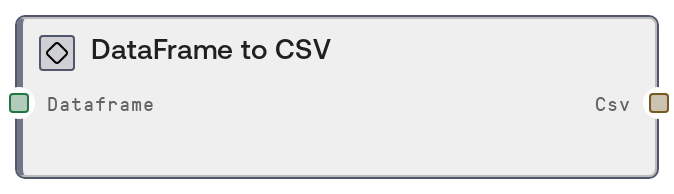
DataFrame to CSV
This node serializes a DataFrame into CSV text. It scans object-typed columns and converts any NumPy arrays or nested lists within cells into stringified list representations so complex values do not break CSV formatting. The DataFrame index is only written when it is not a default RangeIndex, preserving custom indices without adding unnecessary columns for simple tables.
Usage
Use this node when you have tabular data in a DataFrame and need a CSV text representation for storage, interoperability, or integration with external tools that consume CSV. It is typically placed after DataFrame-producing nodes like ExcelToDataFrameNode, CSVToDataFrameNode, JsonToDataFrameNode, ParquetToDataFrameNode, or ConcatenateDataFramesNode. Connect its dataframe input to any DATAFRAME output, and feed the csv output into file-writing nodes (to save a .csv file), HTTP request nodes (to send CSV payloads), or text display/logging nodes. This is especially useful when the DataFrame contains columns with list or array data (for example, embedding vectors, sets of labels, or short time-series per row), because those will be normalized into safe string list literals, keeping the CSV parseable across different systems. For very large datasets where performance and storage efficiency matter more than readability, consider using Parquet-based workflows instead and reserve this node for export and sharing.
| Field | Required | Type | Description | Example |
|---|
| dataframe | True | DATAFRAME | The DataFrame to convert to CSV. Supports all common pandas column types, including numeric, string, datetime, categorical, and object columns that may contain NumPy arrays or Python lists. If the DataFrame index is the default RangeIndex (0, 1, 2, ...), it will be omitted from the CSV; if it uses a custom index (for example, dates, UUIDs, or named indices), that index will be included as the first column in the CSV output. | A DataFrame with columns ['document_id', 'title', 'embedding'], where 'document_id' is an integer, 'title' is a short text title, and 'embedding' is a NumPy array of 384 floats per row. |
Outputs
| Field | Type | Description | Example |
|---|
| csv | STRING | CSV-formatted text representing the input DataFrame. If the DataFrame had a non-default index, the index appears as the first column in the CSV; otherwise, no index column is included. Cells that originally contained NumPy arrays or nested Python lists are serialized as stringified Python-style lists (for example, "[0.12, 0.34, 0.56]") to maintain a valid and consistent CSV structure that standard CSV readers can handle. | document_id,title,embedding 1,Genomics of Breast Cancer,"[0.1234, 0.5678, 0.9101]" 2,Immunotherapy Overview,"[0.1111, 0.2222, 0.3333]" |
Important Notes
- Performance: The node iterates through all object-typed columns and applies a conversion function to each cell to handle arrays and lists, which can be slow for very large DataFrames with many object columns.
- Limitations: Arrays and lists are exported as plain string representations of Python-style lists; when you re-import the CSV, these values remain strings and must be explicitly parsed back into structured types if needed.
- Behavior: The index inclusion is automatic: if the DataFrame index is a simple RangeIndex it is omitted, but any custom index is written as the first column. Upstream changes to the index can therefore change the CSV column layout.
- Behavior: Only columns with dtype "object" are scanned for arrays and lists. Arrays stored using other dtypes or custom containers might not be transformed and will appear using pandas' default string representation.
Troubleshooting
- Unexpected extra first column in CSV: If you see an extra leading column that looks like IDs or dates, the source DataFrame had a custom index. Reset or drop the index in an upstream transform before export if you do not want it included.
- Array-valued cells appear as quoted strings: Columns that held embeddings or list-like values will appear as strings such as "[0.1, 0.2, 0.3]". To work with them as lists or arrays again, add a downstream parsing step to convert these strings into structured data.
- Schema differs after re-importing CSV: When reading the CSV back into a DataFrame, the former index may be treated as a regular column or column order may change. Adjust CSV reader options (for example, setting
index_col) and explicitly set or reset the index to restore the intended schema.
- Slow or memory-heavy on large tables: For very large DataFrames, CSV export can be slow and generate large text blobs. Consider filtering rows/columns before this node or using Parquet-based storage for large-scale data, using CSV export primarily for final sharing or inspection.