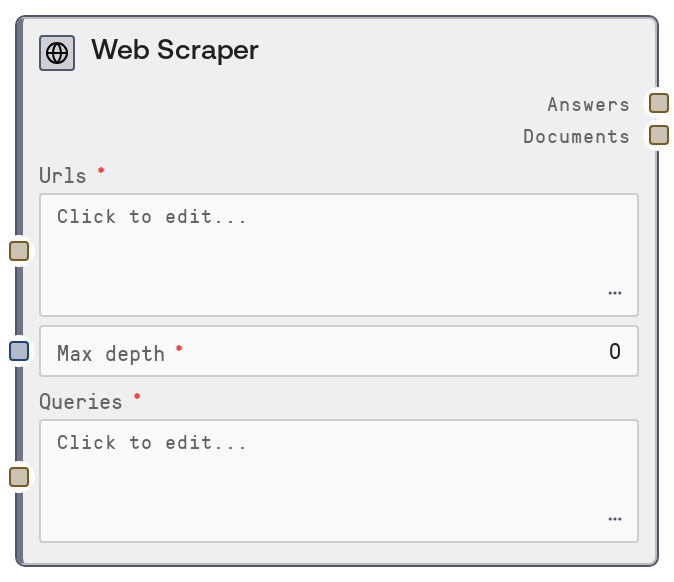
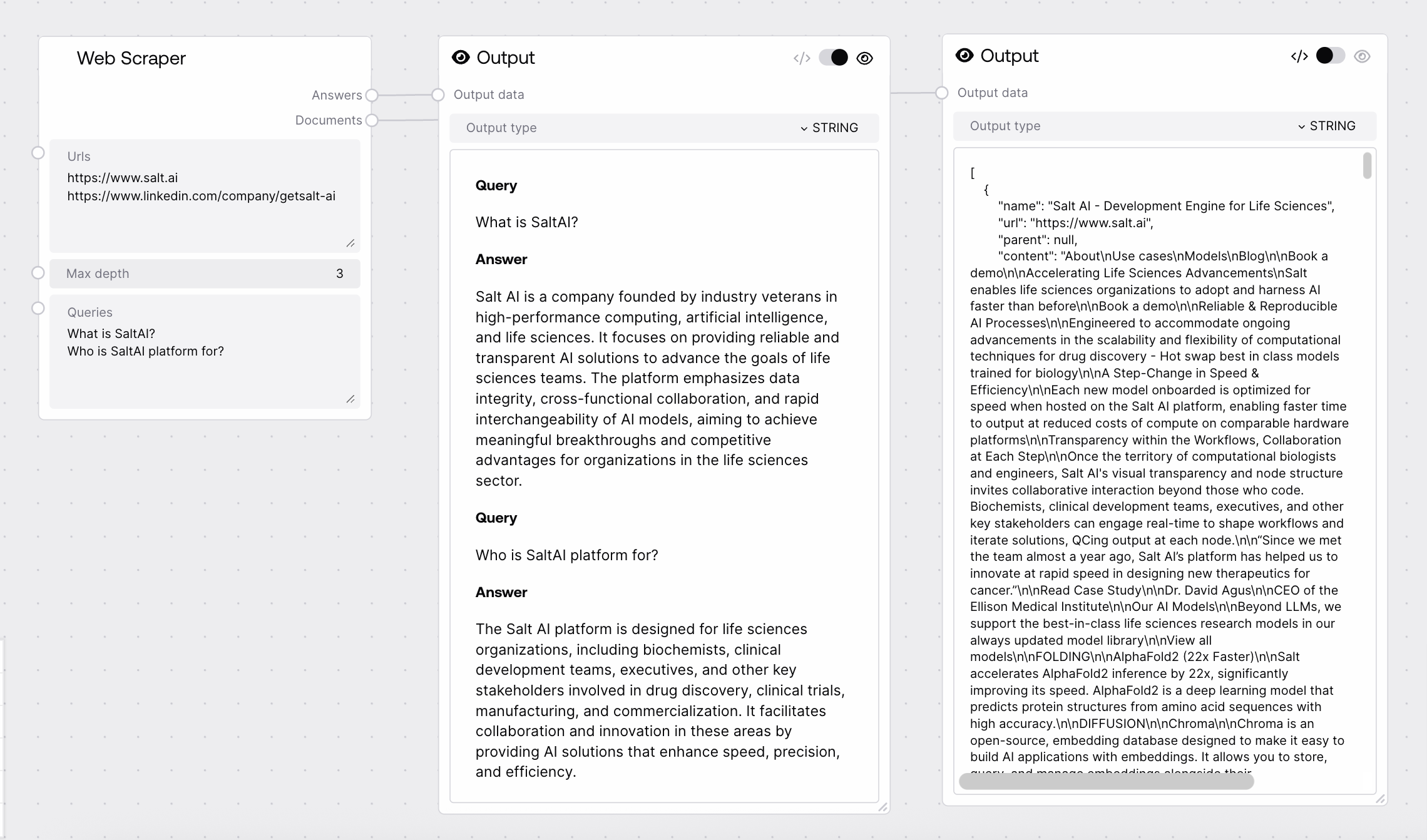
The Web Scraper node sends one or more URLs to the Agents service, which crawls and parses the pages up to a specified depth and optionally answers queries against the collected content. It returns a formatted text summary of answers for each query and a JSON string containing all scraped documents. Errors and skipped pages or queries are clearly annotated instead of being silently ignored.
Use this node when you need to gather information from live websites and optionally ask targeted questions about that content inside a Salt workflow. Typical scenarios include market and competitor research from product and pricing pages, technical research from documentation sites, and summarizing news or blog articles. It usually appears after URL selection (either manually specified or generated by a search-oriented node) and before downstream analysis or reporting nodes that consume the answers or raw documents. A common workflow is: (1) discover or define relevant URLs, (2) pass them with focused queries into Web Scraper, and (3) feed the resulting answers or documents into an LLM-based analysis, summarization, or data-extraction node. Start with a small number of URLs and a low max_depth (0 or 1) to keep latency and resource usage manageable, increasing depth only when you need linked pages as well.
One or multiple starting URLs to scrape, separated by line breaks. Each non-empty line is treated as a separate URL. At least one valid, non-empty URL is required or the node will raise an error before making a request. URLs must be full HTTP or HTTPS addresses reachable from the backend environment.
Maximum recursion depth for following links from the starting pages. At depth 0, only the provided URLs are scraped. At depth 1, the scraper may follow links from those pages once, and so on, up to a maximum depth of 3. Higher values increase the number of pages crawled, latency, and the risk of timeouts or very large outputs.
1
queries
True
STRING
Optional one or more queries, separated by line breaks, that will be answered using the scraped content. Empty or whitespace-only lines are ignored. If left completely empty, the node still scrapes and returns documents, but the answers output may be empty or minimal depending on backend behavior.
What are the main features described on these pages? Summarize any pricing or plan information mentioned.
A single formatted text string containing all query-answer pairs. For each query, it includes a "Query" section and an "Answer" section separated by blank lines. If a query fails on the backend, its response text is prefixed with a message such as "Query was skipped due to exception:" but is still included so downstream steps can see what went wrong.
**Query** What are the main features described on these pages? **Answer** The pages describe GPT models for text and code generation, vision capabilities, and tools for function calling and retrieval. **Query** Summarize any pricing or plan information mentioned. **Answer** Pricing is usage-based with per-token costs that vary by model family and access tier, along with free trial credits and enterprise plans.
documents
STRING
A JSON-formatted string representing an array of scraped document objects as returned by the Agents service. Each object typically includes metadata such as name, url, and content. If a page fails, a document with name set to "Error" is included and its content is prefixed with "Page was skipped due to exception:". This structured output is suited for further parsing, indexing, or custom processing by downstream nodes.
[{"name":"https://openai.com/research","url":"https://openai.com/research","content":"OpenAI publishes research on advanced AI capabilities, safety, and policy..."},{"name":"Error","url":"https://example.com/broken-link","content":"Page was skipped due to exception:\nTimeout while fetching the URL"}]
Performance: The node uses a 300-second timeout for the call to the Agents service; many URLs, large pages, or higher max_depth values can approach this limit and cause failures.
Limitations: The max_depth input is limited to the range 0–3. Sites that require authentication, heavy JavaScript rendering, or interactive flows may not be fully captured by the scraper.
Behavior: The node trims whitespace and removes empty lines from both urls and queries before sending them to the backend. If no URLs remain after cleaning, it raises a ValueError and does not perform any network request.
Behavior: Overall request errors (non-200 HTTP status, connectivity issues, invalid JSON) cause the node to raise an exception, while per-page or per-query issues are embedded in the documents and answers outputs with messages indicating that the page or query was skipped due to an exception.
Error: Please provide at least one non empty URL!: This occurs when urls is empty or only whitespace. Add at least one fully qualified URL on its own line and rerun the node.
Request to Agents service failed ...: This indicates an HTTP error or connectivity issue when calling the Agents service. Check that the Agents service is running, ENDPOINTS for agents are correctly configured, and there are no network or firewall problems.
Error decoding JSON response: ...: The response from the Agents service was not valid JSON. Inspect backend logs, simplify the inputs (fewer URLs, lower max_depth), and retry to identify problematic URLs or service issues.
Pages or queries marked as skipped due to exception: If you see messages like "Page was skipped due to exception" in documents or "Query was skipped due to exception" in answers, the overall call succeeded but specific pages or queries failed. Review the embedded error text, then adjust URLs, lower depth, or modify queries to reduce failures.