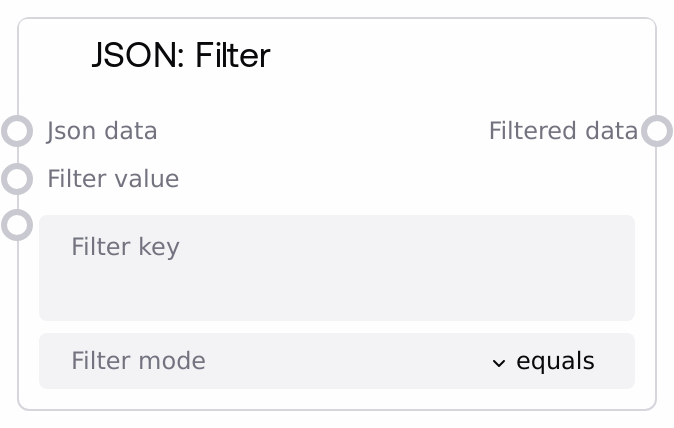
JSON: Filter
This node filters JSON data according to a key-value rule. It works on arrays (lists) of objects and returns only those objects whose value for a given key matches the provided filter value using the selected comparison mode. It is useful for narrowing large JSON result sets down to the records you care about.
Usage
Use this node when you have a list of JSON objects and want to keep only records that match a specific criterion, such as filtering API responses, log entries, task lists, or user records. Typically, an upstream node like SaltJsonFromString or another data-producing node outputs a list of dictionaries; SaltJsonFilter then reduces this list based on conditions like status == "open" or name containing a substring. Downstream, you might send the filtered list to SaltJsonToString for serialization, SaltJsonGetValue for extracting specific fields, or other processing/aggregation nodes. Place SaltJsonFilter after any step that produces or parses JSON arrays and before any summarization, reporting, or UI nodes. Prefer it over manual scripting when you just need straightforward equality or simple string-based filtering on a single key.
| Field | Required | Type | Description | Example |
|---|
| json_data | True | WILDCARD | JSON data to filter. Must effectively be a list/array of objects (for example, a list of dictionaries). If provided as a string, it is first parsed as JSON. If the parsed value is not a list, no filtering is applied and the original value is returned. Each list element should be an object (dict) for filtering to have an effect. | [{"id":1,"status":"open","assignee":"alice"},{"id":2,"status":"closed","assignee":"bob"},{"id":3,"status":"open","assignee":"carol"}] |
| filter_key | True | STRING | Key to filter by in each object. Only items where this key exists are considered; objects missing this key are skipped. If left empty, the node returns the input list unchanged. | status |
| filter_value | True | WILDCARD | Value to match against the value found at filter_key. In equals mode, comparison is direct and type-sensitive (for example, 1 is different from "1"). In the string-based modes, both values are converted to strings before comparison. | open |
| filter_mode | True | ["equals","contains","starts_with","ends_with"] | How to compare the item value at filter_key with filter_value. equals: item_value == filter_value with normal type-aware comparison. contains: str(filter_value) must be a substring of str(item_value). starts_with: str(item_value) must start with str(filter_value). ends_with: str(item_value) must end with str(filter_value). | equals |
Outputs
| Field | Type | Description | Example |
|---|
| filtered_data | WILDCARD | Filtered JSON data. If json_data was a list, this is a list containing only those objects that matched the filter condition; otherwise, the original json_data is returned unchanged. Object structure is preserved; only the set of items is reduced. | [{"id":1,"status":"open","assignee":"alice"},{"id":3,"status":"open","assignee":"carol"}] |
Important Notes
- Performance: Filtering is done with a simple pass over the list; performance is linear in the number of items. Extremely large lists can increase runtime and memory usage.
- Limitations: Filtering is only applied when the input (after optional JSON parsing) is a list. If it is a dict, scalar, or None, the node simply returns the input without changes.
- Limitations: Only top-level keys of each list item are checked. Nested paths such as "user.name" are not supported in this node; use other nodes to restructure data first if needed.
- Behavior: Items that are not dicts or that do not contain filter_key are silently excluded from the filtered result.
- Behavior: In contains, starts_with, and ends_with modes, both the item value and filter_value are converted to strings, which may produce matches on non-string data (for example, number 123 contains "2").
Troubleshooting
- Empty filtered_data list: If the result is an empty list, verify that filter_key exactly matches the key names in your objects (case and spelling) and that at least some objects contain that key with the expected value and comparison mode.
- No filtering occurs: If the output appears identical to the input, check that json_data is actually a list after parsing. If you passed a JSON string, confirm it represents an array (for example, starts with '[' and ends with ']').
- Unexpected matches in string modes: If you see more matches than expected with contains, starts_with, or ends_with, remember that values are compared as strings. Adjust filter_value or switch to equals for stricter behavior.
- JSON string parsing issues: If you pass a malformed JSON string in json_data, parsing will fail and may result in None or unchanged data. Validate the JSON first using a node like SaltJsonValidate or by inspecting the raw input.