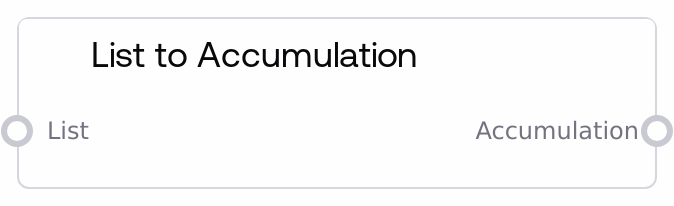
List to Accumulation
This node takes either a standard list or a single value and wraps it into Salt’s internal Accumulation structure. If the input is a Python list, its elements become the accumulation items in order; if it is a single value, the node creates a one-element accumulation. It is used to adapt regular data into the Accumulation type required by Salt’s list-logic nodes.
Usage
Use List to Accumulation when you need to run accumulation-based list operations (such as Head, Tail, Get Item, Set Item, Get Length, or Accumulate) on data that is currently a plain list or a single scalar value. A typical workflow is: some source node outputs a LIST (e.g., a list of text prompts, image paths, or configuration objects) or a single value → List to Accumulation → Accumulation Head/Tail/Get Item/Set Item/Get Length/Accumulate → optionally Accumulation to List to convert back to a plain list for other nodes. Place this node just before the first node that expects an Accumulation input. It works well together with nodes like Accumulation Head, Accumulation Tail, Accumulation Get Item, Accumulation Set Item, Accumulation Get Length, Accumulation to List, and Accumulate, forming a small ecosystem for complex list and sequence manipulation within Salt flows.
| Field | Required | Type | Description | Example |
|---|
| value | True | LIST or ANY | Input value to convert into an accumulation. If this is a Python list, each element becomes an item in the accumulation, preserving order. If it is a single scalar value (such as a string, number, image, or object), the node wraps that value into a one-element accumulation. The content should be compatible with the downstream accumulation node that will consume it. | ["negative prompt A", "negative prompt B", "negative prompt C"] |
Outputs
| Field | Type | Description | Example |
|---|
| accumulation | ACCUMULATION | An Accumulation structure containing the items derived from the input. For a list input, the accumulation holds all list elements; for a scalar input, it contains one item. This is the standard collection format consumed by Salt’s accumulation family nodes, which treat it as an ordered sequence supporting indexing, slicing, and mutation operations. | {"type": "accumulation", "items": ["negative prompt A", "negative prompt B", "negative prompt C"]} |
Important Notes
- Performance: Very large input lists (for example, thousands of elements) will result in equally large accumulations, which can increase memory usage and slow down downstream accumulation operations; consider batching or limiting list size when possible.
- Limitations: The node does not inspect or enforce a consistent type across elements. If a downstream accumulation node expects a specific type (such as only images or only text), you must ensure the input list respects that requirement before conversion.
- Behavior: Non-list inputs are always wrapped as a single-item accumulation. This node does not split strings or other composite values; if you want to create multiple items from a single value (for example, splitting a comma-separated string), do that with upstream processing before using this node.
- Behavior: Passing an already-Accumulation-typed value through this node is usually unnecessary and may lead to unexpected wrapping semantics depending on how the upstream node encodes the accumulation. Prefer wiring accumulations directly between accumulation nodes without reconversion.
Troubleshooting
- Symptom: Accumulation has only one item when many were expected: This usually means the input
value was a scalar (for example, a single string like "a, b, c") rather than a Python list. Fix by converting or splitting the value into a true list upstream, then feed that list into this node.
- Symptom: Downstream accumulation node reports type or format errors: This indicates that at least one element in the accumulation is incompatible with the downstream node (for example, feeding text items into an image-only accumulation operation). Inspect the original list and either filter incompatible items or convert them to the expected type before List to Accumulation.
- Symptom: Empty accumulation output: If downstream nodes see an empty accumulation, check that the upstream node is not producing an empty list or
None. Ensure that the value input is actually connected and that any conditional branches or filters are not removing all items before this node.
- Symptom: Index out of range in Accumulation Get Item or Head/Tail: This usually means the accumulation created here has fewer items than assumed. Confirm the size of the original list, verify that no filters or conditional steps removed items unexpectedly, and adjust index values or list construction accordingly.