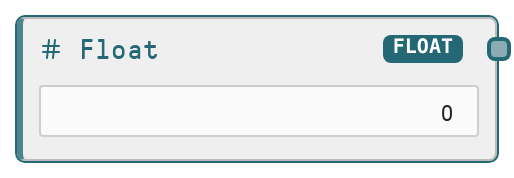
Float
This node produces a literal floating-point (decimal) number that can be wired into any downstream node expecting a FLOAT input. It acts as a primitive, standalone numeric parameter with a defined range and step size. Use it to centralize control of numeric settings such as strengths, scales, thresholds, and ratios across a workflow.
Usage
Use the Float node whenever you need a fixed decimal value that may be reused or adjusted independently of other logic. Typical scenarios include setting model parameters (for example, temperature or penalty values), thresholds for conditional logic, scaling factors for scores, or weights in blending logic. It usually appears early in a pipeline as a configuration node, feeding into nodes like SaltFloatConditions, deployed model nodes, routing/branching logic, or any custom nodes expecting a FLOAT input. A common pattern is to connect a single Float node to multiple downstream parameters so that changing the value once updates behavior across the workflow. Best practice is to keep values within the defined range (−1e15 to 1e15), use the 0.01 step to make fine-grained adjustments, and clearly label Float nodes according to their role (such as "Temperature" or "Score threshold").
| Field | Required | Type | Description | Example |
|---|
| value | True | FLOAT | The literal floating-point number to output. Must be between −1e15 and 1e15. The UI uses a step size of 0.01, allowing precise decimal tuning. This is a single scalar value and is treated as a constant until you manually change it. | 0.75 |
Outputs
| Field | Type | Description | Example |
|---|
| value | FLOAT | The configured decimal number, passed through unchanged. Downstream nodes receive this as a single FLOAT value and can use it as any numeric parameter, such as thresholds, scales, weights, or model configuration values. | 0.75 |
Important Notes
- Performance: This node has negligible computational cost; it simply forwards the configured number without additional processing.
- Limitations: Only a single scalar float is supported. Arrays, ranges, or expressions are not evaluated and must be computed before being entered.
- Behavior: The value is static during a workflow run. It will not change dynamically unless you modify it before execution or use separate control logic to swap between different Float nodes.
- Behavior: The allowed numeric range is clamped to −1e15 to 1e15. Attempts to set values outside this range will be constrained to valid bounds.
Troubleshooting
- Common Error 1: Downstream node reports that a parameter is out of its expected range (for example, expects 0–1 but receives 5.0). Adjust the Float node value to the domain required by that specific parameter, such as using 0.3 for a probability-like setting.
- Common Error 2: Changing the Float value does not appear to affect workflow results. Confirm that you applied the updated value, re-ran the workflow, and that the Float node output is actually connected to the input controlling the behavior you are observing.
- Common Error 3: A node input remains unconfigured even though the Float node has a value. Check that the Float node’s output is connected to the correct FLOAT input port and that no other node is simultaneously feeding or overriding that input.