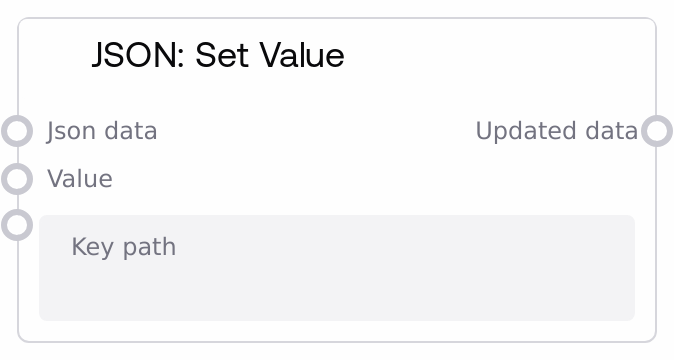
JSON: Set Value
This node updates or inserts a value within JSON data at a specified dot-separated key path. It supports nested objects and arrays, including numeric indices for list elements, and automatically creates intermediate dictionaries or extends lists if they do not exist. If the input is a JSON string, it is parsed first, and the node then returns the updated JSON structure.
Usage
Use this node when you need to programmatically build, enrich, or modify JSON structures inside a Salt workflow. Common scenarios include constructing HTTP or API request bodies, adding metadata to model outputs, preparing configuration objects, or updating items inside JSON arrays produced by earlier processing steps. Place it after nodes that produce JSON data or JSON strings (such as "JSON: From String", JSON loop nodes, or aggregation/merge nodes) and before nodes that consume that JSON structure (such as HTTP caller nodes, storage nodes, or "JSON: Get Value"). The key_path uses dot notation, where object fields use plain segments (for example, "user.profile.name") and array elements use numeric indices (for example, "items.0.title"). The node creates missing intermediate objects and extends lists with placeholder entries when setting deeper values, which makes it well-suited for incrementally assembling complex payloads across multiple steps in a pipeline.
| Field | Required | Type | Description | Example |
|---|
| json_data | True | WILDCARD | The JSON data to modify. Accepts a structured JSON value (dictionary, list, or nested combination) or a JSON-formatted string. If a string is provided, it is parsed into a JSON object; if parsing fails, an empty object is used instead. To avoid accidentally losing the original raw text, prefer passing already-structured JSON when possible. | {"user": {"id": 42, "name": "Alice"}, "items": [{"sku": "ABC123", "qty": 1}]} |
| key_path | True | STRING | Dot-separated path indicating where to set the value. Object keys use plain segments (for example, "user.address.city"), and array elements use numeric indices (for example, "items.0.qty"). Intermediate objects and lists are created or extended as needed. If this field is empty, the node returns the value itself as the full output, effectively replacing the entire structure. | items.0.price |
| value | True | WILDCARD | The value to assign at the specified path. Can be any JSON-compatible type such as string, number, boolean, null, object, or array, or other workflow-compatible data. Any existing value at that location is overwritten; if the path does not yet exist, it is created. | 19.99 |
Outputs
| Field | Type | Description | Example |
|---|
| updated_data | WILDCARD | The JSON data after applying the set operation. The type mirrors the structured form of json_data (dictionary or list) and includes the newly set value at the target path. If json_data was a JSON string, the output is the parsed and updated structure (not re-serialized to a string). Downstream nodes can continue to transform this structure, extract fields, or convert it back to text using "JSON: To String". | {'user': {'id': 42, 'name': 'Alice'}, 'items': [{'sku': 'ABC123', 'qty': 1, 'price': 19.99}]} |
Important Notes
- Performance: Path traversal and structure creation are lightweight for small and medium JSON payloads, but repeatedly updating very large or deeply nested documents in tight loops can add overhead; batch or combine updates when possible.
- Limitations: When traversing arrays, each path segment that targets a list element must be a valid integer string (for example, "0" or "1"); using a non-numeric segment at a list step causes the node to return the original json_data unchanged.
- Behavior: If key_path is empty, the node ignores json_data and simply returns value as the entire output, effectively replacing the whole structure for that call.
- Behavior: If json_data is a string that cannot be parsed as valid JSON, the node falls back to an empty object before applying the set operation, which means the original raw string content is not preserved in the result.
- Limitations: When creating new list entries to reach a higher index, the node extends the list with placeholder objects during traversal and with null-like placeholders at the final level; these may appear if you later inspect or iterate through the list.
Troubleshooting
- Path appears to have no effect: If the output is identical to the input, verify that any segment of key_path that refers to a list element is numeric (for example, use "items.0.name" instead of "items.first.name") and that each intermediate step matches the actual structure (object vs. list).
- Unexpected null or empty objects in arrays: This can occur when you write to an index beyond the current list length (for example, "items.3.price" when only one item exists). The node pads the list with placeholder entries; adjust the index or initialize the list earlier if you want a contiguous, meaningful set of elements.
- Output is not a JSON string: The node always returns structured JSON (dictionary/list), even if you passed in a JSON string. Add a "JSON: To String" node afterward if a downstream integration requires text-form JSON.
- Entire structure replaced unexpectedly: If the result no longer resembles json_data, check that key_path is not empty. An empty path instructs the node to output value directly, discarding the original structure for that execution.
- Original raw string lost: If you passed a non-JSON string into json_data, it is replaced by an empty object internally before updating. If you must keep the original string, store it elsewhere before using this node.