Text
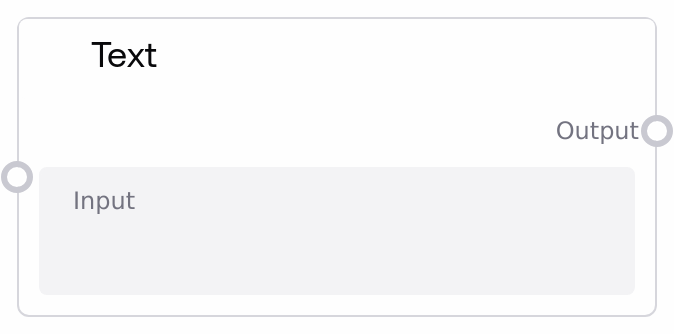
The SaltTextInput node is the primary entry point for user-provided text in a Salt workflow. It presents a single-line or multi-line text field, captures the value, and outputs it as a string for downstream nodes. The node also emits UI metadata so the Salt interface can display and track the current input value for this specific node instance.
Usage
Use the SaltTextInput node whenever a workflow needs human-provided text, such as prompts for language models, search queries, configuration values, or content to be transformed (for example, summarized, translated, or classified). It typically appears near the start of a workflow as the main user input source, often followed by processing nodes like model-caller nodes, text analyzers, or formatting utilities, and then by SaltOutput or other presentation nodes. A common pattern is: SaltTextInput → a prompt-construction or preprocessing node → an LLM or API-call node → SaltOutput. Upstream, this node usually has no data dependencies; instead, the front end must supply the text by calling setNodeInputValues with inputName set to "input" (even if the value is an empty string). Downstream, any node that accepts a STRING input can consume the output—for example, a node that generates an email, runs sentiment analysis, or routes based on user instructions. For richer UIs, the emitted UI payload (in the ui.salt_input structure) can be used to keep on-screen components synchronized with the latest text value. In practice, keep each text input focused on a single purpose, and handle any necessary validation, redaction, or formatting in subsequent nodes.
| Field | Required | Type | Description | Example |
|---|
| input | True | STRING | The text entered by the user that will be propagated through the workflow. Supports single-line and multi-line content, including prompts, plain text, or configuration strings. There is no strict length limit at the node level, but very large values may affect performance or hit limits in downstream services. | Summarize the following meeting notes into 5 bullet points, focusing on decisions and next steps. |
Outputs
| Field | Type | Description | Example |
|---|
| output | STRING | The exact text value captured from the user’s input field. Downstream nodes use this plain string to construct prompts, search queries, filters, or any other text-based payloads. | Draft a friendly follow-up email thanking the customer for their feedback and offering a 10% discount on their next order. |
| ui | OBJECT | UI metadata emitted for the Salt interface, under ui.salt_input. This object contains the node’s unique ID, the current text value, type information, and a timestamp so the front end can display and sync the user’s latest input. | {"ui":{"salt_input":[{"id":"node_3f6a2c7e-91b1-4e6b-9b1a-8c5d2b4d1f20","output":"Generate a 3-sentence product description for our new noise-cancelling headphones.","type":"text","timestamp":null}]}} |
Important Notes
- Performance: The node itself is lightweight, but very large text inputs (for example, full documents) can slow down or increase costs in downstream nodes such as LLMs or external APIs; consider adding chunking or summarization later in the workflow.
- Limitations: SaltTextInput only collects and forwards text; it does not perform validation, sanitization, or formatting. Any cleaning, redaction, or structure enforcement must be handled by subsequent nodes.
- Behavior: If the input value is missing or provided as null, the node normalizes it to an empty string before emitting the output and UI payload, so downstream nodes always receive a defined string.
- Integration Requirement: After adding a SaltTextInput node, the platform must call setNodeInputValues with inputName="input" and a value (which may be "") before execution. Otherwise the node will fail at run time with a missing required input error.
- Workflow Role: This node is treated as an output node in the engine; it is typically used at or near the start of a workflow and should not depend on other nodes’ outputs.
Troubleshooting
- Error: Required input is missing: input: The workflow is running without the input value being set. Ensure your client calls setNodeInputValues for this node with inputName="input" and a string value before execution, even if that value is an empty string.
- Symptom: Downstream nodes see an empty string when text was expected: Check that your front end is actually sending the user’s text to this node, not leaving it undefined or null (which becomes an empty string). Verify the value you pass in setNodeInputValues matches what the user typed.
- Symptom: Confusion between multiple text fields: When using several SaltTextInput nodes in one workflow, give each a clear title or label so that connected variables and downstream mappings make it obvious which user input is being referenced.
- Symptom: UI shows stale or incorrect text: Confirm that you are reading from the latest ui.salt_input entry for the correct unique_id, and that your client updates the node input before re-running the workflow or refreshing any bound UI components.