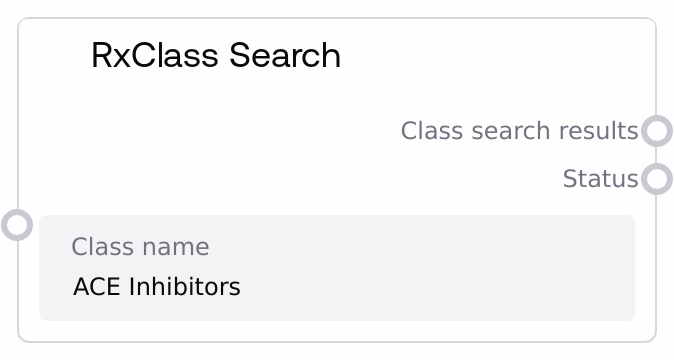
RxClass Search
This node queries the RxClass system (via RxNorm services) using a human-readable drug class name, such as an ATC or pharmacologic class label. It validates the input, calls the underlying RxNormAPI search endpoint, and wraps the response into a JSON string that includes both the original search term and the raw results. It also returns a human-readable status message indicating success or any encountered error.
Usage
Use this node when you have a descriptive drug class name (for example, "ACE Inhibitors" or "Beta blocking agents") and need to find matching RxClass entries to drive downstream queries. It typically appears early in a workflow: you start with a text class name, run RxClass Search to resolve candidate classes, then select a specific class_id to feed into nodes like SaltAIRxClassInfo, SaltAIRxClassMembers, or SaltAIRxClassDrugMembers. In a typical pipeline, you might: (1) generate or capture a class name from a user form or upstream NLP step, (2) pass that string into RxClass Search, (3) parse the resulting JSON to pick the desired class (for example, by type, source, or similarity), and (4) hand the chosen identifier to downstream drug or class analysis nodes. This node is well-suited for interactive exploration tools, clinical data pipelines where you map free-text categories to standardized classes, and QA systems that require moving from general class descriptions to standardized identifiers. Best practices: ensure the class_name is specific and correctly spelled to minimize ambiguous results; handle the returned JSON with a parser node or custom logic to extract the exact class_id you want. Use the status output to quickly detect API or validation errors and branch your workflow accordingly.
| Field | Required | Type | Description | Example |
|---|
| class_name | True | STRING | The human-readable drug class name to search in RxClass. This must be a non-empty string describing a pharmacologic, therapeutic, or classification-system class label. Leading and trailing whitespace is ignored; an empty or whitespace-only value will produce an error. The closer the phrase matches standard class names (for example ATC or MeSH-derived labels), the more precise the results. | ACE Inhibitors |
Outputs
| Field | Type | Description | Example |
|---|
| class_search_results | STRING | A JSON-formatted string containing the search term and the raw results returned from the RxClass service. The top-level object typically includes a field search_term (echoing the input class_name) and a field results, where results is the full payload from the RxNormAPI search_rxclass_by_name call. Downstream nodes parse this JSON to extract candidate class identifiers, names, and types. | { "search_term": "ACE Inhibitors", "results": { "rxclassMinConceptList": [ { "classId": "123", "className": "ACE INHIBITORS", "classType": "ATC", "classSource": "ATC" } ] } } |
| status | STRING | A human-readable status message describing the outcome of the search. On success it confirms that the RxClass search was performed for the provided term. On errors it contains a descriptive message, such as input validation failures (empty class name) or API-reported errors (such as connectivity or service issues). Use this to branch logic or display user feedback. | Successfully searched RxClass for 'ACE Inhibitors' |
Important Notes
- Performance: Each execution triggers a live call to the RxNorm or RxClass service; heavy batching or rapid repeated queries with different class names may increase latency and external API load.
- Limitations: If the class_name is empty or only whitespace, the node returns an empty JSON object ("{}") and an error status instead of calling the API.
- Limitations: The structure and richness of the results field depend entirely on the external RxNormAPI response; unexpected schema changes or sparse results must be handled by downstream logic.
- Behavior: On API-level errors, the node still returns a JSON string (containing an error field from the API) along with a status message starting with "API Error:"; workflows should not assume a successful search solely from the existence of JSON output.
Troubleshooting
- Empty class name error: If the status output reads "Error: Class name cannot be empty" and class_search_results is "{}", check that the upstream node or user input passes a non-empty, non-whitespace string into class_name.
- API Error in status: If status begins with "API Error:" and the results JSON contains an error field, there may be connectivity issues or invalid parameters at the RxNorm service. Inspect the class_search_results JSON for the specific error message and consider retrying, adjusting the query, or checking external service availability.
- Unexpected or no matches: When the results JSON has an empty or very small result list, the class_name may be too vague or not aligned with RxClass terminology. Try using more standardized names (for example, official ATC class labels) or adjusting user input normalization before calling this node.
- Downstream JSON parsing failures: If a subsequent node or script fails to parse class_search_results, confirm that it is treated as a JSON string and properly deserialized before accessing fields like results or rxclassMinConceptList.