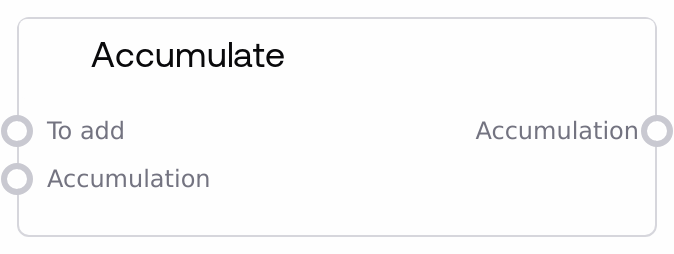
Accumulate
This node appends a new value to an Accumulation structure on each call, allowing you to progressively build a list across steps or iterations. It automatically initializes the accumulation on first use, merges with an existing accumulation when provided, and skips adding items when the value to add is None. The result is stored in a standardized ACCUMULATION object that other accumulation nodes can consume.
Usage
Use this node whenever you need to collect or aggregate multiple values step by step into a single list-like structure. Typical scenarios include gathering outputs from loop iterations, combining results from conditional branches, or progressively building a batch of items (for example, prompts, IDs, or API responses) before a downstream operation. Place it downstream of any node that produces the item you want to store: connect that output to "to_add", and if you are in a loop or iterative pattern, feed the previous "accumulation" output back into this node's "accumulation" input on the next step. The node returns a single ACCUMULATION object, which is designed to work seamlessly with related nodes like "SaltAccumulationHeadNode" (get first item), "SaltAccumulationTailNode" (get all but first), "SaltAccumulationToListNode" (convert to a plain list), "SaltListToAccumulationNode" (wrap an existing list), "SaltAccumulationGetLengthNode" (count items), "SaltAccumulationGetItemNode" (index access), and "SaltAccumulationSetItemNode" (update elements). In practice, you will often combine Accumulate with loop or control-flow style nodes, using its output as an ordered record of all intermediate values for later processing or inspection.
| Field | Required | Type | Description | Example |
|---|
| to_add | True | WILDCARD | The value to append to the accumulation on this step. Accepts any supported Salt data type such as text, numbers, images, or JSON-like structures. If this value is None, the node will not append anything and will simply pass through or initialize the accumulation. There are no explicit range constraints, but very large objects or long sequences may impact performance and memory usage. | A generated clinical note string such as "Patient reports mild chest pain for 3 days; denies shortness of breath" collected from each iteration of a summarization loop. |
| accumulation | False | ACCUMULATION | An existing Accumulation container to continue appending to. This is typically the previous output from this same node or from another accumulation-related node. If omitted or None, the node initializes a new accumulation. Valid accumulations are dictionary-like objects with an internal "accum" list; if a non-standard object is provided, the node will wrap it together with the new item into a fresh accumulation. | {"accum": ["Note 1: Initial triage", "Note 2: Lab results", "Note 3: Imaging summary"]} |
Outputs
| Field | Type | Description | Example |
|---|
| accumulation | ACCUMULATION | An Accumulation container holding all collected values in order. Internally this is a structure with an "accum" list containing each item in the sequence they were added. This object is intended for use by other accumulation-aware nodes to inspect, convert, or manipulate the collected sequence. | {"accum": ["Patient A summary", "Patient B summary", "Patient C summary"]} |
Important Notes
- Performance: Because items are stored in an internal list, repeatedly accumulating large objects such as high-resolution images or large JSON payloads can increase memory usage; consider aggregating compact representations such as IDs or summaries instead of raw data when possible.
- Limitations: The node silently skips adding entries when "to_add" is None; this is intentional but can lead to fewer items than iterations if you are not accounting for it in your logic.
- Behavior: If "accumulation" is missing or not a proper Accumulation object, the node will automatically initialize or normalize it rather than failing, which can mask upstream type mismatches if you expect strict validation.
- Behavior: The order of elements in the "accum" list is strictly the order they were processed: earlier calls appear at lower indexes, making it suitable for workflows where sequence matters, such as chronological logs or stepwise outputs.
Troubleshooting
- Unexpected empty accumulation: If you see an output like "{\"accum\": []}" when you expect items, check that "to_add" is not None and that upstream nodes are actually producing a value each step.
- Items missing compared to loop iterations: When some iterations do not produce results, "to_add" may be None for those steps, causing them to be skipped; verify conditional branches and ensure default values when you must preserve position.
- Downstream nodes not recognizing the accumulation: Some nodes require a valid ACCUMULATION object; if you passed in a plain list directly instead of using Accumulate or List to Accumulation, the structure may be wrong. Convert it first with "SaltListToAccumulationNode".
- Type or shape surprises in downstream processing: Since "to_add" accepts any type (WILDCARD), your accumulation may contain mixed data types. Ensure that later nodes in your pipeline can handle the combination of items you are storing.