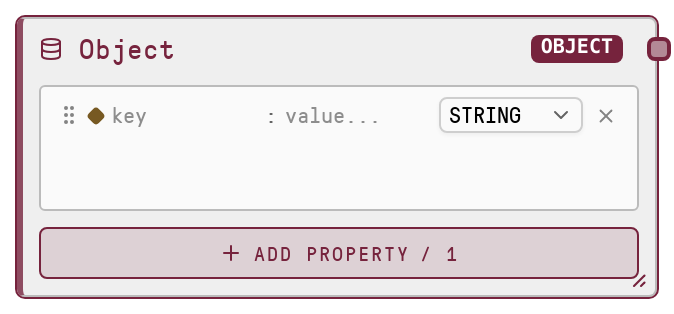
Object
This node produces a literal object (dictionary) value that flows through the workflow as structured key-value data. It validates that the provided value is a dict and returns a deep-copied version to avoid side effects if downstream nodes mutate it. Use it to define configuration, metadata, or payloads directly on the canvas.
Usage
Use the Object node whenever you need to introduce or reshape structured data as a key-value dictionary within a workflow. Typical scenarios include assembling configuration objects for model calls, defining request bodies for HTTP or database nodes, or bundling related fields (for example, user profile data, filters, or feature flags) into a single structured payload. It commonly appears near the start of a pipeline to seed data or mid-pipeline to repackage outputs from other nodes into a structured format. Upstream, you typically originate the data by manually editing the dict value on this node or by shaping data in earlier processing steps before entering it here. Downstream, it integrates with any node that accepts DICT inputs such as tool invocation nodes, integration nodes, or custom logic expecting JSON-like objects. For best results, keep keys stable and clearly named, use nested dicts when your structure becomes complex, and prefer Object over List when order is not the main concern but named fields are.
| Field | Required | Type | Description | Example |
|---|
| value | True | DICT | The key-value object to output. Must be a dictionary-like structure with string keys and JSON-serializable values such as numbers, strings, booleans, lists, or nested dicts. If left empty, an empty object {} is used. Non-dict values will cause a type error. | {"user": {"id": "user_123", "role": "admin"}, "request": {"limit": 50, "include_inactive": false}, "metadata": {"source": "dashboard", "version": "1.2.0"}} |
Outputs
| Field | Type | Description | Example |
|---|
| value | DICT | A deep-copied dictionary containing the provided key-value pairs. Downstream nodes receive this as a structured object suitable for use as configuration, JSON payloads, or any internal structured data representation. | {"user": {"id": "user_123", "role": "admin"}, "request": {"limit": 50, "include_inactive": false}, "metadata": {"source": "dashboard", "version": "1.2.0"}} |
Important Notes
- Performance: The node deep-copies the dict on execution; very large nested objects may incur additional memory and CPU overhead.
- Limitations: The input must be a dict; passing a list, string, or other type will result in a type error instead of automatic conversion.
- Behavior: If no value is provided, the node outputs an empty object {} rather than failing, which can mask missing configuration if not intended.
- Behavior: Because the output is a deep copy, mutations in downstream nodes will not affect the original data stored in this node, which is useful for reuse but may surprise if in-place updates are expected.
Troubleshooting
- TypeError: Object primitive expects a dict value.: This occurs when the input is not a dict, such as when you provide a list or string. Ensure the node value is a JSON-style object with key-value pairs, not an array or scalar.
- Downstream node cannot find expected key: If a downstream node reports missing fields, verify the keys and nesting in the Object node match exactly, including case, what the consumer expects.
- Unexpected empty object output: If you see an empty object ({}), confirm that you actually set the value on the node and that any dynamic inputs feeding into it are correctly configured and producing a dict.