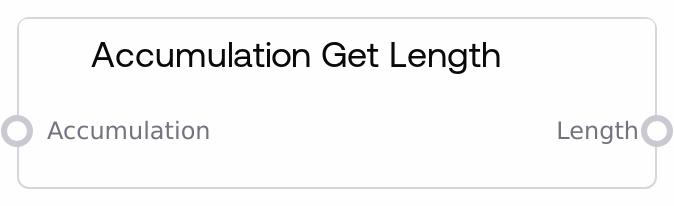
Accumulation Get Length
This node reads an Accumulation container and outputs how many items it currently holds. It inspects the accumulation's internal list and returns its length; if the structure is missing or malformed, it safely returns 0 instead of failing. This makes it a reliable way to measure progress or drive loop-like logic based on how many elements have been collected so far.
Usage
Use this node whenever you need to know how many items have been collected in an Accumulation, for example to control iteration, branching, or progress reporting. It typically appears downstream of nodes that build or transform Accumulations, such as "Accumulate", "Accumulation Head", "Accumulation Tail", "Accumulation to List", or "List to Accumulation". A common pattern is: use "Accumulate" to build up values across steps, then feed the resulting accumulation into "Accumulation Get Length" to decide whether to continue adding more items, terminate a loop, or branch based on the size. Another frequent use is to convert the Accumulation to a standard list for other logic, while still using this node in parallel to track how that list grows over time. It pairs well with "Accumulation Get Item" and "Accumulation Set Item" when you are implementing indexed operations and need boundary checks or counters. In workflow design, treat this as a lightweight introspection tool on your Accumulation state, useful in control-flow graphs and conditional logic.
| Field | Required | Type | Description | Example |
|---|
| accumulation | True | ACCUMULATION | An Accumulation object containing a list of collected values. Internally this is a structured container (typically a dictionary with an 'accum' list). It must be produced by compatible nodes such as "Accumulate", "Accumulation Head", "Accumulation Tail", "Accumulation to List" (in reverse direction via "List to Accumulation"), or similar. If the input is missing, not an Accumulation, or does not contain a valid 'accum' list, the node will not error but will return a length of 0. | {'accum': [{'patient_id': '12345', 'status': 'processed'}, {'patient_id': '67890', 'status': 'pending'}, {'patient_id': '13579', 'status': 'processed'}]} |
Outputs
| Field | Type | Description | Example |
|---|
| length | INT | The number of items currently stored inside the Accumulation's internal list. This is a non-negative integer. If the input was not a valid Accumulation or the 'accum' list was missing, the output is 0. You can use this value for loop counters, boundary checks before indexing into the Accumulation, or for reporting how many items were collected. | 3 |
Important Notes
- Performance: Getting the length is an O(1) operation on the underlying list and is very fast, even for large Accumulations.
- Limitations: If the input is not a valid Accumulation (for example, a plain list or a different data type), the node will not infer its size and will simply return 0.
- Behavior: The node is defensive—on any structural issue or runtime error it logs internally and returns 0 instead of raising an error, so silent 0-length outputs may indicate an upstream problem.
- Behavior: This node is read-only; it never modifies the Accumulation. It only inspects the container to compute its length.
Troubleshooting
- Always getting length = 0: This usually means the input is not a valid Accumulation or the 'accum' field is missing. Ensure the upstream node is "Accumulate", "List to Accumulation", or another Accumulation-focused node, and that you are wiring the accumulation output (not an inner item or list) into this node.
- Length is smaller than expected: Check that all intended steps actually appended to the Accumulation. If you use "Accumulate" in conditional branches, some paths might skip adding items, resulting in fewer elements than anticipated.
- Downstream index errors in other nodes: If you use the length from this node to drive indexing with "Accumulation Get Item", ensure your index is strictly less than the length. An off-by-one error can cause index issues even though this node itself continues to return a valid integer.